
Looking to download YouTube videos on Android without ads or subscriptions? These free apps let you save videos and audio in high quality for offline viewing — no paywalls, no bloat.
The Best Free YouTube Download Apps for Android Right Now
YouTube is the internet’s default video platform. It’s where people go for tutorials, music, livestream replays, long-form essays, and everything in between. But the official Android app still limits offline downloads to Premium subscribers, pushes ads aggressively, and consumes a surprising amount of mobile data.
For anyone who wants real offline access — whether for travel, limited data plans, or just convenience — third-party downloaders remain the practical solution. The good news is that in 2026, the landscape is far more mature than it used to be. The era of shady APKs stuffed with trackers and pop-ups is largely over. Today’s best tools are stable, open-source, and built with privacy in mind.
We tested the strongest options currently available for Android. Some replace the YouTube app entirely. Others focus purely on downloading and do it exceptionally well. Our picks prioritize reliability, clean interfaces, active development, and transparency about limitations — so you know exactly what you’re installing.
Disclaimer: The applications mentioned in this article (such as NewPipe, Seal, or LibreTube) are open-source tools available in verified repositories like F-Droid. Although their source is secure and malware-free, using these tools to download content may violate YouTube’s Terms of Service. The legality of such downloads depends entirely on local laws and the personal use the reader chooses to give them; this article is for strictly informational purposes and does not encourage piracy.
The Best YouTube Downloaders for Android
These apps fall into two categories: full YouTube clients with built-in downloads, and dedicated download utilities powered by yt-dlp. All are actively maintained and work on standard Android builds as well as de-Googled devices.
NewPipe
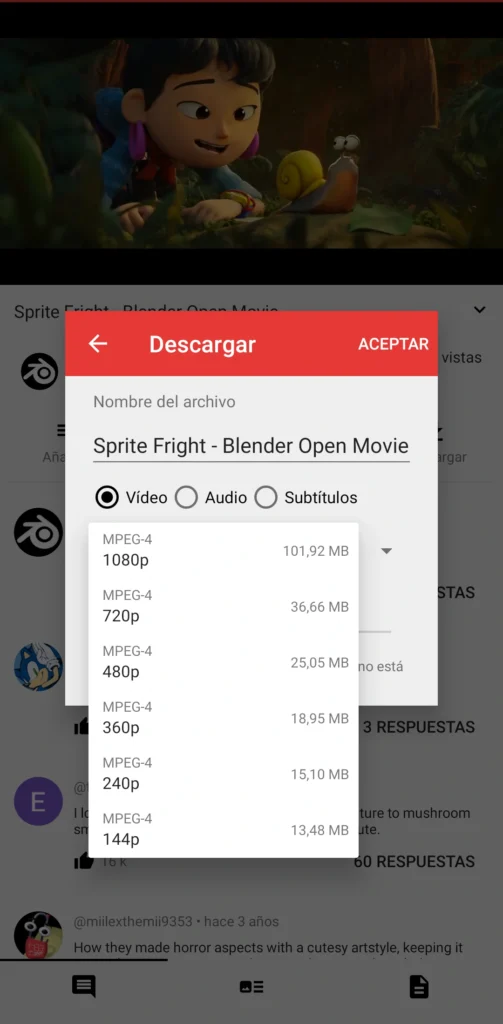
NewPipe is more than a downloader. It’s a full YouTube client designed to replace the official app entirely.
Built without Google libraries or YouTube’s official API, NewPipe pulls content directly from the web interface. That means no Google account required, no Play Services dependency, and no ads. You can search, browse trending videos, subscribe to channels locally, create playlists, and play videos in the background — all within a lightweight interface that feels faster than the official app.
Downloading is integrated directly into the playback screen. Tap the download button, choose your resolution (up to the source maximum, including 1080p and beyond when available), select format (video or audio), and optionally grab subtitles. It also supports playlist and channel downloads, making it easy to queue multiple files at once.
Installation is straightforward through F-Droid. The default repository works fine, though NewPipe’s custom repo provides faster updates. Performance is excellent, even on older devices running Android 5.0 and up. In everyday use, it consumes less RAM and noticeably less battery than the official YouTube app.
Pros
- Fully open-source, privacy-focused, and ad-free
- Combines browsing, subscriptions, background playback, and downloads in one lightweight app
Cons
- Occasionally breaks when YouTube changes its backend, though updates usually arrive quickly
Download:
• Official site: https://newpipe.net/
• F-Droid: https://f-droid.org/en/packages/org.schabi.newpipe/
Seal
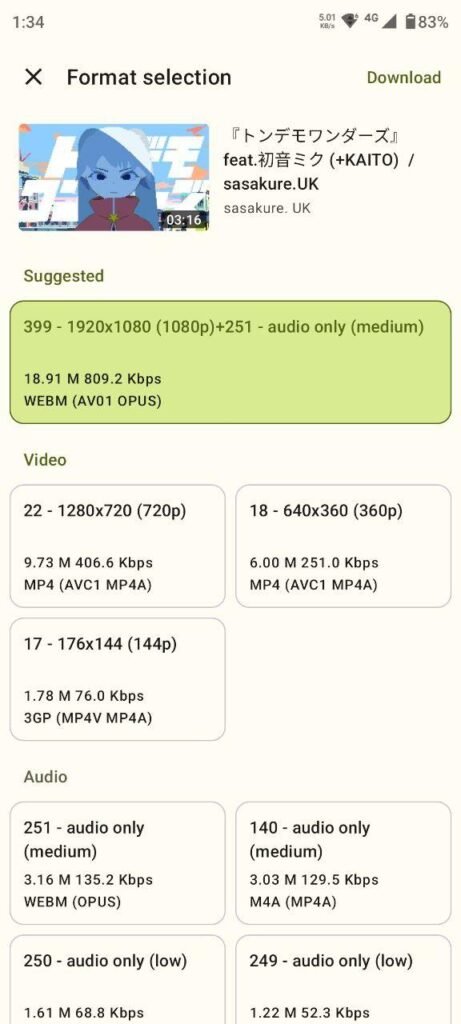
Seal takes a different approach. It doesn’t try to replace YouTube — it focuses purely on downloading, and it does it exceptionally well.
At its core, Seal is a polished graphical front-end for the powerful yt-dlp engine. Instead of typing commands, you paste a link, choose your format and quality, and tap download. That’s it. The interface follows modern Material You design, with dynamic theming that adapts to your system colors. It feels like a native Android app, not a wrapper.
Seal handles more than just single videos. It supports full playlist downloads with one tap, embeds thumbnails and metadata into audio files automatically, and can include subtitles when available. For speed, it integrates aria2 for multi-threaded downloads. Advanced users can create custom command templates, but beginners can ignore those entirely.
It’s available on F-Droid and GitHub, installs quickly, and requests only the permissions required for file access. In practice, it’s the app you open when you want a fast, no-nonsense download without navigating feeds or recommendations.
Pros
- Clean, modern interface with fast, reliable downloads
- Excellent playlist handling and automatic metadata embedding
Cons
- Download-only tool — you’ll still need another app for browsing
Download:
• GitHub: https://github.com/JunkFood02/Seal
• F-Droid: https://f-droid.org/packages/com.junkfood.seal/
LibreTube
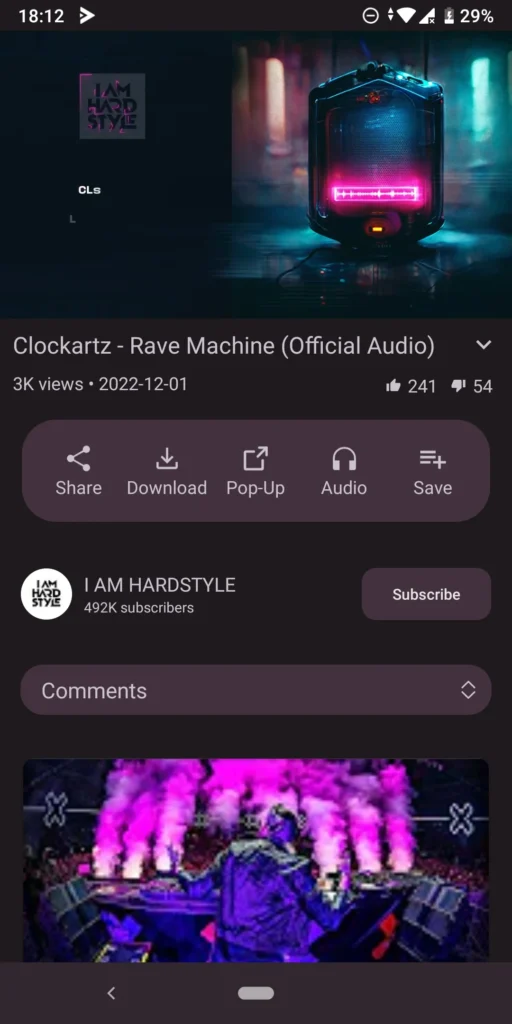
If privacy is your top priority, LibreTube may be the most compelling full YouTube alternative available on Android right now.
Unlike the official app — and unlike most third-party clients — LibreTube routes requests through open Piped instances instead of Google’s infrastructure. The result: no tracking, no ads, and no dependency on Play Services. It also enables geo-block bypassing where supported by the instance you’re connected to.
Functionally, it covers nearly everything you’d expect from a modern YouTube client. You can import subscriptions (including via Google Takeout CSV), browse channel playlists, view video chapters, and take advantage of built-in SponsorBlock integration to skip sponsored segments automatically.
Downloads are integrated directly into the app. Tap any video or playlist, choose your preferred resolution (up to the source maximum), and save either MP4 video or audio-only files. By default, downloads are stored inside the app’s private directory (Android/data/com.github.libretube). Playback works seamlessly within the app, though accessing files externally may require a file manager workaround on Android 11 and newer.
LibreTube runs on Android 8.0 and up and features a smooth Material You interface with dynamic theming. Visually, it feels close to the official YouTube app — but lighter, faster, and free of interruptions.

Pros
- Routes through Piped for strong privacy and reduced tracking
- Full client experience with subscriptions, playlists, chapters, SponsorBlock, and downloads
Cons
- Downloaded files are stored in a private app folder, which may require extra steps to access externally
Download:
• Official site: https://libretube.dev/
• F-Droid: https://f-droid.org/en/packages/com.github.libretube/
4K Video Downloader for Android
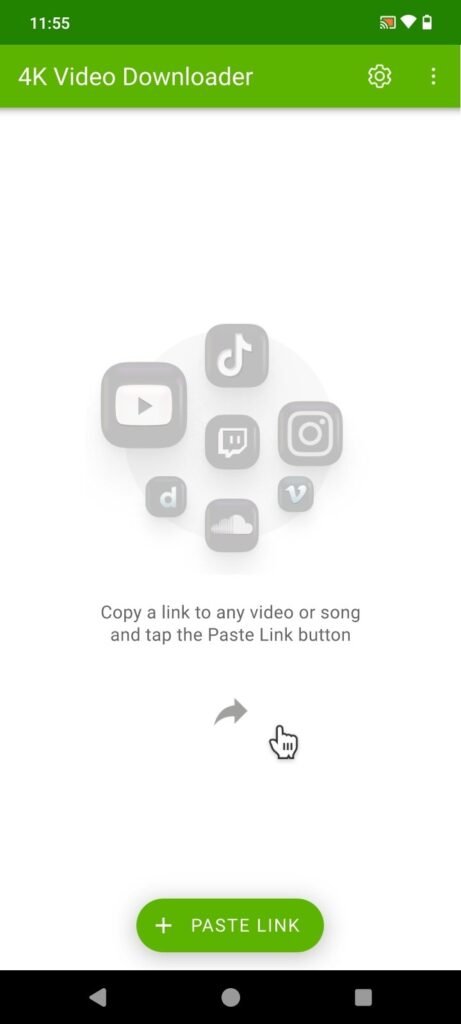
4K Video Downloader takes a more traditional route. It’s a direct port of the well-known desktop application, redesigned for Android with a clean, streamlined interface.
Installation requires sideloading the APK from the official site, but setup takes less than a minute on Android 10 or newer. Once installed, you paste a link, choose your format and resolution, and start downloading. Supported quality ranges from standard definition up to 4K — and even 8K where available — with output options including MP4, MKV, and MP3.
Where this app stands out is batch downloading. Entire playlists or channels can be queued in one step, with consistent file naming and solid download speeds. It also supports additional platforms beyond YouTube, including TikTok, Twitch, and Facebook.
The free version is generous enough for casual use, handling standard 1080p downloads and playlist support without issue. However, daily limits apply, and higher resolutions are reserved for the paid tier — something heavier users will quickly notice.
Pros
- Polished interface with straightforward batch downloads
- Broad site compatibility and reliable high-quality output
Cons
- Daily download caps and resolution limits in the free version
Download:
• Official: https://www.4kdownload.com/downloads/34
YTDLnis
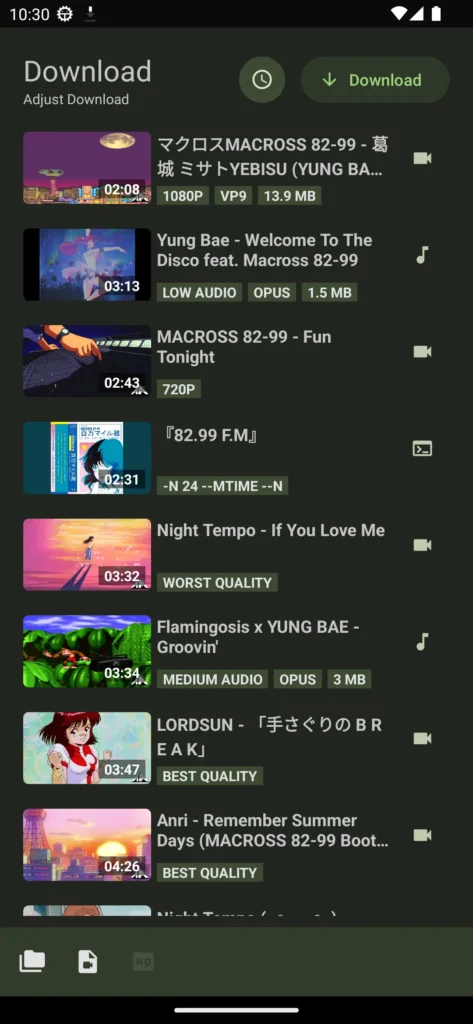
If Seal is streamlined and beginner-friendly, YTDLnis is built for control.
Powered by yt-dlp, YTDLnis exposes many of the advanced capabilities that other apps simplify or hide. You can trim videos by timestamp or chapters, automatically remove SponsorBlock segments, import cookies for restricted content, edit metadata, schedule downloads, and even execute custom yt-dlp commands from a built-in terminal interface.
It supports large playlist imports via text files, concurrent downloads, share-sheet integration from other apps, and an incognito mode that avoids saving activity history. Despite the depth of options, the Material You design keeps navigation relatively clean — though the learning curve is undeniably steeper than with Seal.
For users who frequently archive content, download entire channels, or need precise control over formats and metadata, YTDLnis offers a level of flexibility few Android tools match.
Pros
- Extensive customization, including trimming, metadata editing, cookie support, and batch scheduling
- Powerful yt-dlp integration with advanced control options
Cons
- Overkill for simple, one-tap downloads
Download:
• F-Droid: https://f-droid.org/en/packages/com.deniscerri.ytdl/
Which YouTube Downloader Should You Choose?
There’s no single “best” app here — it depends on how you use YouTube.
If you want to replace the official app entirely, NewPipe and LibreTube offer the most complete experiences, combining browsing, subscriptions, and built-in downloads in lightweight packages.
If you prefer using YouTube normally and just need a reliable way to save files, Seal delivers the cleanest, fastest experience for most people. Power users who want granular control will feel right at home with YTDLnis.
And if you value a polished, desktop-style workflow with broad site support, 4K Video Downloader remains a solid, straightforward option.
Each of these tools makes offline viewing simple. Install one or two, test them with your typical use case, and you’ll quickly find the workflow that fits your device — and your data plan — best.