
Discover the best Linux distros for everyday users in 2026—perfect for beginners switching from Windows or Mac. From stable daily drivers like Linux Mint and Ubuntu to gaming powerhouses like Pop!_OS and lightweight options for older hardware, find the right one for work, gaming, browsing, and more.
Switching to Linux doesn’t have to be intimidating. For the average user—someone who browses the web, checks email, watches videos, works on documents, or plays games—modern Linux distributions offer a surprisingly smooth, secure, and often faster experience than what many people are used to on Windows or macOS. These operating systems are free, come with built-in protection against viruses and malware, and receive regular security updates without nagging you for upgrades every few months.
What makes Linux appealing right now is how polished and user-friendly the top options have become. Many distros look and feel familiar right out of the box, with interfaces that mimic Windows layouts or clean macOS-style designs. They run well on everything from brand-new laptops to decade-old machines that struggle with the latest Windows versions. Plus, most come preloaded with everything you need for daily tasks: a modern web browser, office suite, media players, and easy-to-use software stores for installing more apps.
In this guide, we’ve curated a selection of the most practical and approachable Linux distros for everyday people. These cover common scenarios like general home use, office work, casual gaming, and reviving older hardware. Whether you’re tired of Windows updates, want better performance on modest specs, or simply curious about a free alternative, one of these should fit your needs perfectly.
The Best Lightweight Linux Distros to Revive an Old Laptop in 2026
What Is a Linux Distro?
A Linux distribution (or «distro» for short) is a complete operating system built around the Linux kernel—the core software that manages hardware, memory, and processes. Unlike Windows or macOS, which come from a single company, Linux is open-source, meaning anyone can modify and share it. A distro bundles the kernel with a collection of software, tools, and a user interface to create a ready-to-use OS.
Different distros cater to different needs: some prioritize rock-solid stability for daily work, others focus on the latest features for developers or gamers, and a few are designed to run efficiently on very old or low-powered computers.
Here are a few key concepts every newcomer should know:
- Desktop Environment (DE): This is the graphical interface you see and interact with—the taskbar, windows, menus, and icons. Popular ones include:
- GNOME — Modern, gesture-friendly, often feels clean and minimal (like a simplified macOS).
- Cinnamon — Traditional, Windows-like layout with a start menu and taskbar.
- XFCE — Lightweight and fast, great for older hardware without sacrificing usability.
- Others like KDE Plasma offer heavy customization but can be more resource-intensive.
- Release Model:
- Stable / Point Releases — Versions come out every few years with long support periods (e.g., 5 years or more).
- LTS (Long Term Support) — A special stable version with extended security updates (often 5–10 years), ideal for people who want «set it and forget it» reliability.
- Rolling Release — Software updates continuously without major version jumps—always up-to-date, but occasionally requires more attention to avoid issues.
- Package Manager & Software Stores: Linux uses a package manager to install, update, and remove software safely. Most distros include a graphical «app store» (sometimes called Software, Discover, or Pop!_Shop) where you browse and install apps with one click, similar to the Microsoft Store or App Store.
- Hardware Requirements: Many distros run fine on 4 GB RAM and modest CPUs, and lightweight ones can handle even 2 GB or less.
You install a distro by downloading an ISO file, writing it to a USB drive (using free tools like Balena Etcher), and booting from it to try or install the OS—often without touching your existing Windows setup.
Best Linux Distros: Quick Comparison
Before diving into individual recommendations, here’s a quick side-by-side look at the essentials. This table highlights the base system each distro builds on, its default desktop environment, how updates are handled, and the primary use case it excels in.
| Distro Name | Base | Desktop Environment | Release Model | Best For |
|---|---|---|---|---|
| Zorin OS | Ubuntu | GNOME (customized) | Point releases | Transitioning from Windows |
| Linux Mint | Ubuntu | Cinnamon | Point + LTS | Overall beginners & daily use |
| Ubuntu | Debian | GNOME | LTS & interim | Work and long-term stability |
| Pop!_OS | Ubuntu | GNOME (COSMIC) | Point releases | Gaming and content creation |
| CachyOS | Arch | Various (custom) | Rolling | High-performance gaming |
| Bazzite | Fedora | KDE/GNOME variants | Immutable/Atomic | Steam-focused gaming |
| Elementary OS | Ubuntu | Pantheon | Point releases | Mac-like aesthetics & simplicity |
| Zorin Lite | Ubuntu | XFCE | Point releases | Low-power devices |
| Lubuntu | Ubuntu | LXQt | Point + LTS | Reviving old laptops |
| Linux Lite | Ubuntu | XFCE | Point releases | Lightweight Windows alternative |
| Puppy Linux | Various | JWM/Openbox | Portable versions | USB/portable use on ancient HW |
| Fedora | Independent | GNOME | Fixed (6-month) | Developers & latest features |
| Manjaro | Arch | Various (KDE/XFCE) | Rolling | Intermediate users & customization |
This quick overview makes it easy to spot which ones align with your hardware or priorities. Now let’s explore each one in detail.
Best Linux Distros
Here are detailed recommendations for the most approachable and practical Linux distributions for everyday users. Each one has been chosen for its real-world strengths, ease of use, and ability to cover common needs like web browsing, office work, media consumption, light gaming, or running on older hardware.
Zorin OS
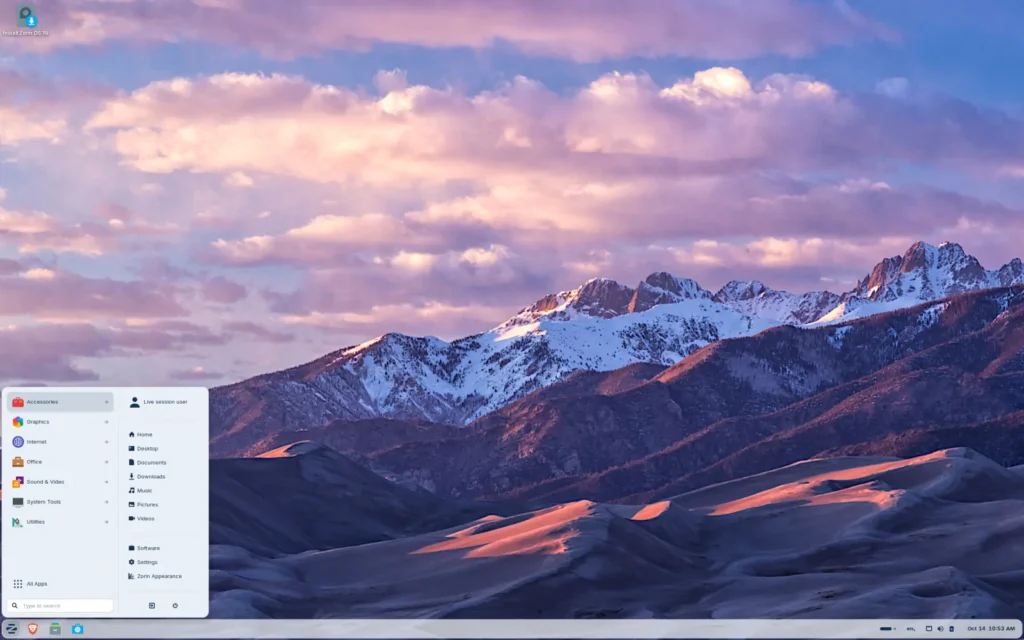
Best for Transitioning from Windows
- Base: Ubuntu
- Desktop Environment: GNOME (customized with Zorin Appearance tool)
- Release Model: Point releases (stable, with long support cycles)
- Package Manager: APT (via graphical Software store)
- Minimum Hardware: Around 2 GB RAM recommended (runs well on 4 GB+ for smooth experience)
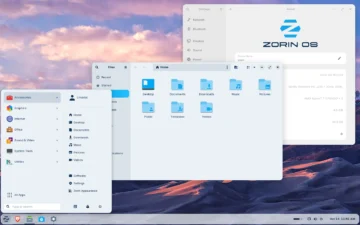
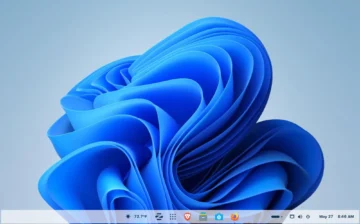
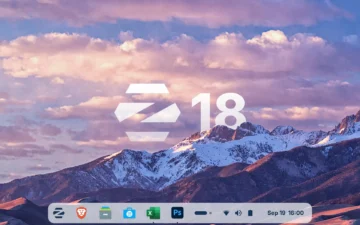
Zorin OS stands out by bridging the gap between Windows familiarity and Linux efficiency, making it an excellent entry point for those ditching Microsoft without wanting to relearn everything. At its core, the distro’s strength lies in the Zorin Appearance tool, which lets you transform the interface instantly—opting for a Windows 11-style taskbar, a macOS-like dock, or even a touch-friendly layout for tablets. This customization happens in seconds, reducing the shock of switching OSes while keeping things lightweight and responsive compared to bloated Windows installations.
First launched in 2009, Zorin has evolved to prioritize ease of use, with built-in tools that handle common pain points like printer setup or Wi-Fi connections automatically. It ships with essential apps ready to go: Firefox for secure browsing, LibreOffice as a full Microsoft Office alternative for word processing and spreadsheets, Videos (Totem) for playing media files, and Rhythmbox for organizing music libraries. For more, the Software store offers one-click installs of popular tools like Spotify, Zoom, or even games via Steam, all without needing command-line knowledge.
Beyond basics, Zorin includes practical extras like pre-configured support for Windows apps through Wine—a compatibility layer that runs many EXE files natively—or PlayOnLinux for simpler game and software emulation. This means you can keep using familiar programs during the transition, while enjoying Linux perks like faster boot times and built-in privacy features that block trackers without extra extensions.
In short, if you’re seeking a hassle-free Linux experience that feels like home, Zorin delivers without overwhelming you with options—it’s polished, secure, and ready for daily life right from installation.
Ideal for: Windows users switching for the first time, families sharing a PC, or anyone who values a beautiful, customizable interface without steep learning curves.
| Pros | Cons |
|---|---|
| Extremely familiar layouts and easy customization via Zorin Appearance | Can feel a bit heavier on very old hardware compared to lightweight alternatives |
| Excellent out-of-the-box hardware support and Windows app compatibility via Wine | |
| Strong focus on privacy and security with minimal setup required |
Download: Official Zorin OS Download
Linux Mint
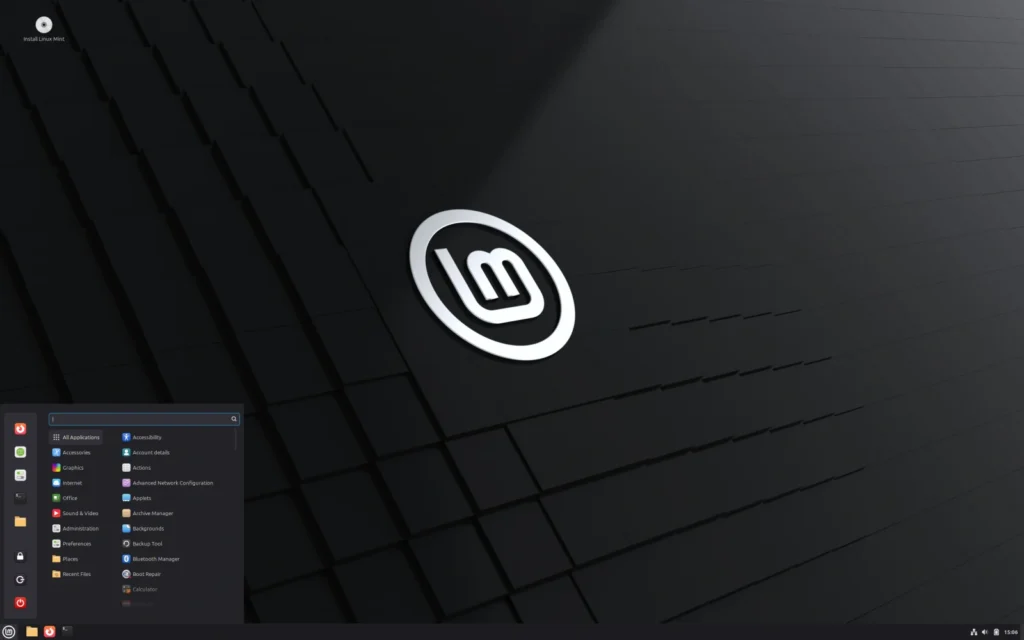
Best Overall for Beginners
- Base: Ubuntu
- Desktop Environment: Cinnamon (Windows-like)
- Release Model: Point releases + LTS options
- Package Manager: APT (via Software Manager)
- Minimum Hardware: 2 GB RAM recommended (4 GB+ ideal)
Linux Mint is widely regarded as the most straightforward Linux distro for people coming from Windows, thanks to its traditional Cinnamon desktop that feels instantly familiar: a start menu in the bottom-left corner, a taskbar at the bottom, system tray icons, and desktop icons just like you’re used to. It avoids the modern, gesture-heavy interfaces found in some other distros and focuses instead on being rock-solid and low-maintenance for daily computing.
The distro comes preloaded with everything most people need right away: Firefox for browsing, LibreOffice for documents, spreadsheets, and presentations, VLC as a versatile media player, and a simple but powerful Software Manager for discovering and installing additional apps. Mint also includes useful utilities like Timeshift for easy system backups and restores, making it forgiving if you ever want to experiment.
Unlike some Ubuntu-based distros that push Snap packages heavily, Mint defaults to traditional .deb packages for faster performance and gives users clear control over what gets installed. Security updates arrive promptly, and the entire system is designed to «just work» with minimal tinkering—perfect for home users, students, or small office setups.
Ideal for: Complete beginners, everyday home and office use, or anyone who wants a stable, no-nonsense experience that feels like an improved version of Windows 10/7.
| Pros | Cons |
|---|---|
| Extremely Windows-like interface with zero learning curve | Slightly less bleeding-edge software compared to rolling-release distros |
| Rock-solid stability and excellent multimedia support out of the box | |
| Built-in backup tool (Timeshift) and very reliable updates |
Download: Official Linux Mint Download
Ubuntu
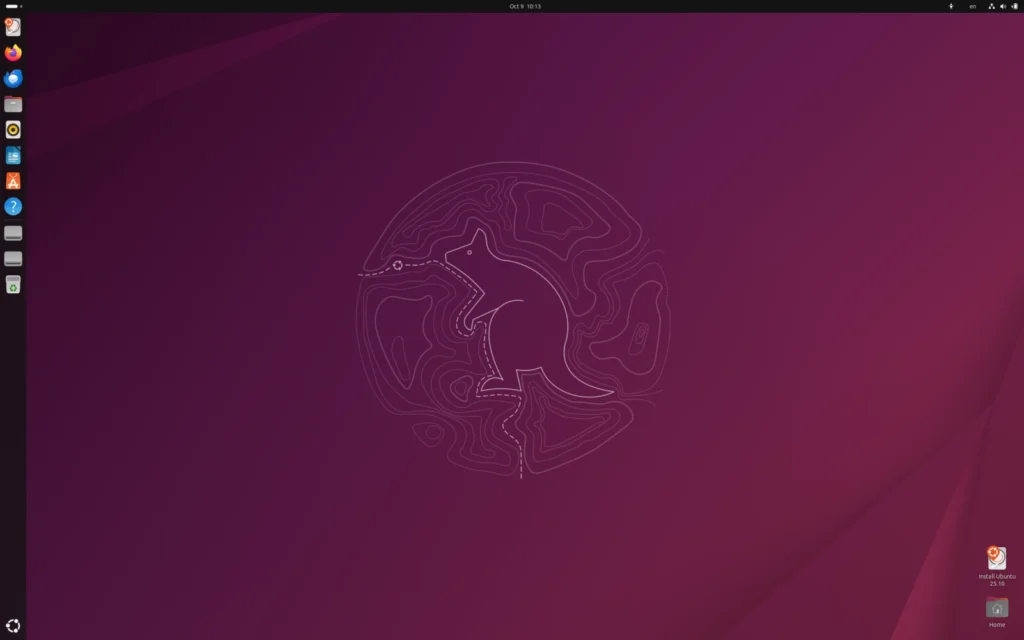
Best for Work and Long-Term Stability (including LTS versions)
- Base: Debian
- Desktop Environment: GNOME
- Release Model: LTS (Long Term Support) every two years + interim releases
- Package Manager: APT (via Ubuntu Software / Snap support)
- Minimum Hardware: 4 GB RAM recommended (runs acceptably on 2 GB)
Ubuntu remains one of the most trusted Linux distributions for professional and daily use because of its unmatched stability, enormous software ecosystem, and corporate backing from Canonical. The LTS (Long Term Support) editions, in particular, receive security updates and maintenance for up to 10 years, making them ideal for anyone who wants to install once and forget about major upgrades for a long time.
The default GNOME desktop is clean and modern, with excellent touchpad gestures and workflow features once you get used to it. It ships with Firefox, LibreOffice, Rhythmbox for music, and the built-in Videos player, plus the Ubuntu Software center for easy app discovery (including Snap and Flatpak support for broader compatibility).
Hardware compatibility is exceptional—most printers, Wi-Fi cards, and graphics cards work out of the box—and the community and official documentation are among the best in the Linux world if you ever need help.
Ideal for: Office workers, remote professionals, students, or anyone who needs rock-solid reliability and long support cycles for important daily tasks.
| Pros | Cons |
|---|---|
| Outstanding hardware compatibility and 10-year LTS support | Snap packages can feel slower to launch than traditional ones |
| Massive software availability and excellent documentation | GNOME may require a short adjustment period for Windows users |
| Perfect balance of modern features and stability |
Download: Official Ubuntu Download
Pop!_OS
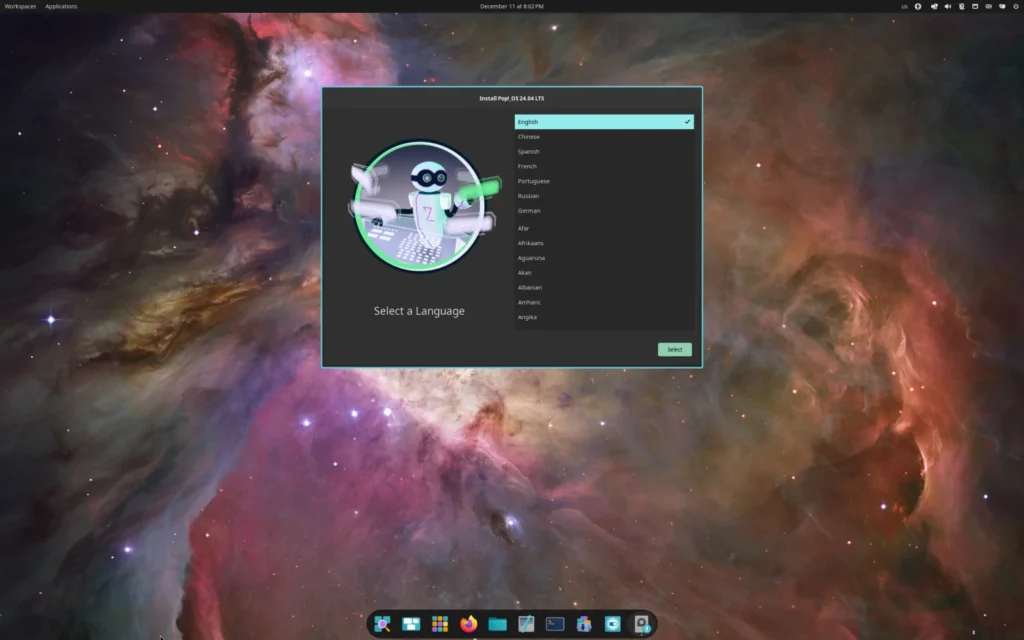
Best for Gaming and Content Creation
- Base: Ubuntu
- Desktop Environment: GNOME (with COSMIC extensions and tiling)
- Release Model: Point releases (aligned with Ubuntu)
- Package Manager: APT + Pop!_Shop (Flatpak/Snap support)
- Minimum Hardware: 4 GB RAM recommended (8 GB+ ideal for gaming)
Developed by System76 (a Linux hardware company), Pop!_OS takes the solid Ubuntu foundation and tunes it specifically for creators, gamers, and power users. It includes out-of-the-box NVIDIA driver support—something that often requires extra steps on other distros—making it a favorite for anyone with discrete graphics cards who wants smooth gaming or video editing performance.
The desktop is a customized GNOME with auto-tiling windows, a productive workflow, and quick access to workspaces. It comes with Firefox, LibreOffice, and a polished Pop!_Shop for installing games (Steam is one click away), creative tools like GIMP, Kdenlive, or Blender, and productivity apps. Proton and game compatibility layers are well-supported, and many users report better frame rates in demanding titles than on Windows.
Pop!_OS also includes recovery tools and easy system restores, so experimenting with new software or drivers rarely ends in disaster.
Ideal for: Gamers (casual to serious), video editors, 3D artists, or anyone who wants strong graphics performance without manual driver headaches.
| Pros | Cons |
|---|---|
| Best-in-class NVIDIA support and gaming optimizations out of the box | Snap packages (inherited from Ubuntu) can occasionally feel sluggish |
| Productive GNOME with auto-tiling and excellent workflow | Slightly steeper learning curve than pure Windows-like distros |
| Built-in recovery partition and easy system management |
Download: Official Pop!_OS Download
CachyOS
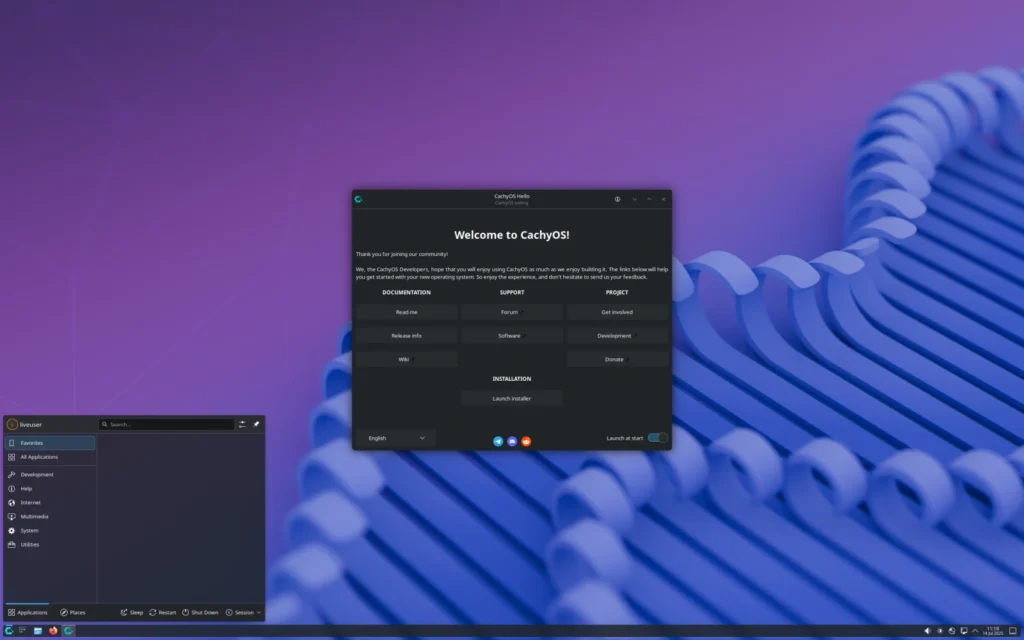
Best for High-Performance Gaming
- Base: Arch Linux
- Desktop Environment: Various options (KDE Plasma, GNOME, or others during install)
- Release Model: Rolling release (continuous updates for the latest software and kernels)
- Package Manager: Pacman (via graphical tools like Pamac)
- Minimum Hardware: 8 GB RAM recommended (optimized for modern multi-core CPUs and powerful GPUs)
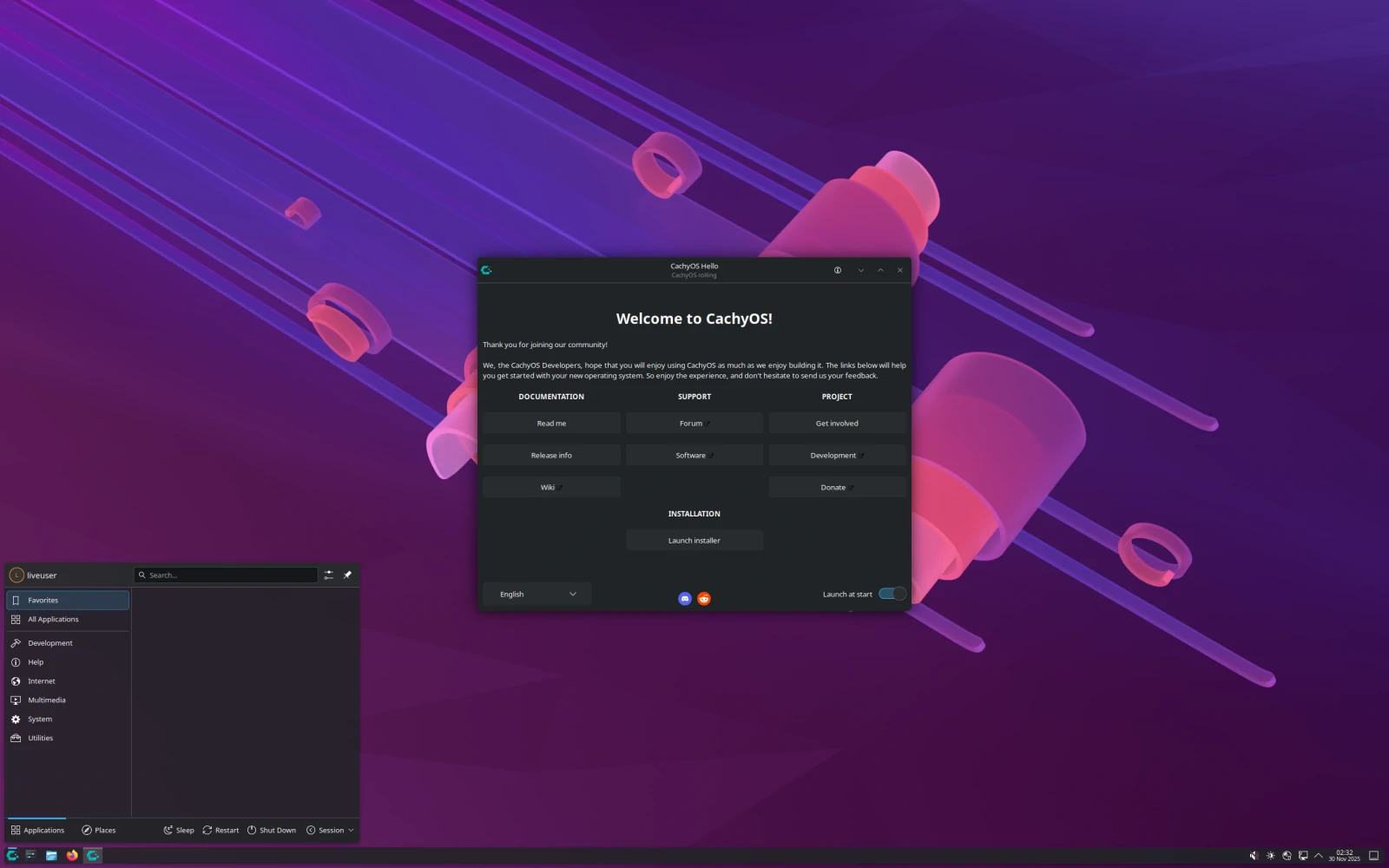
CachyOS is designed from the ground up for maximum performance, especially in demanding games and applications where every frame counts. It uses heavily optimized kernels, custom compiler flags, and CPU-specific scheduling that can deliver noticeably higher frame rates and lower latency compared to standard distros—ideal for competitive gaming or running resource-heavy titles at high settings.
Unlike more beginner-oriented options, CachyOS embraces Arch’s rolling-release model, meaning you always get the newest drivers, Mesa graphics stack, and game-related packages without waiting for major version updates. Installation includes easy choices for desktop environments, and it comes with tools like Proton-GE pre-configured for excellent Steam compatibility. The Pamac app store (graphical front-end for Pacman) makes adding games, emulators, or creative software straightforward.
That said, the always-updating nature requires occasional user attention—updates are frequent, and while rare, they can occasionally introduce temporary issues that need a quick fix.
Ideal for: Serious gamers with modern hardware who want every possible performance edge, or enthusiasts comfortable with a bit more hands-on maintenance for top-tier results.
| Pros | Cons |
|---|---|
| Exceptional gaming performance through optimized kernels and schedulers | Rolling release can occasionally require troubleshooting after updates |
| Latest drivers and game compatibility layers always available | Not ideal for complete beginners due to Arch-based complexity |
| Highly customizable during installation |
Download: Official CachyOS Download
Bazzite
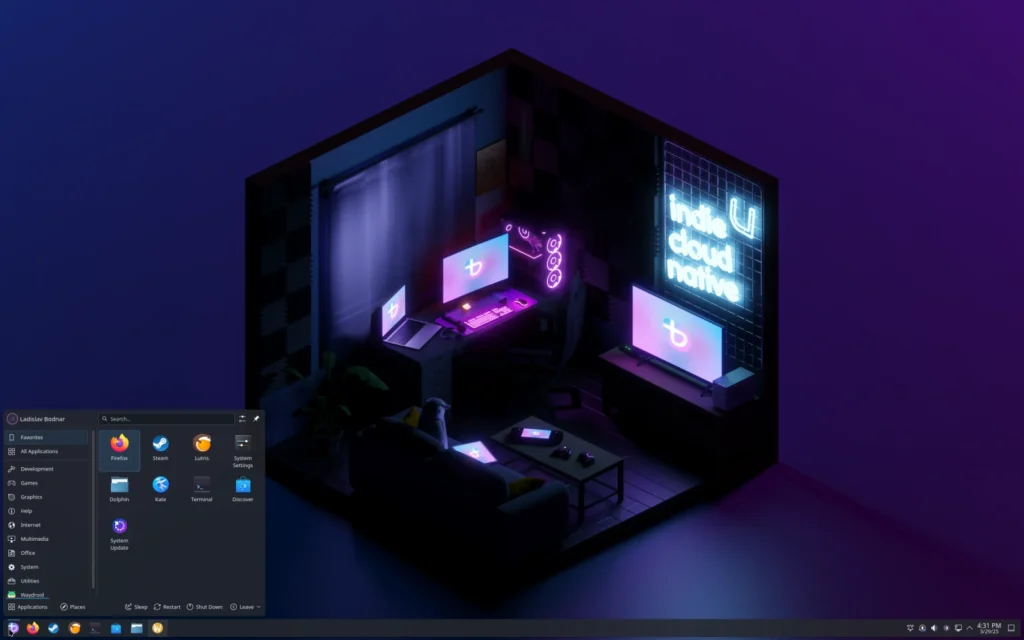
Best for Steam-Focused Gaming
- Base: Fedora (Atomic/immutable variant)
- Desktop Environment: KDE Plasma or GNOME variants (Steam Deck-style UI available)
- Release Model: Immutable/Atomic (updates applied as complete system images for reliability)
- Package Manager: RPM-OSTree (layered packages) + Flatpak (via Discover)
- Minimum Hardware: 8 GB RAM recommended (optimized for gaming PCs and handhelds)
Bazzite is essentially a full-featured, desktop-ready version of SteamOS—the operating system that powers the Steam Deck. It turns any PC into a console-like gaming machine with a beautiful Big Picture Mode interface, seamless controller support, and Proton pre-tuned for running thousands of Windows games natively.
Because it’s built on Fedora’s immutable (atomic) design, the core system is read-only and extremely stable—updates are applied as complete, reversible images, so you rarely encounter broken states after upgrading. It ships with Steam ready to go, excellent NVIDIA/AMD support, and tools for quick game mode toggling. For non-gaming tasks, it still functions as a capable desktop with Firefox, LibreOffice, and a full app store.
This focus makes Bazzite particularly strong for living-room PCs, handhelds, or anyone who wants a «plug-and-play» gaming experience without the usual Linux tinkering.
Ideal for: Steam enthusiasts, living-room/console-style gaming setups, or users who want maximum stability in a gaming-first environment.
| Pros | Cons |
|---|---|
| Console-like Steam experience with rock-solid immutable updates | Primarily gaming-oriented; less flexible for heavy productivity workflows |
| Excellent controller, Proton, and hardware support out of the box | Requires some adjustment if you’re used to traditional desktop layouts |
| Reversible system updates for near-zero breakage |
Download: Official Bazzite Download
Elementary OS
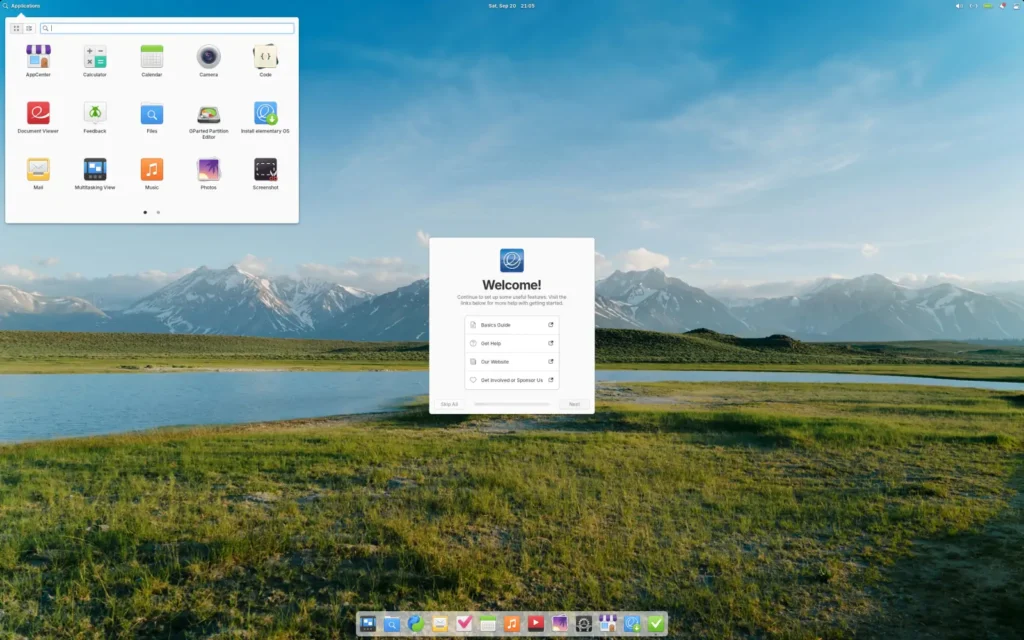
Best for Mac-like Aesthetics and Simplicity
- Base: Ubuntu
- Desktop Environment: Pantheon (custom-built, macOS-inspired)
- Release Model: Point releases (stable with long support)
- Package Manager: APT (via AppCenter)
- Minimum Hardware: 4 GB RAM recommended (runs well on modest hardware)
Elementary OS prioritizes elegance and minimalism with a Pantheon desktop that echoes macOS: a dock at the bottom, clean window management, thoughtful animations, and a focus on doing a few things exceptionally well. It’s one of the most visually polished distros available, appealing to users who want beauty without sacrificing usability.
It comes preinstalled with thoughtful defaults: Epiphany (a privacy-focused browser), Pantheon Files for clean file management, Music and Videos apps, and the AppCenter for discovering curated, sandboxed applications. The emphasis is on quality over quantity—apps are vetted for consistency and ease of use.
While it shares Ubuntu’s excellent hardware support, Elementary keeps things deliberately simple, avoiding feature overload so the system feels calm and focused.
Ideal for: Users who love macOS design but want a free, privacy-respecting alternative for everyday tasks like browsing, media, and light productivity.

| Pros | Cons |
|---|---|
| Stunning, consistent, and macOS-like design | Smaller app ecosystem compared to larger distros |
| Strong privacy focus and curated AppCenter | Occasional bugs in updates due to smaller development team |
| Very polished and distraction-free experience |
Download: Official Elementary OS Download
Zorin Lite
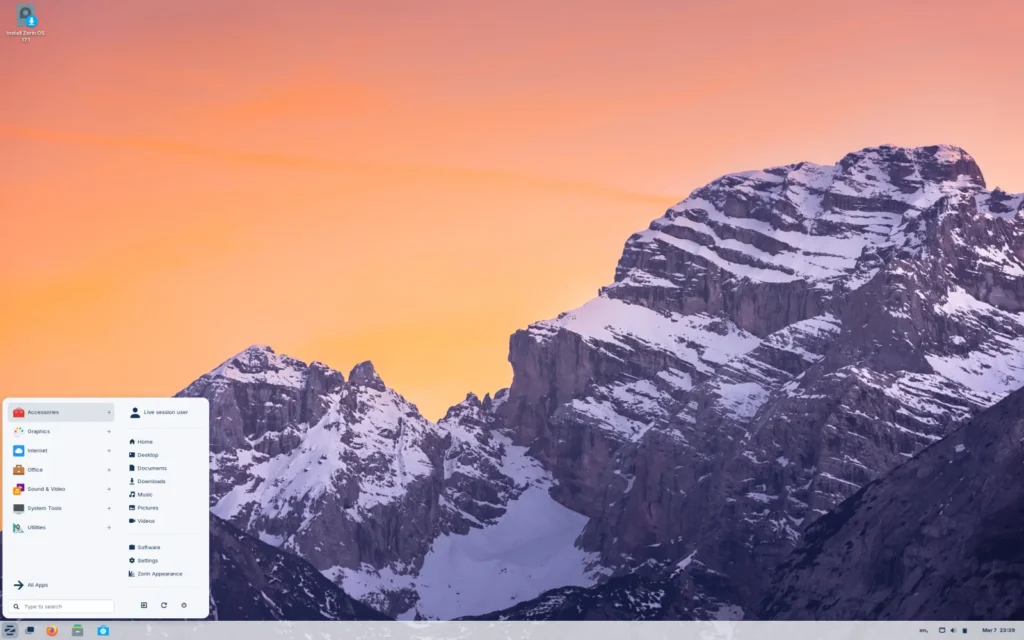
Best Lightweight Option for Low-Power Devices
- Base: Ubuntu
- Desktop Environment: XFCE (lightweight and customizable)
- Release Model: Point releases (stable, with long support cycles)
- Package Manager: APT (via graphical Software store)
- Minimum Hardware: 1–2 GB RAM (excellent performance even on older laptops)
Zorin Lite brings the same beginner-friendly philosophy as full Zorin OS but strips it down for machines with limited resources. The XFCE desktop is fast, traditional, and fully customizable, offering a familiar Windows-like layout that runs smoothly where heavier environments would stutter.
It includes the essentials—Firefox, LibreOffice, a lightweight media player, and the same easy Software store—while using far fewer system resources. You still get Zorin’s excellent hardware detection and Wine support for legacy Windows apps, but everything feels snappier on aging hardware.
Ideal for: Older laptops, netbooks, or low-RAM systems where you still want a modern, attractive, and easy-to-use interface.
| Pros | Cons |
|---|---|
| Lightning-fast performance on weak or old hardware | Less visually flashy than the full Zorin OS version |
| Retains Zorin’s familiar layout and great hardware support | Fewer built-in eye-candy effects |
| Easy transition for Windows users on budget machines |
Download: Official Zorin OS Lite Download (select Lite edition)
Lubuntu
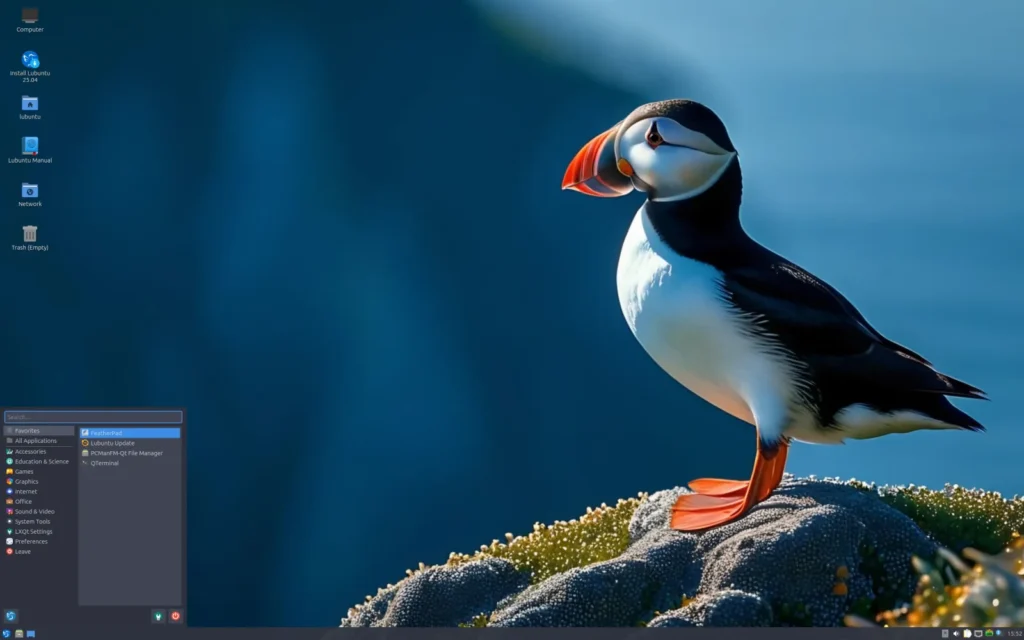
Best for Reviving Old Laptops
- Base: Ubuntu
- Desktop Environment: LXQt (extremely lightweight and modern-looking)
- Release Model: Point releases + LTS options
- Package Manager: APT (via LXQt Discover / Software store)
- Minimum Hardware: 1 GB RAM (runs surprisingly well even on 512 MB in basic use)
Lubuntu is Ubuntu’s official lightweight edition, built specifically to breathe new life into aging laptops, netbooks, and low-spec machines that struggle with heavier operating systems. The LXQt desktop is clean, responsive, and surprisingly attractive for such a resource-efficient environment—offering a traditional panel, start menu, and system tray without the visual weight of full GNOME or KDE.
It includes the essentials you need for daily tasks: Firefox (or a lightweight alternative like Falkon if you choose), LibreOffice, VLC for media playback, and the Discover software center for easy app installation. Everything loads quickly, boot times are snappy, and battery life on older laptops often improves noticeably compared to Windows 10/11.
Because it’s still Ubuntu underneath, you get the same excellent hardware compatibility and vast software repositories, just in a much leaner package.
Ideal for: Anyone with an old laptop collecting dust, students on budget machines, or users who want a fast, modern-feeling system on limited hardware.
| Pros | Cons |
|---|---|
| Extremely low resource usage—revives PCs that barely run modern Windows | Interface is simpler and less flashy than full-featured desktops |
| Full Ubuntu software compatibility and hardware support | Fewer pre-installed eye-candy features |
| Very fast boot and application launch times |
Download: Official Lubuntu Download
Linux Lite
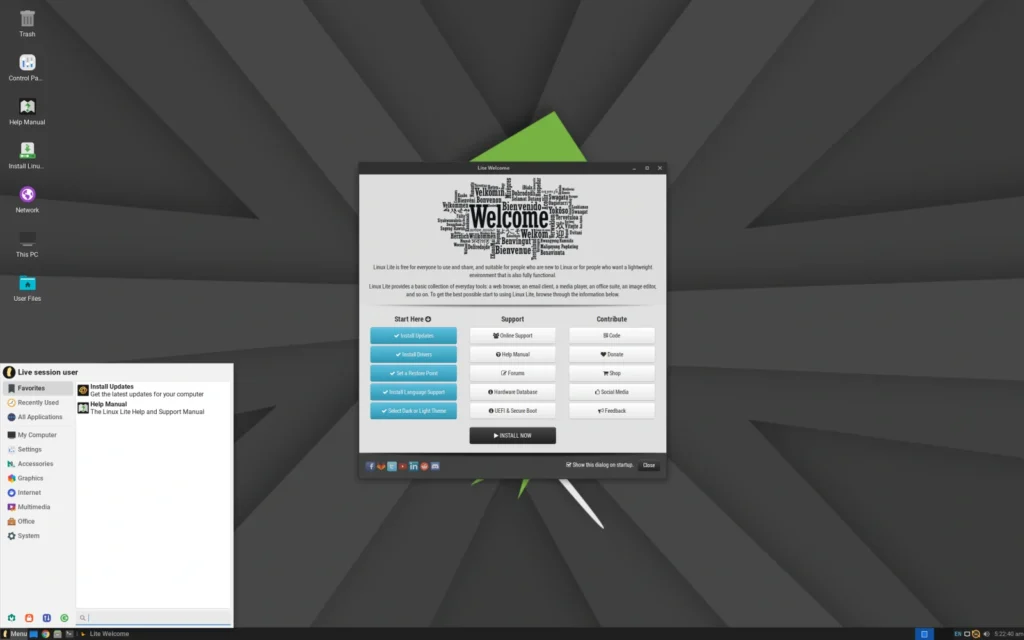
Best Lightweight Windows Alternative
- Base: Ubuntu
- Desktop Environment: XFCE (highly customizable and familiar)
- Release Model: Point releases (stable with good support cycles)
- Package Manager: APT (via Lite Software Center)
- Minimum Hardware: 1 GB RAM recommended (excellent on 2 GB+)
Linux Lite is crafted specifically for Windows users who want a lightweight distro that still feels like home. The XFCE desktop is tweaked to resemble Windows—complete with a familiar start menu, taskbar, and desktop icons—while staying extremely efficient on older or low-powered hardware.
It comes ready with Firefox, LibreOffice, VLC media player, Thunderbird for email, and a custom Lite Software Center that makes installing extras (including popular Windows-like tools) a breeze. There’s also a built-in Lite Tweaks utility for quick system optimizations, theme changes, and even a welcome screen that guides new users through common setup steps.
The focus is on simplicity, speed, and familiarity—making it one of the smoothest transitions for people upgrading from Windows 7/10 on aging machines.
Ideal for: Windows refugees with older PCs, home users wanting maximum performance on modest hardware, or anyone who prioritizes speed and a familiar layout.
| Pros | Cons |
|---|---|
| Very Windows-like experience with great speed on low-end hardware | Some advanced features require manual installation |
| Custom tools (Lite Tweaks) for easy customization and optimization | Less community momentum than bigger Ubuntu flavors |
| Outstanding stability and hardware compatibility |
Download: Official Linux Lite Download
Puppy Linux
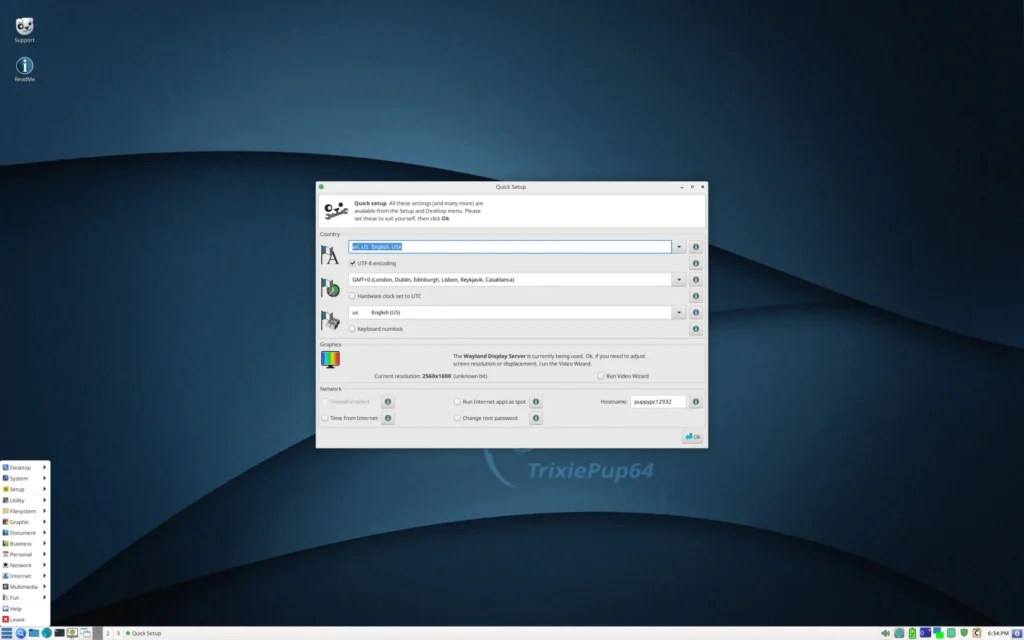
Best for Portable/USB Use on Ancient Hardware
- Base: Independent (various versions based on Ubuntu, Slackware, etc.)
- Desktop Environment: JWM or Openbox (ultra-lightweight window managers)
- Release Model: Frequent small releases (highly portable versions)
- Package Manager: Petget / PPM (simple graphical tools) + traditional packages
- Minimum Hardware: 256–512 MB RAM (can run entirely from RAM)
Puppy Linux is one of the smallest and most portable Linux distributions available—many versions are under 500 MB and designed to run completely from RAM or a USB drive without any installation required. This makes it perfect for testing hardware, reviving extremely old computers, or creating a «carry anywhere» OS on a thumb drive.
Despite its tiny size, Puppy includes Firefox (or a lightweight browser), a basic office suite (AbiWord/Gnumeric or LibreOffice in some variants), media players, and tools for file management and networking. It boots incredibly fast and can save changes back to the USB if desired, or run «frugal» (changes in RAM only).
It’s not the prettiest or most polished option, but its speed and portability are unmatched for emergency use, old hardware revival, or running Linux on machines too weak for anything else.
Ideal for: Extremely old PCs, USB live systems, technicians troubleshooting hardware, or users who need a fast, no-install OS.
| Pros | Cons |
|---|---|
| Tiny footprint and runs entirely in RAM for blazing speed | Requires more initial learning for saving changes and customization |
| No installation needed—perfect for USB/portable use | Basic interface with fewer modern conveniences |
| Works on hardware from the early 2000s |
Download: Official Puppy Linux Download
Fedora
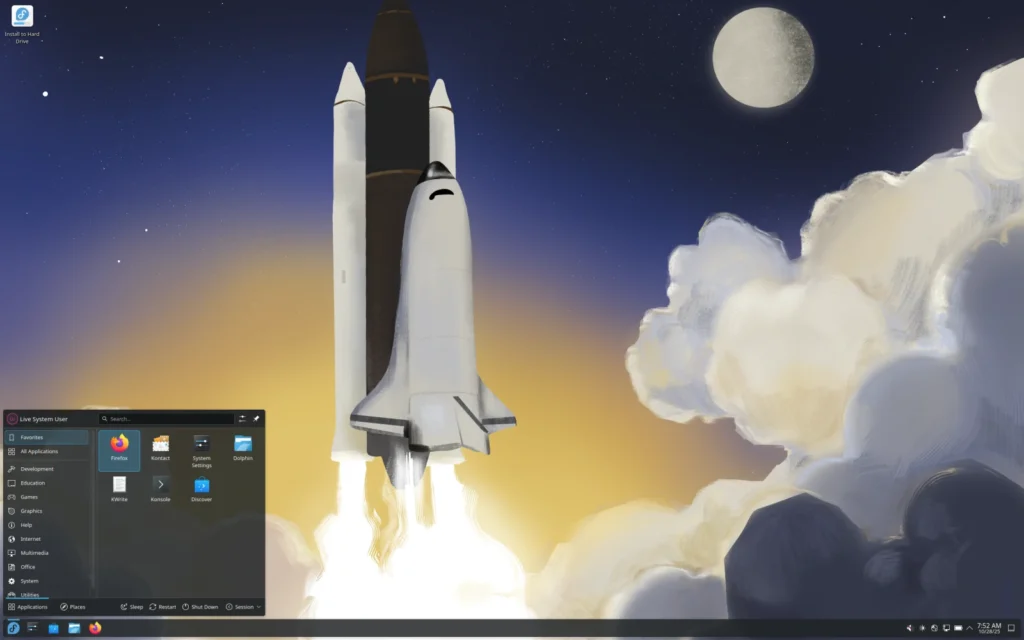
Best for Developers and Latest Features
- Base: Independent (sponsored by Red Hat)
- Desktop Environment: GNOME (default, with Workstation edition)
- Release Model: Fixed releases every 6 months (about 13 months of support per version)
- Package Manager: DNF (via GNOME Software)
- Minimum Hardware: 4 GB RAM recommended (8 GB+ for best experience)
Fedora is the cutting-edge, community-driven distribution sponsored by Red Hat, delivering the latest technologies and software while maintaining excellent stability. It’s the proving ground for many features that later appear in enterprise Red Hat systems, making it a favorite among developers, programmers, and power users who want modern tools without the risks of true rolling releases.
The default Workstation edition features a polished GNOME desktop, excellent Wayland support, and comes with Firefox, LibreOffice, and GNOME Software for apps. It excels at development environments (Python, Rust, containers, Flatpaks), with first-class support for the newest programming languages, editors, and toolchains.
While it doesn’t have the ultra-long support of Ubuntu LTS, Fedora’s predictable six-month cycle keeps things fresh without being overwhelming.
Ideal for: Developers, programmers, students learning coding, or anyone who wants the newest stable software and technologies.
| Pros | Cons |
|---|---|
| Always up-to-date with the latest features, drivers, and software | Shorter support cycle than LTS distros (requires upgrading every year or so) |
| Excellent development tools and container support out of the box | GNOME may feel less traditional for some Windows users |
| Strong focus on security and modern standards |
Download: Official Fedora Download
Manjaro
Best Arch-based for Intermediate Users
- Base: Arch Linux
- Desktop Environment: Multiple editions (KDE Plasma, XFCE, GNOME)
- Release Model: Rolling release (delayed by 1–2 weeks for extra stability)
- Package Manager: Pacman (via Pamac graphical tool)
- Minimum Hardware: 4 GB RAM recommended (8 GB+ for smooth experience)
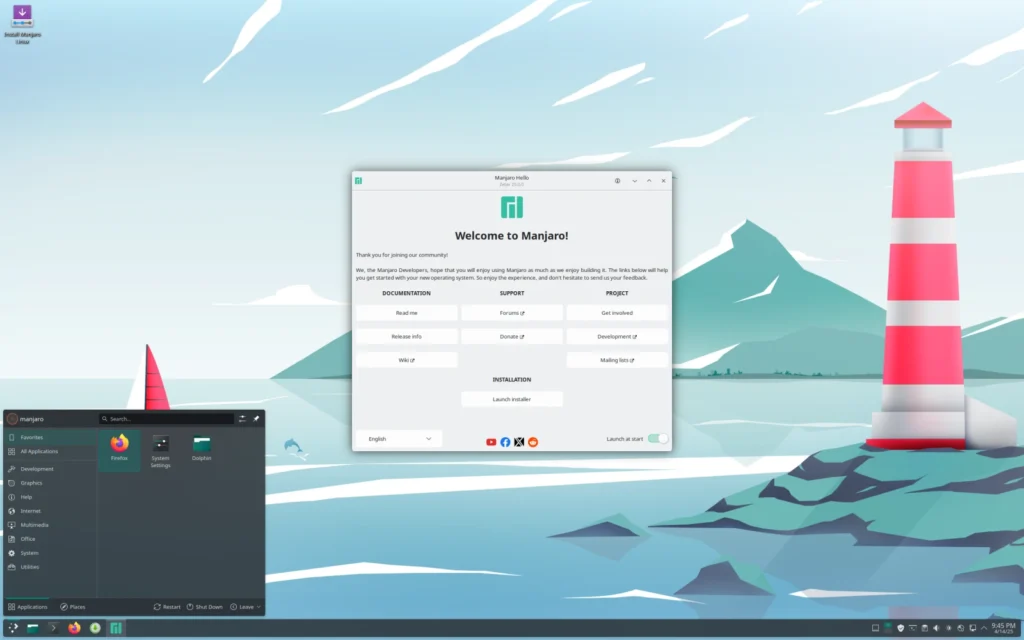
Manjaro takes the bleeding-edge power of Arch Linux and makes it much more approachable by adding a user-friendly installer, hardware detection tools, and a delay on package updates for better testing. This gives you access to the very latest software, kernels, and drivers while avoiding many of the pitfalls pure Arch users face.
Choose your preferred desktop during install (KDE Plasma is particularly beautiful and customizable), and you’ll get Firefox, LibreOffice, VLC, and the Pamac app store for easy management of packages, AUR (Arch User Repository) apps, and Flatpaks. It’s especially strong for gaming, creative work, and customization enthusiasts.
Manjaro strikes an excellent balance between «always current» and «reasonably stable.»
Ideal for: Users ready to move beyond beginner distros, gamers wanting the latest drivers, or people who enjoy heavy customization.
| Pros | Cons |
|---|---|
| Rolling release with the latest software and drivers (delayed for stability) | Occasional update issues common to rolling models |
| Multiple beautiful desktop editions to choose from | Requires more user knowledge than Ubuntu-based distros |
| Access to the massive Arch User Repository (AUR) |
Download: Official Manjaro Download
Wrapping It Up: Choosing Your First (or Next) Linux Distro
The beauty of Linux in 2026 is that there’s no single «best» distro—there’s the best one for you right now. If you’re coming from Windows and want the smoothest possible transition with zero drama, start with Linux Mint or Zorin OS. Craving a Mac-like look and feel? Elementary OS delivers that elegance without compromise. Need serious gaming performance? Pop!_OS or Bazzite will get you there with far less hassle than most people expect. And if your hardware is showing its age, Lubuntu, Linux Lite, Zorin Lite, or even Puppy Linux can turn an old machine into a surprisingly capable daily driver.
The best part? Every distro on this list is free to download and try. Grab a USB drive, use a tool like Balena Etcher to create a live bootable stick, and test-drive as many as you like without touching your current Windows (or macOS) installation. Most offer a «Try» mode that lets you experience the full system before committing. Once you find the one that clicks, installation is usually just a few clicks away—and the community support for all of these is excellent.
Linux isn’t about replacing your current OS overnight; it’s about discovering something faster, more private, more customizable, and often more fun. Pick one that matches your needs today, and you’ll be surprised how quickly it becomes your everyday go-to.
Frequently Asked Questions
What is Linux?
Linux is the open-source kernel at the heart of millions of devices worldwide (including Android phones, servers, and supercomputers). When people say «Linux,» they usually mean a complete operating system built around that kernel—a Linux distribution.
What is a distro (distribution)?
A Linux distribution (or distro) is a complete, ready-to-use operating system that packages the Linux kernel together with applications, a desktop environment, drivers, and tools. Different distros emphasize different things: stability, ease of use, cutting-edge features, or lightweight performance.
What is a desktop environment?
The desktop environment (DE) is the graphical user interface you interact with—the windows, taskbar, menus, icons, and visual style. Popular ones include Cinnamon (Windows-like), GNOME (modern and clean), XFCE (lightweight), and Pantheon (macOS-inspired).
What is a package manager?
A package manager is the system that installs, updates, and removes software safely and automatically. Most distros include a graphical «app store» front-end so you rarely need to use the command line.
What are software stores / app centers in Linux?
These are graphical applications (like the Microsoft Store or Apple App Store) where you browse, search, and install software with one click. Names vary: Ubuntu Software, Pop!_Shop, GNOME Software, Discover, AppCenter, etc. They pull from official repositories, Flatpaks, or Snaps for broad compatibility.
What is GNOME?
GNOME is a modern, gesture-friendly desktop environment used by Ubuntu, Fedora, and others. It’s clean, minimal, and productive once you learn its workflow (e.g., overview mode, dynamic workspaces).
What is Ubuntu?
Ubuntu is one of the most popular Linux distributions, known for excellent hardware support, a huge software library, and Long Term Support (LTS) versions that receive updates for up to 10 years.
What is Fedora?
Fedora is a cutting-edge, community-driven distro sponsored by Red Hat. It features the latest technologies and is a favorite among developers, while remaining stable enough for everyday use.
What is the Linux terminal?
The terminal (or command line) is a text-based interface for running commands. Beginners rarely need it for daily tasks—most things can be done graphically—but it’s powerful for advanced users.
What is Wine?
Wine is a compatibility layer that lets many Windows programs (.exe files) run on Linux without needing Windows installed. It’s not perfect for every app, but it works surprisingly well for a lot of software and older games.
Is Linux free?
Yes—every distro in this guide (and almost all Linux distributions) is completely free to download, use, modify, and share. There are no hidden costs, subscriptions, or license fees.
Can I run Windows programs on Linux?
Yes, in many cases. Tools like Wine, Proton (for games), and compatibility layers built into distros like Pop!_OS and Bazzite allow a huge number of Windows applications and games to run natively. For perfect compatibility, some users run Windows in a virtual machine inside Linux.
How do I install Linux on my PC?
- Download the ISO file from the official website.
- Use a free tool like Balena Etcher (available for Windows, macOS, Linux) to write the ISO to a USB drive (note: this erases everything on the USB).
- Restart your computer, enter BIOS/UEFI (usually by pressing F2, Del, or Esc during boot), and set the USB as the first boot device.
- Boot from the USB, choose «Try» to test it live, or proceed to install. The installer guides you through partitioning (you can dual-boot alongside Windows safely).
Thanks for reading! If you give one of these a spin, I’d love to hear how it goes. Happy Linux-ing. 🚀