Is your old laptop painfully slow or no longer supported? These eight lightweight Linux distributions can revive hardware from the Windows XP to Windows 10 eras, delivering solid performance with minimal system requirements. See our top picks for 2026.
If you have an old laptop collecting dust because Windows has become sluggish—or because unsupported updates have made it nearly unusable—a lightweight Linux distribution could be the perfect fix. Modern operating systems demand more and more resources, but many Linux distros are specifically designed to run efficiently on aging hardware, often with just 1–2GB of RAM and older processors. Making the switch can turn a machine from the early 2000s or 2010s into a perfectly usable device for web browsing, email, office work, media playback, or even light development.
We’ve ranked the best options based on real-world performance, stability, ease of use for former Windows users, and community support in 2026. Whether your laptop dates back to the Windows XP era (2001–2007), the Vista/7/8 years (2007–2013), or the Windows 10 period (2015–2021), there’s a distro here that can bring it back to life—no hardware upgrades required.
The Best Lightweight Linux Distros at a Glance
Below is a quick comparison of our eight recommended distributions to help you find the best match for your hardware.
| Rank | Distro | Score (/10) | Ideal For | Minimum RAM | Typical Use Case |
|---|---|---|---|---|---|
| 1 | MX Linux | 9.7 | Older or obsolete laptops from the Windows 7, 8, and 10 eras still used daily | 2 GB | Everyday computing, Windows-like experience |
| 2 | Lubuntu | 9.4 | Aging Windows 7 or Windows 10 laptops that struggle with modern systems | 1 GB | Basic browsing and office tasks |
| 3 | Linux Lite | 9.1 | Older Windows 7, 8, or 10 laptops, especially for Windows switchers | 1 GB | Easy transition from Windows |
| 4 | antiX | 9.0 | Very old Windows XP and Vista-era laptops with extremely limited hardware | 512 MB | Maximum performance on severely constrained systems |
| 5 | Puppy Linux | 8.8 | Extremely old Windows XP-era laptops or earlier (early 2000s) | 256 MB | Ultra-low-resource revival, portable rescue use |
| 6 | Peppermint OS | 8.6 | Older Windows 7 or 10 laptops focused on web and cloud-based workflows | 1 GB | Web-centric tasks and light productivity |
| 7 | Bodhi Linux | 8.5 | Old Windows XP and Vista-era laptops needing speed with a modern look | 512 MB | Lightweight desktop with visual polish |
| 8 | Zorin OS Lite | 8.4 | Older Windows 10 laptops needing a familiar, user-friendly interface | 2 GB | Comfortable Windows-style desktop |
The Best Lightweight Linux Distros for Old Laptops
Now let’s take a closer look at each of these distributions, starting with our top pick. We evaluated them based on real-world performance, ease of use, and how well they handle aging hardware.
1. MX Linux (9.7/10)

MX Linux consistently sits at the top of lightweight Linux rankings, and for good reason. Built on the rock-solid Debian Stable base, it uses the efficient Xfce desktop by default, delivering a clean, customizable interface that feels familiar to Windows users without overwhelming older systems.
One of MX Linux’s standout features is its MX Tools suite—a collection of well-designed utilities that simplify tasks like creating system snapshots, building live USBs, configuring hardware, and managing packages. These tools make day-to-day maintenance approachable even for users new to Linux.
Right out of the box, MX Linux excels at hardware detection and driver support, often bringing laptops that struggle with modern Windows versions back to life. It also includes a persistent live mode (borrowed from antiX), allowing you to thoroughly test the system before installing. Support for both 32-bit and 64-bit architectures further broadens compatibility with legacy machines. Updates are frequent and security-focused, without adding unnecessary bloat.
If you’re looking for the sweet spot between performance, features, and long-term stability on mid-to-late 2010s hardware—or even some early-2000s machines with a RAM upgrade—MX Linux is our top recommendation.
Ideal for: really old Windows Vista, 7, and 8 laptops, as well as older Windows 10 systems. Excellent for everyday use, including web browsing, document editing, streaming, and light multimedia tasks.
Basic requirements: 2GB of RAM recommended (1GB minimum for basic use), 64-bit processor (32-bit supported), 20GB of disk space recommended (8.5GB minimum).
Download: Official MX Linux download page
https://mxlinux.org/download-links/
2. Lubuntu (9.4/10)
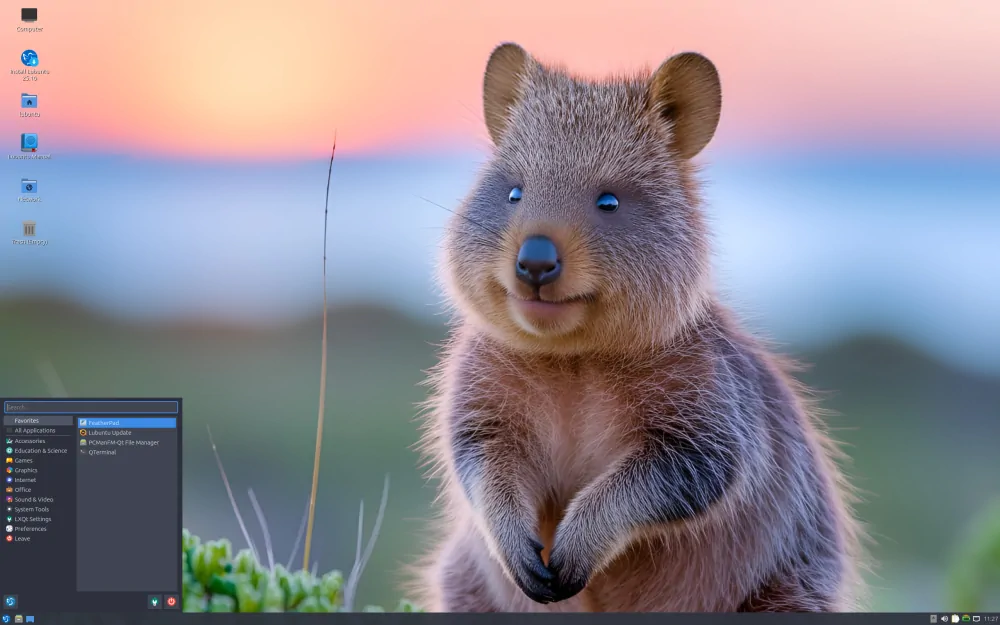
Lubuntu is Ubuntu’s official lightweight flavor, replacing the heavier GNOME desktop with the much snappier LXQt environment. This keeps resource usage low while retaining full access to Ubuntu’s massive software ecosystem and long-term support releases.
The interface is clean and straightforward, with a traditional panel layout that makes the transition from Windows easy. Lubuntu ships with lightweight alternatives for everyday tasks—such as FeatherPad for text editing and VLC for media playback—ensuring smooth performance on modest hardware. Its predictable release cycle and regular security updates also make it a safe long-term choice.
For users who want a reliable, lightweight system while staying within the familiar Ubuntu ecosystem, Lubuntu strikes an excellent balance between efficiency and modern features.
Ideal for: older Windows 10 laptops and really old Windows 7 or 8 machines. Well suited for basic productivity, web browsing, email, and office work.
Basic requirements: 1GB of RAM minimum (2GB recommended), a relatively modern processor, 10GB of disk space.
Download: Official Lubuntu downloads
https://lubuntu.me/downloads/
3. Linux Lite (9.1/10)
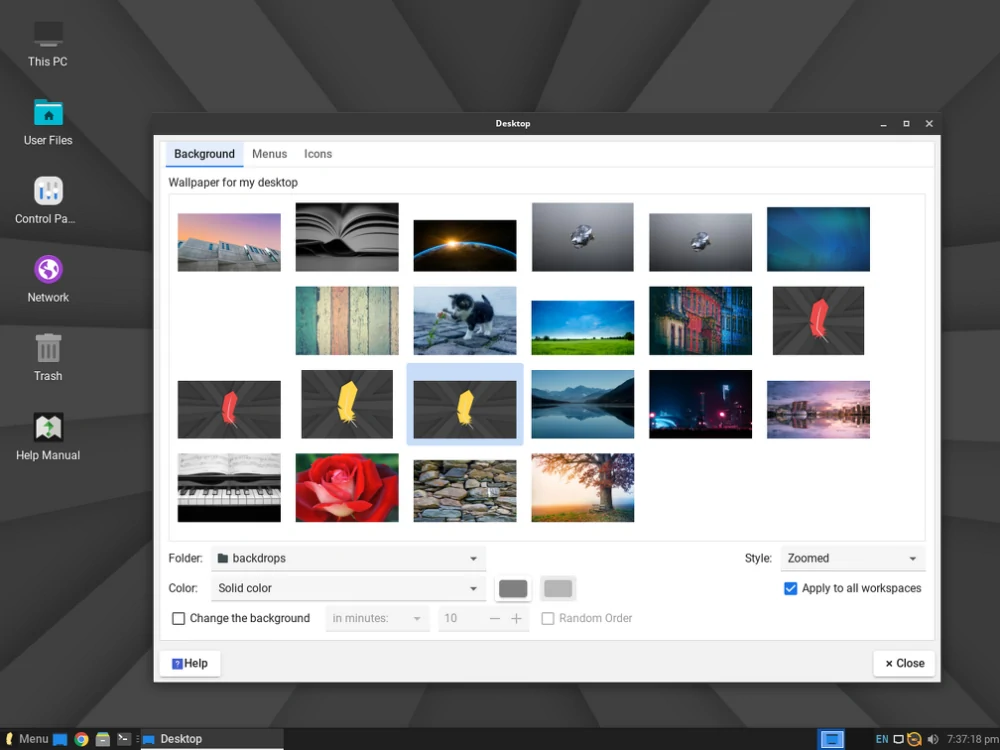
Linux Lite is purpose-built for users coming from Windows. Based on Ubuntu LTS releases, it uses a carefully tuned Xfce desktop focused on speed and simplicity. It includes built-in support for common Windows workflows, such as easy Wine installation for running legacy Windows apps, along with the Lite Tweaks tool for system optimization.
The default layout closely resembles a Windows-style desktop, complete with a familiar start menu and taskbar, while keeping resource usage in check. Essential software comes preinstalled—covering web browsing, office productivity, and media playback—without unnecessary bloat. Updates are straightforward, and the community offers excellent documentation for newcomers.
It’s a strong choice if you’re migrating from Windows and want a minimal learning curve on older—but not extremely underpowered—hardware.
Ideal for: older Windows 10 laptops and some really old Windows 7 and 8 machines. Ideal for Linux newcomers who want a familiar interface for daily tasks.
Basic requirements: 1GB of RAM minimum (2GB recommended), 1.5GHz CPU or better, 20GB of disk space recommended.
Download: Official Linux Lite download page
https://www.linuxliteos.com/download.php
4. antiX (9.0/10)
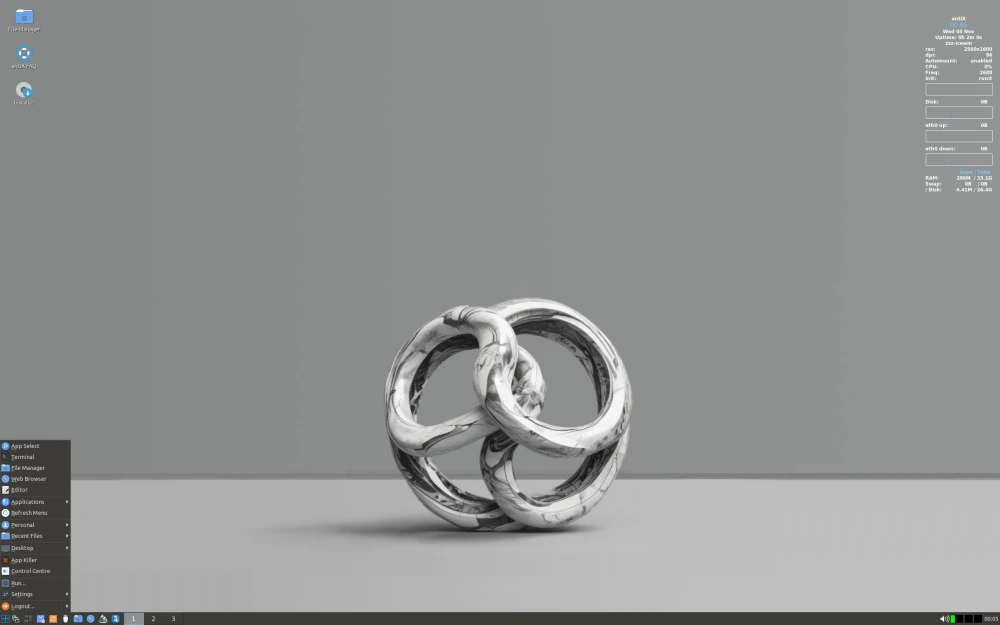
antiX takes a no-compromise approach to lightweight computing. Built directly on Debian Stable, it avoids systemd, reducing overhead and improving performance on constrained hardware. It offers multiple window managers—IceWM, Fluxbox, and JWM—allowing users to fine-tune memory and CPU usage to an extreme degree.
This distro truly shines on severely limited systems. It includes tools for remastering, persistence, and frugal installs, enabling efficient operation from USB drives or aging hard disks. While it provides access to Debian’s repositories, the focus is firmly on minimalism rather than out-of-the-box polish.
antiX is the right choice when every megabyte of RAM matters and you’re willing to trade convenience for maximum performance.
Ideal for: very old Windows XP-era laptops and really old Windows Vista or 7 systems. Best suited for extremely limited hardware, basic browsing, and lightweight tasks.

Basic requirements: 512MB of RAM minimum (256MB possible with lighter editions), older Pentium-class CPU, 5–10GB of disk space.
Download: Official antiX download page
https://antixlinux.com/download/
5. Puppy Linux (8.8/10)

Puppy Linux is one of the most unique lightweight distributions available. It’s designed to run almost entirely in RAM, resulting in impressively fast performance even on very old hardware. It boots quickly from a USB drive or CD, loads into memory, and minimizes disk access—making it especially useful for systems with failing hard drives or extremely slow processors. Puppy comes in several variants based on Ubuntu or Slackware and typically uses ultra-light desktops like JWM.
While the interface is basic and somewhat dated compared to more modern options, Puppy includes a solid selection of preinstalled apps for web browsing, document work, and media playback, along with tools for remastering the system and saving sessions. It’s highly portable, making it ideal to carry on a flash drive to revive almost any old machine, whether temporarily or permanently.
Puppy Linux remains a go-to choice for truly ancient systems where other distros may fail to boot at all.
Ideal for: very old Windows XP-era laptops (2001–2007). Excellent for ultra-low-resource tasks such as basic web browsing, document viewing, or use as a portable rescue OS.
Basic requirements: 256MB of RAM minimum (512MB recommended for smoother performance), Pentium-class CPU, 512MB–1GB of disk space for a frugal install.
Download: Official Puppy Linux downloads
https://puppylinux-woof-ce.github.io/
6. Peppermint OS (8.6/10)
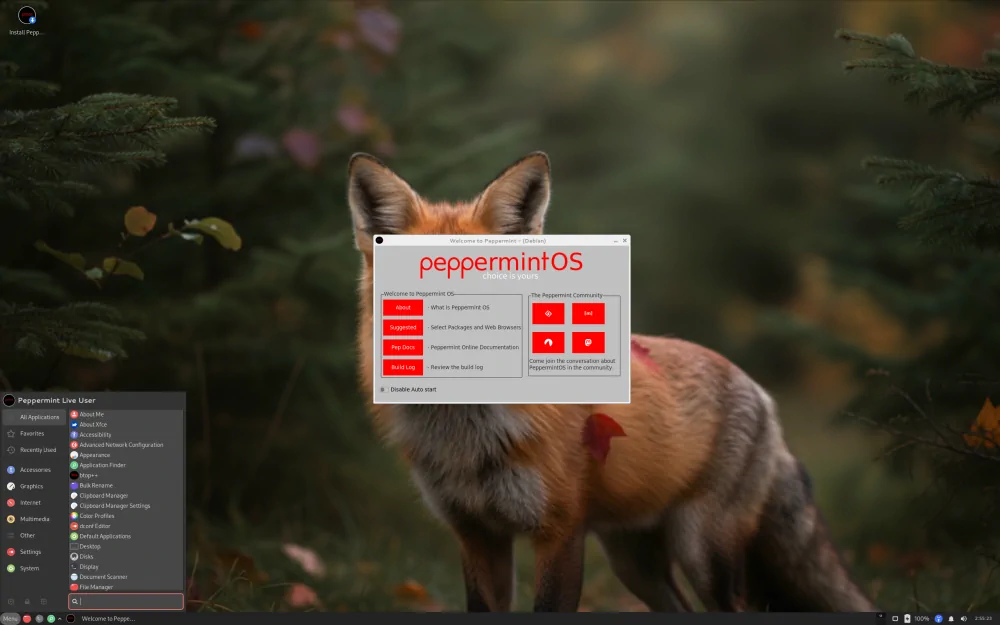
Peppermint OS takes a smart hybrid approach to lightweight computing by combining a traditional desktop with deep web app integration. Based on Ubuntu/Debian and using a mix of Xfce and LXDE components, it relies on Site-Specific Browsers (SSBs) to turn services like Gmail, YouTube, and Office Online into lightweight desktop apps, reducing local resource usage.
The result is a fast system with a modern feel, particularly well suited for cloud-focused workflows. Peppermint ships with a thoughtfully chosen set of components—such as IceWM for the panel and the Nemo file manager—and provides easy access to a wide range of software through familiar repositories.
Peppermint OS is a great middle ground for users who want speed without giving up modern, web-based productivity.
Ideal for: really old Windows 7-era laptops and older Windows 10 systems. Best for users focused on web browsing, streaming, cloud documents, and light productivity.
Basic requirements: 1GB of RAM minimum (2–4GB recommended), 64-bit processor, 20GB of disk space.
Download: Official Peppermint OS downloads
https://peppermintos.com/
7. Bodhi Linux (8.5/10)
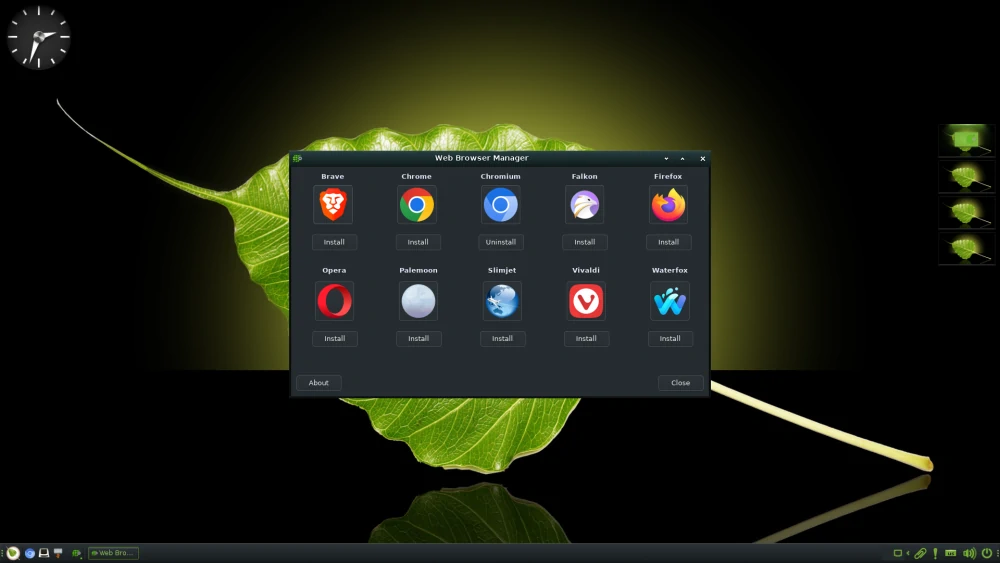
Bodhi Linux stands out by delivering a visually appealing desktop without heavy resource demands. It uses the Moksha desktop environment—a fork of Enlightenment known for its efficiency and elegant design—on top of an Ubuntu LTS base, offering extensive customization while still running smoothly on older hardware.
The minimal installation starts extremely lean, allowing users to add only what they actually need from the repositories. Bodhi includes useful tools for system monitoring and configuration, and its modular approach helps keep the system responsive.
It’s an excellent choice if you want something lightweight that doesn’t look or feel outdated.
Ideal for: very old Windows XP-era laptops and really old Windows Vista or 7 systems. Well suited for users who enjoy customization and want a stylish interface for everyday basic tasks.
Basic requirements: 512MB of RAM minimum (1GB recommended), 32-bit or 64-bit processor, 10GB of disk space.
Download: Official Bodhi Linux downloads
https://www.bodhilinux.com/download/
8. Zorin OS Lite (8.4/10)
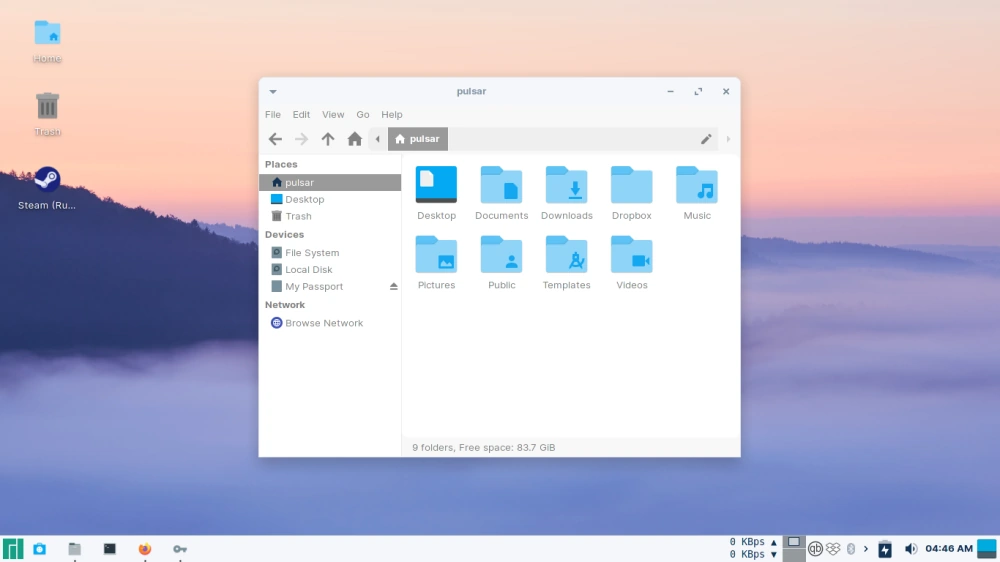
Zorin OS Lite brings a polished, Windows-inspired experience to older hardware through its Xfce-based desktop and flexible layout options. Built on Ubuntu LTS, it includes themes and tweaks that mimic Windows 7, 10, or even 11, making it one of the easiest transitions for long-time Windows users.
The distro ships with lightweight alternatives to common applications and a curated software store that simplifies app installation. While it’s not the lightest option on this list, it prioritizes usability and visual polish over extreme minimalism.
Zorin OS Lite works best when you have a bit more RAM available and want a modern, familiar-looking desktop.
Ideal for: older Windows 10 laptops (2015–2021). Perfect for Windows switchers who want a comfortable interface for everyday computing and office work.
Basic requirements: 2GB of RAM recommended (1GB minimum), 64-bit processor, 20GB of disk space.
Download: Official Zorin OS downloads
https://zorinos.com/download/
Choosing the Right Distro for Your Old Laptop
Any of these eight distributions can give an aging laptop a noticeable performance boost and several more years of useful life. If you’re not sure where to start, MX Linux or Lubuntu are usually the safest bets, offering the best overall balance for most users and hardware from the past two decades. Try a few using live USB mode to see which one feels right. One of Linux’s biggest strengths is its flexibility—if the first choice doesn’t click, switching is always an option. With the right lightweight distro, that old machine can handle web browsing, streaming, documents, and more without frustration.