
Tired of Windows 11 consuming too much RAM and running slow with bloatware? Discover the 12 best lightweight Linux distros that use far less memory on 16 GB laptops. Perfect Windows 11 alternatives for daily use, productivity, and better performance in 2026.
Windows 11 Eating Too Much RAM? These 12 Linux Distros Are Much More Efficient
Windows 11 was supposed to bring a smoother, more modern experience, but for many users it has done the opposite. Between Copilot constantly running in the background, pre-installed manufacturer bloatware, Recall (in supported models), OneDrive syncing, and countless telemetry services, the operating system feels heavier than ever. What used to run comfortably on 16 GB of RAM now often struggles, with users frequently reporting high memory usage even during basic tasks like web browsing and office work.
Microsoft itself recently stirred controversy by suggesting that 32 GB of RAM is the new recommended amount for a good Windows 11 experience — at a time when RAM prices remain elevated partly due to AI hardware demand. This has left many laptop owners frustrated, especially those with 16 GB machines who simply want their computer to feel responsive again without buying new hardware.
Linux distributions have emerged as one of the strongest practical answers. Modern Linux offers dramatically better resource management, virtually no bloatware, strong privacy defaults, and excellent performance even on modest hardware. In this guide, we’ve compiled 12 well-regarded Linux distros that excel at everyday use — browsing, office work, university tasks, light productivity, and even some gaming — while using significantly less RAM than Windows 11.
All consumption figures in this article are measured on systems with 16 GB of RAM, giving you a fair and realistic comparison.
Why Does Windows 11 Consume So Much RAM?
On a typical laptop with 16 GB of RAM, a fresh Windows 11 installation idles at 4.5–6.5 GB of memory usage. Once you open Chrome with just 5–8 tabs, install common apps, and let the background services (Copilot, antivirus, update processes, widgets, etc.) do their thing, usage quickly climbs to 7–10 GB or more. This leaves relatively little headroom for actual work, causing the system to feel sluggish and start swapping to disk.
The reasons are well-known: aggressive preloading of features, mandatory cloud services, heavy telemetry, and manufacturer bloat that cannot be easily removed. Linux handles memory far more efficiently — it uses available RAM for caching but releases it immediately when applications need it. The result is noticeably snappier performance on the same hardware.
The Best Lightweight and Efficient Linux Distros for Daily Use
All RAM figures below are based on real-world tests and user reports on systems with 16 GB of RAM. Linux adapts its memory usage dynamically (using extra RAM for caching to improve performance), so these are typical idle values after a clean boot with default settings. Your actual numbers may vary slightly depending on hardware and installed software, but they will remain dramatically lower than Windows 11.
1. Linux Mint (XFCE or Cinnamon)
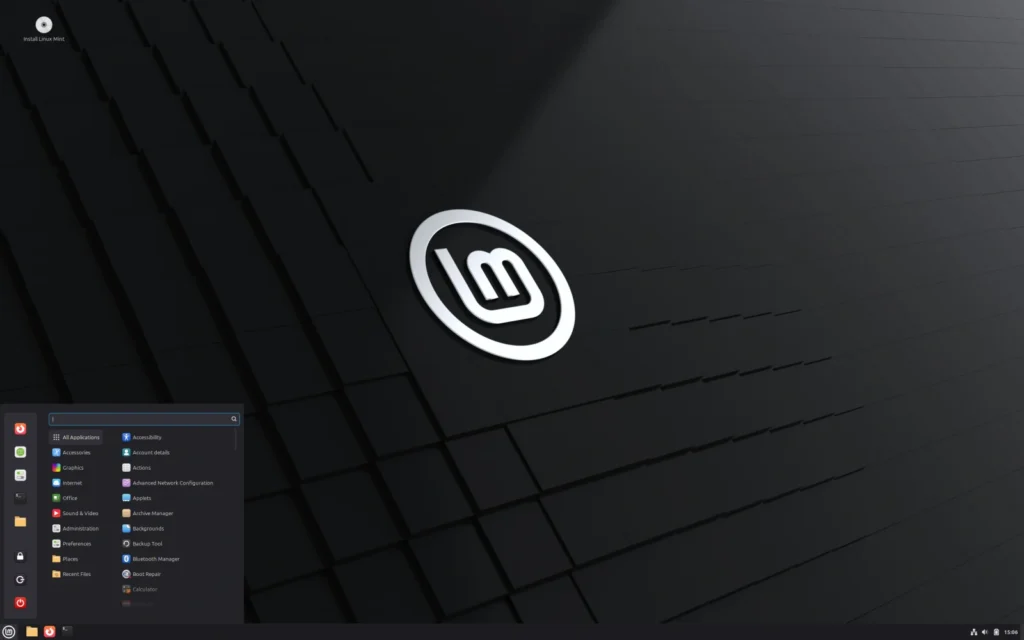
The most Windows-friendly daily driver
Linux Mint stands as the top recommendation for users switching from Windows 11. Built on the rock-solid Ubuntu LTS base, it delivers a traditional desktop layout with a familiar Start menu, taskbar, and system tray that makes the transition almost seamless. The Cinnamon edition offers a polished, modern look with useful applets and effects, while the XFCE edition prioritizes maximum efficiency without sacrificing everyday usability.
What sets Mint apart is its thoughtful approach to user experience. It comes with a curated set of pre-installed applications, simple system tools for backups, driver management, and updates, and excellent hardware compatibility right out of the box. For users tired of Windows 11’s constant background processes and forced features, Mint feels refreshingly clean and focused on letting you get work done instead of fighting the OS. It handles web browsing with dozens of tabs, LibreOffice documents, email, and video calls without breaking a sweat, all while staying remarkably stable over long periods.
Pros:
- Extremely familiar interface and outstanding out-of-the-box experience for Windows refugees.
- Exceptional stability combined with low maintenance thanks to Ubuntu LTS foundation.
Cons:
- Cinnamon edition uses slightly more resources than XFCE (though both remain very light).
Idle RAM usage: ~650-950 MB (typically around 750 MB).
Ideal for: Ex-Windows users, office work, students, and anyone seeking reliability with minimal setup.
Official site: linuxmint.com
2. Ubuntu (GNOME)
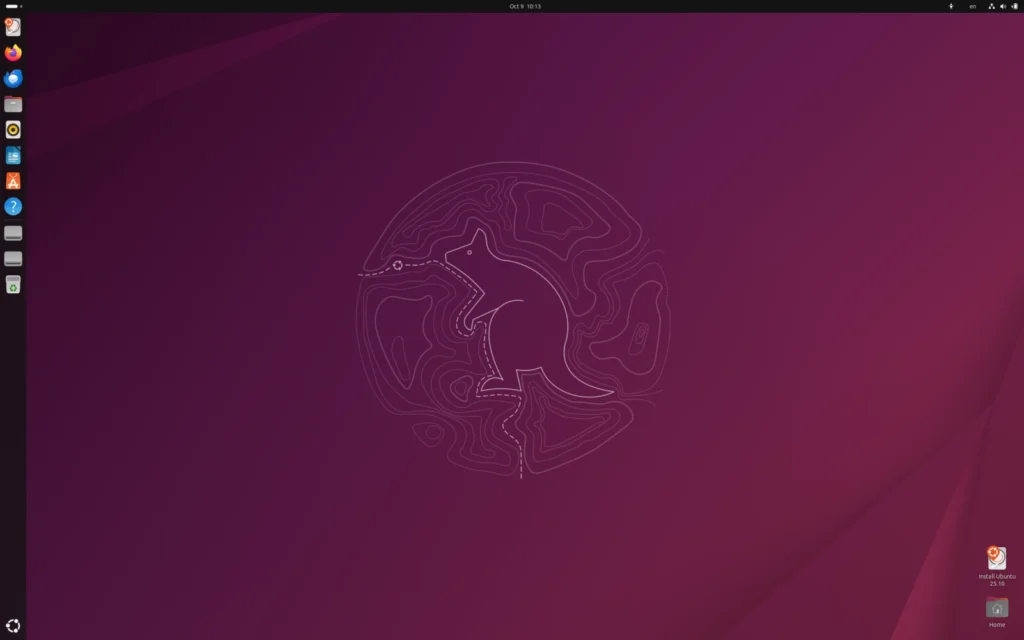
The most popular and best-supported Linux distribution
Ubuntu powers more Linux desktops worldwide than any other option, and for good reason. Backed by Canonical, it offers unmatched hardware and software compatibility, regular security updates, and one of the largest communities and repositories available. The default GNOME desktop provides a clean, gesture-friendly modern interface that emphasizes simplicity and productivity once you adjust to its workflow (many users add a few free extensions to make it even more Windows-like if desired).
In practice, Ubuntu excels at everyday tasks on a 16 GB laptop. You get excellent support for productivity software, development tools, streaming, and even Steam gaming. Its Snap packaging ensures you always have access to the latest versions of popular applications, while the LTS releases give you five years of guaranteed support without forced upgrades. For users frustrated with Windows 11 bloat, Ubuntu delivers a much leaner foundation that still feels complete and professional.
Pros:
- Massive software ecosystem and professional-grade hardware compatibility.
- Long-term stability with reliable update cycle and strong community support.
Cons:
- GNOME’s workflow differs from Windows and may require a short adjustment period or extensions.
Idle RAM usage: ~1.2-1.6 GB.
Ideal for: University students, professionals, developers, and users who prioritize maximum software availability and long-term support.
Official site: ubuntu.com
3. MX Linux (XFCE)
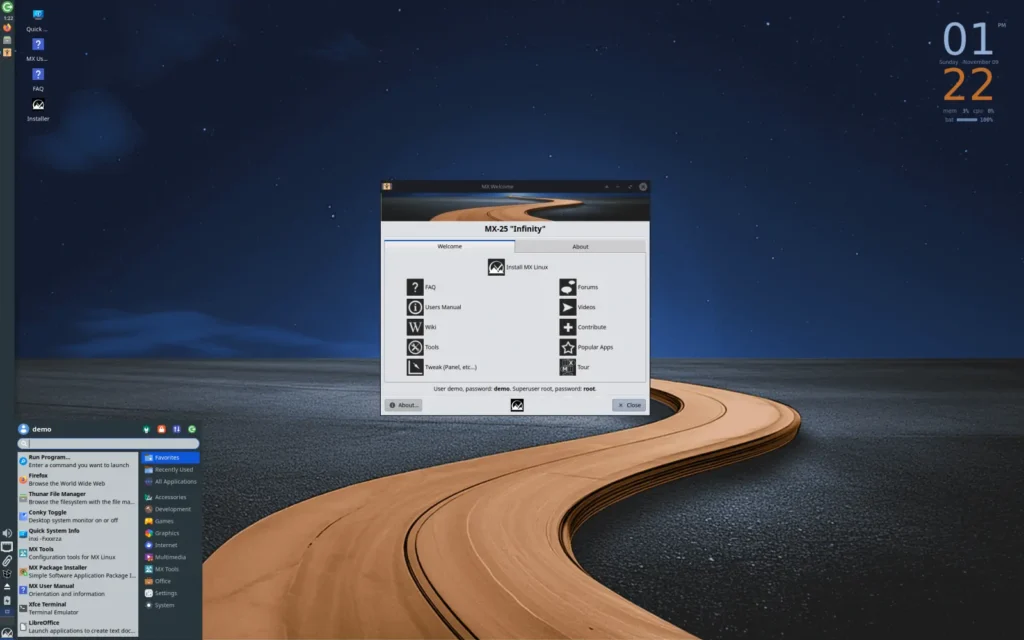
The ultra-stable, low-maintenance powerhouse
MX Linux consistently ranks among the most popular distributions on DistroWatch thanks to its outstanding balance of stability, ease of use, and practical tools. Based on Debian Stable, it uses the XFCE desktop and includes a comprehensive suite of custom MX Tools that simplify common tasks like backups, system snapshots, package management, and hardware configuration.
This distribution shines for users who want a set-it-and-forget-it experience. It revives older hardware effectively while running smoothly on modern 16 GB laptops. The default setup is clean, highly configurable, and includes many quality-of-life improvements that other distros lack by default. Many long-time users praise it for requiring far less tinkering than other options while delivering excellent performance for office work, web browsing, media consumption, and light creative tasks.
Pros:
- Exceptional stability from Debian base paired with helpful custom tools (MX Tools).
- Great for reviving older laptops while remaining efficient on modern hardware.
Cons:
- Update cycle is more conservative (focuses on stability over bleeding-edge software).
Idle RAM usage: ~700-950 MB.
Ideal for: Users wanting maximum reliability with low maintenance, older hardware owners, and practical daily computing.
Official site: mxlinux.org
4. Zorin OS (Lite or Core)
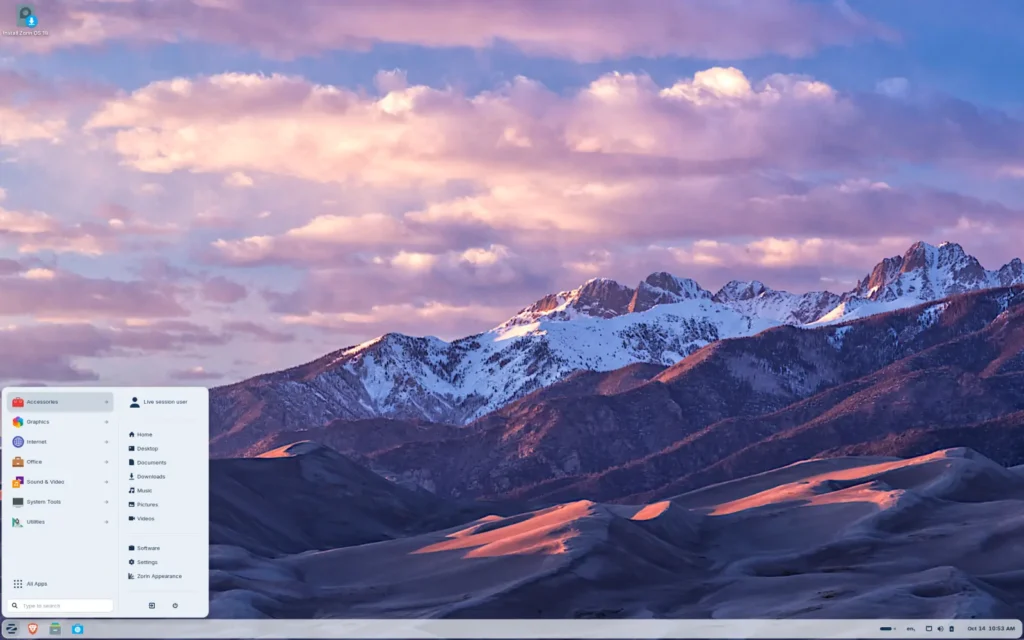
The Windows-like Linux distro built for easy migration
Zorin OS was specifically designed to make the switch from Windows as painless as possible. It offers a highly customizable interface that can closely mimic Windows 11 or 10 layouts, complete with familiar taskbar behaviors and app organization. The Lite edition (XFCE-based) prioritizes lightness, while the Core edition provides a more modern look — both feel premium and well-polished.
Beyond appearances, Zorin includes useful tools for Windows users, such as easy app installation guides and excellent multimedia support out of the box. It performs smoothly for web browsing, office suites, streaming, and student workloads on 16 GB systems. The attention to detail in user experience makes it one of the most welcoming options for people who are simply tired of Windows 11’s performance issues and want something that feels familiar yet more efficient.
Pros:
- Highly customizable Windows-like interface with excellent polish and ease of transition.
- Strong focus on user experience and multimedia support from the start.
Cons:
- Slightly higher resource usage in the Core edition compared to pure XFCE options.
Idle RAM usage: ~800-1.2 GB (Lite edition typically ~900 MB).
Ideal for: Windows users looking for the smoothest migration, home users, and students who value familiarity and aesthetics.
Official site: zorin.com/os
5. Pop!_OS
The modern, productivity-focused choice from System76
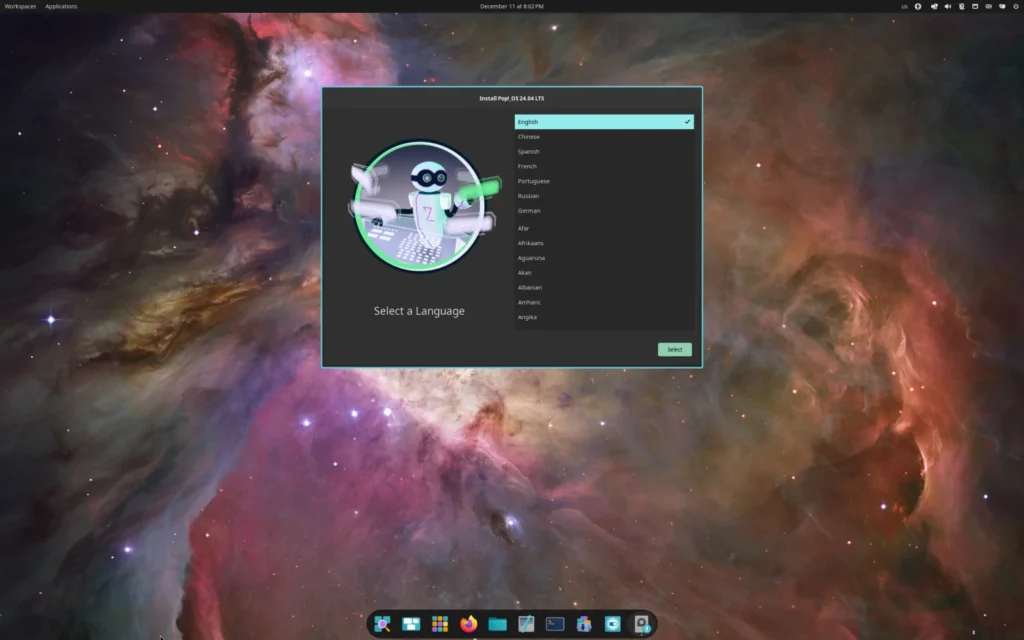
Pop!_OS, developed by System76, has earned a strong following among users who want a polished yet powerful Linux experience without the hassle. Built on Ubuntu, it comes with excellent out-of-the-box hardware support — especially for NVIDIA graphics cards — and includes thoughtful tweaks like a custom tiling window manager option and improved recovery tools. The new COSMIC desktop environment (available in recent versions) brings a fresh, highly configurable interface that feels contemporary and efficient.
For Windows 11 users frustrated with sluggish performance, Pop!_OS delivers noticeably better responsiveness on 16 GB systems. It handles multiple desktops, heavy browser usage, coding, light video editing, and even gaming (via Steam or Proton) very well. The distribution focuses on getting out of your way so you can focus on work or study, with smart defaults for power users and regular users alike. Its recovery partition and easy system restore features also reduce the anxiety that often comes with OS experimentation.
Pros:
- Outstanding hardware support (particularly NVIDIA) and thoughtful productivity enhancements.
- Modern COSMIC desktop with excellent customization and workflow improvements.
Cons:
- Slightly more resource-intensive than pure lightweight XFCE options.
Idle RAM usage: ~1.0-1.5 GB.
Ideal for: Students, developers, multitaskers, and users with NVIDIA GPUs who want a modern, productive daily driver.
Official site: pop.system76.com
6. Fedora
The cutting-edge yet stable option backed by Red Hat
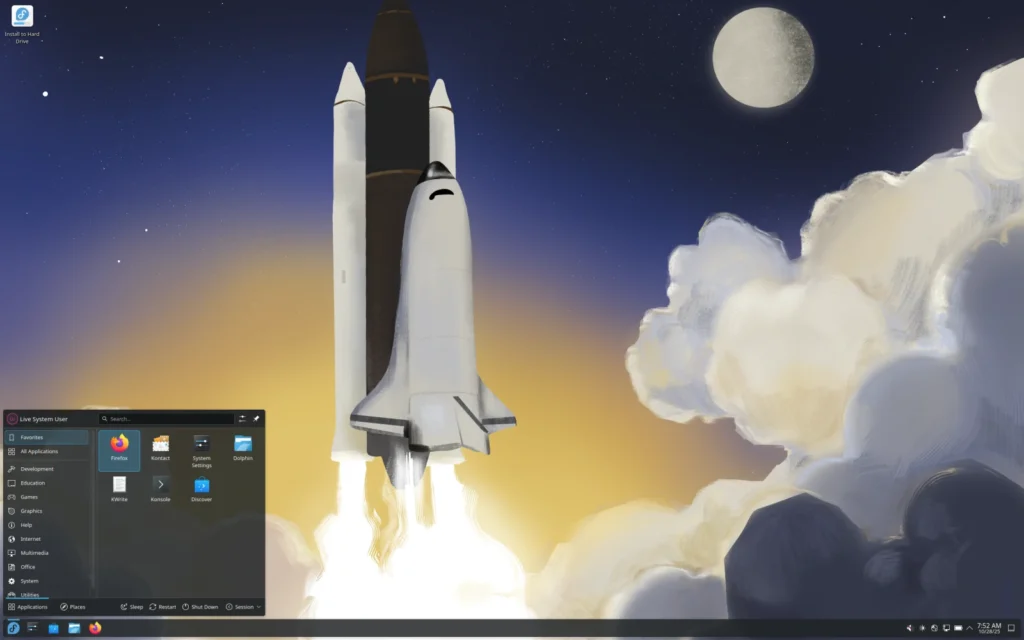
Fedora offers one of the best balances between fresh software and solid reliability, thanks to its sponsorship by Red Hat. It ships with the latest GNOME desktop by default, delivering a clean, gesture-rich experience and rapid adoption of new technologies while maintaining good stability through its predictable release cycle.
On a 16 GB laptop, Fedora feels responsive and future-proof. It excels at development work, university projects, content creation, and general productivity, with excellent support for Flatpak and modern container tools. Users escaping Windows 11 appreciate its transparent approach, minimal pre-installed clutter, and strong emphasis on security and open-source principles. While not the absolute lightest, its efficient resource management still leaves plenty of headroom compared to Windows.
Pros:
- Very recent software versions with excellent integration and security features.
- Strong focus on modern workflows and professional-grade tools.
Cons:
- Faster update cycle means slightly more frequent upgrades than LTS-based distros.
Idle RAM usage: ~1.5-2.1 GB.
Ideal for: Developers, university students, and professionals who want newer software without sacrificing too much stability.
Official site: getfedora.org
7. Debian
The rock-solid foundation for long-term reliability
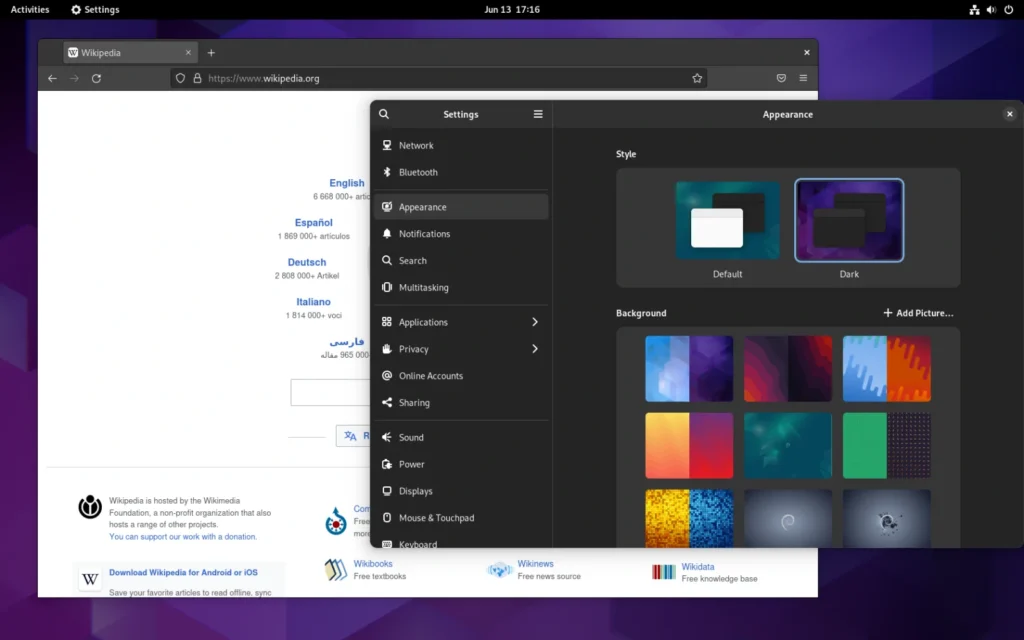
Debian is legendary for its exceptional stability and serves as the base for many other popular distributions (including Ubuntu). With the XFCE or Cinnamon desktop, it provides a clean, no-nonsense experience focused purely on getting things done reliably over many years. It prioritizes proven software over the very latest releases, resulting in fewer bugs and a system that simply keeps working.
Many users on 16 GB machines report Debian feels extremely efficient and predictable for daily tasks like office work, web browsing, email, and media consumption. Its conservative approach means far less background noise than Windows 11, and the vast repositories still cover virtually all everyday needs. It’s particularly appealing for users who want to install once and forget about major changes for a long time.
Pros:

- Unmatched long-term stability and minimal maintenance requirements.
- Extremely efficient resource usage with rock-solid hardware support over time.
Cons:
- Software versions tend to be older (though backports and Flatpak help bridge the gap).
Idle RAM usage: ~650-1.2 GB (XFCE edition typically ~700-900 MB).
Ideal for: Users who value rock-solid reliability, servers-turned-desktops, and long-term setups with low maintenance.
Official site: debian.org
8. Elementary OS
The beautiful macOS-inspired Linux experience
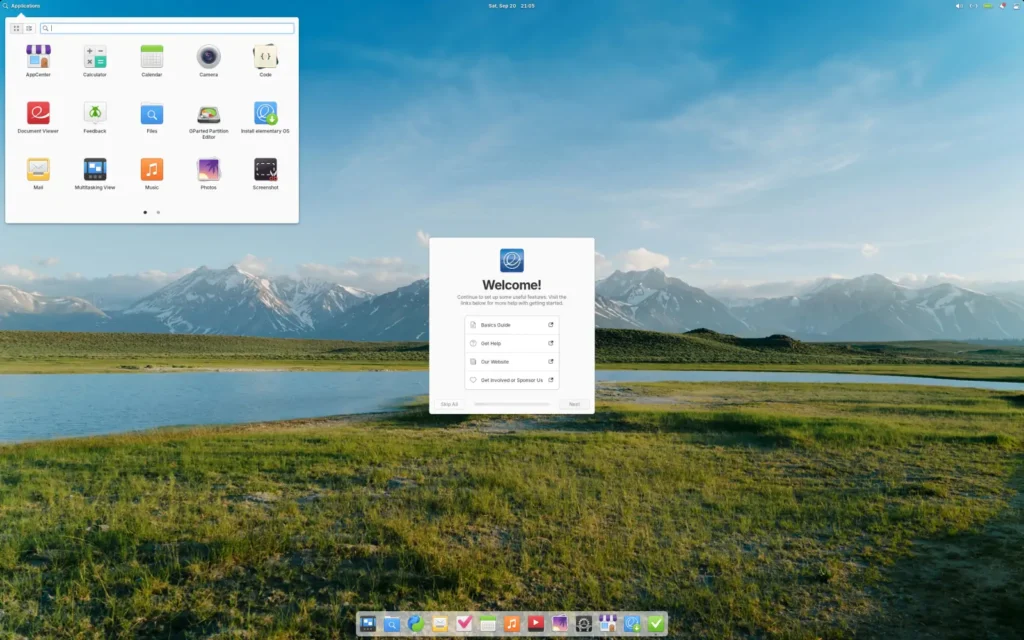
Elementary OS stands out for its elegant, minimalist design inspired by macOS. The custom Pantheon desktop delivers a refined, cohesive look with thoughtful details like smooth animations, a clean dock, and an AppCenter that feels premium and simple to use. It focuses heavily on polished user experience rather than raw features.
Despite the visual refinement, it remains surprisingly efficient on 16 GB systems. It’s an excellent choice for users who want something that feels modern and pleasant to use for web browsing, document work, creative hobbies, and general home or student computing. The curated AppCenter and focus on simplicity help reduce decision fatigue while still providing solid performance and privacy.
Pros:
- Stunning, cohesive design and premium user experience out of the box.
- Strong emphasis on simplicity and attention to detail.
Cons:
- Smaller software ecosystem compared to Ubuntu-based options (though Flatpak mitigates this).
Idle RAM usage: ~750-1.1 GB.
Ideal for: Users seeking an elegant, macOS-like interface with a focus on beauty and simplicity for daily tasks.
Official site: elementary.io
9. Linux Lite
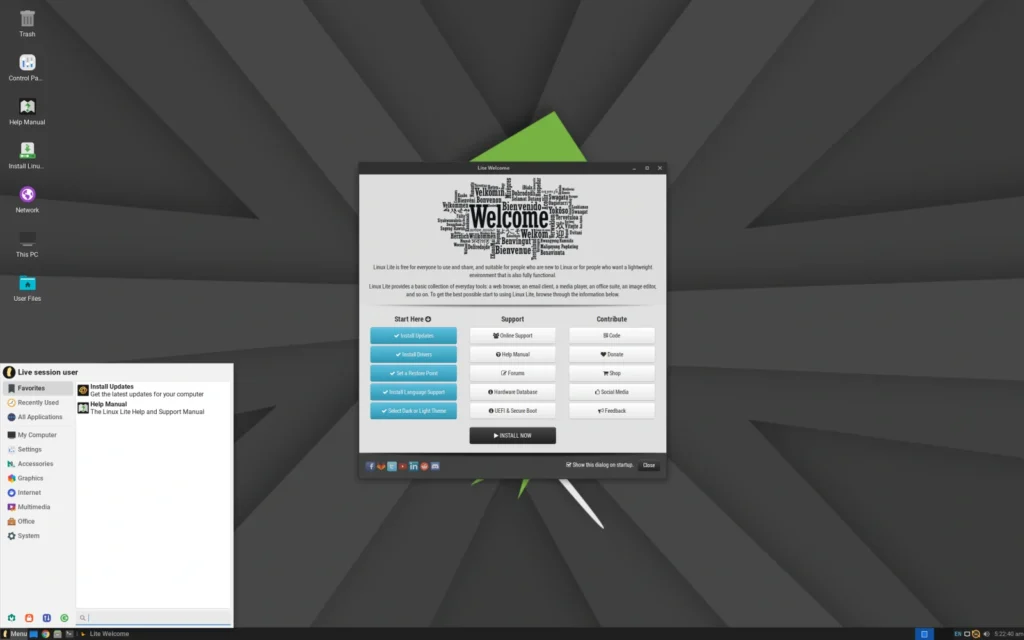
The beginner-friendly lightweight Windows replacement
Linux Lite was built from the ground up with Windows users in mind. It uses an XFCE desktop carefully configured with a familiar start menu, taskbar, and layout that minimizes the shock of switching. Based on Ubuntu LTS, it offers excellent stability while remaining one of the easiest distributions for complete newcomers to Linux.
On a 16 GB laptop, Linux Lite delivers very responsive performance for everyday activities — web browsing with multiple tabs, Microsoft Office-compatible documents in LibreOffice, video calls, and light multitasking. It includes handy built-in tools like Lite Software (an easy app installer) and comes with many popular codecs and drivers pre-configured. For users tired of Windows 11 feeling bloated and slow, Linux Lite provides a clean, fast, and practical desktop that just works without unnecessary complexity.
Pros:
- Extremely approachable interface and tools specifically designed for Windows migrants.
- Very good balance of lightness and practical features for daily use.
Cons:
- Less known than major distros, so community support is solid but smaller.
Idle RAM usage: ~650-900 MB.
Ideal for: Beginners, ex-Windows users, office work, and students on modest hardware who want simplicity.
Official site: linuxliteos.com
10. Lubuntu (LXQt)

The efficient and modern lightweight Ubuntu flavor
Lubuntu combines the rock-solid foundation of Ubuntu with the lightweight LXQt desktop environment. It offers a clean, modern-looking interface that avoids visual clutter while still providing all the essential features most users need. As an official Ubuntu flavor, it inherits excellent hardware support and access to vast software repositories.
It performs exceptionally well on 16 GB systems, keeping resource usage minimal even when running multiple applications. Users appreciate its snappiness for web browsing, document editing, programming, and media playback. For those frustrated with Windows 11’s high idle consumption, Lubuntu demonstrates how a well-designed lightweight environment can make the same hardware feel significantly faster and more responsive.
Pros:
- Official Ubuntu flavor with great compatibility and software availability.
- Very low resource usage while maintaining a modern and usable interface.
Cons:
- LXQt can feel slightly less polished than Cinnamon or Pantheon in some details.
Idle RAM usage: ~500-750 MB.
Ideal for: Users with limited RAM, older laptops, and anyone prioritizing efficiency without sacrificing usability.
Official site: lubuntu.me
11. Manjaro
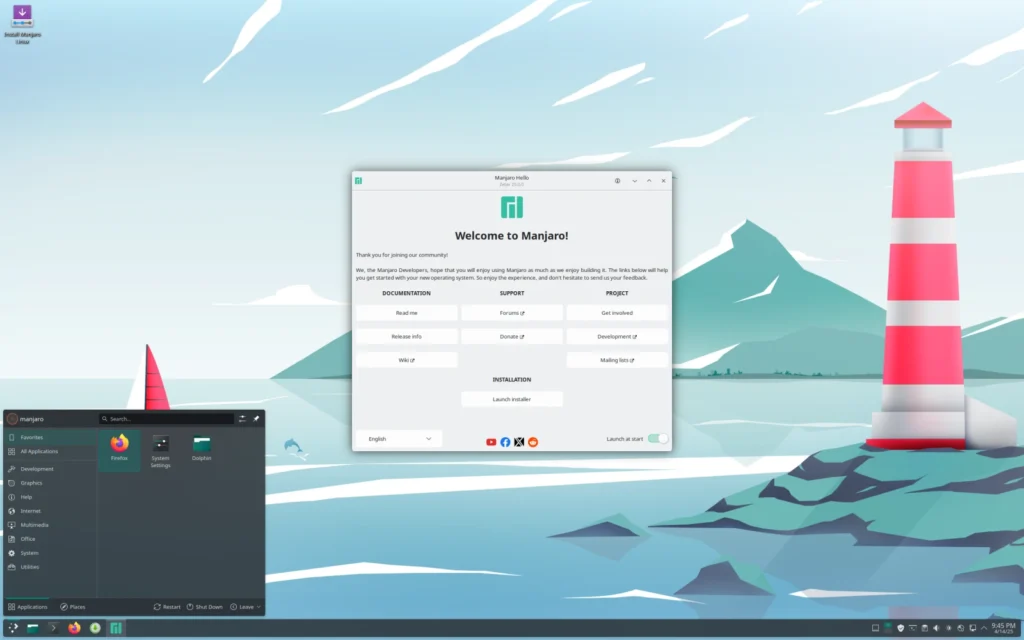
The accessible Arch-based distro with great hardware support
Manjaro makes the power of Arch Linux approachable with a user-friendly installer, graphical tools, and multiple desktop editions (KDE, GNOME, XFCE). It provides newer software versions than most LTS-based distros while including helpful tools that simplify system management and updates.
On 16 GB systems it offers strong performance for gaming, development, and modern workflows. The rolling-release model keeps applications and drivers up to date, which many Windows 11 users appreciate after dealing with forced updates and outdated components. The XFCE edition is particularly efficient, making it a versatile choice for users who want more control and newer features without extreme complexity.
Pros:
- Excellent hardware detection and access to up-to-date software.
- Multiple desktop options with strong community support.
Cons:
- Rolling-release model can occasionally require more hands-on maintenance than LTS distros.
Idle RAM usage: ~1.3-2.0 GB (depends on edition; XFCE is lighter).
Ideal for: Users who want newer software, gamers, and those comfortable with slightly more frequent updates.
Official site: manjaro.org
12. CachyOS
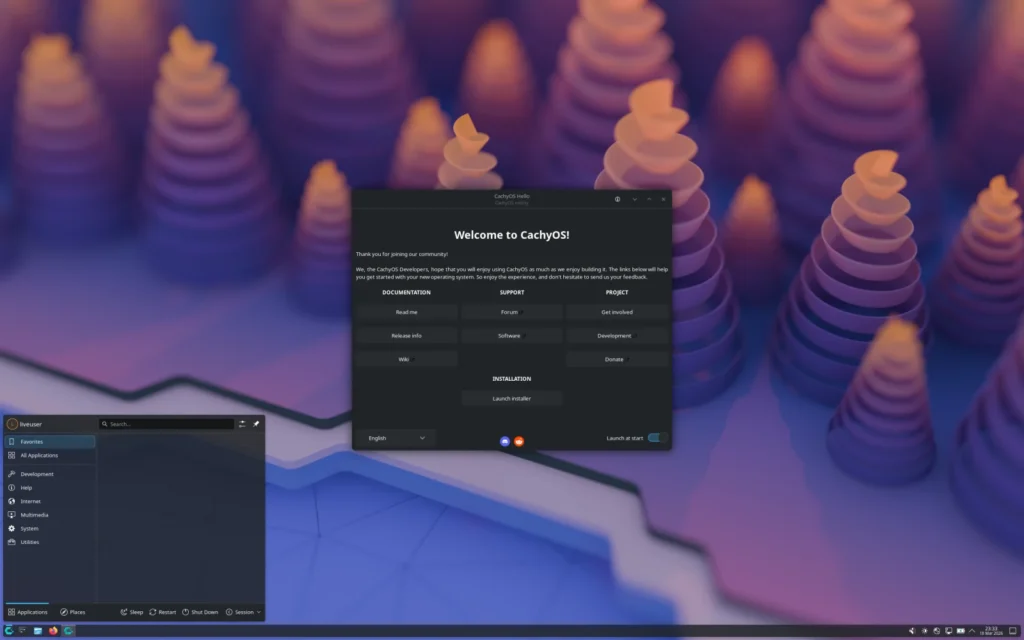
The performance-optimized Arch-based distribution
CachyOS is a newer but rapidly gaining popularity Arch-based distribution focused on maximum performance and optimization, especially for modern hardware. It offers pre-configured kernels and settings designed for better responsiveness and efficiency, with strong support for gaming and demanding workloads.
While not the absolute lightest, it still uses far less RAM than Windows 11 on 16 GB systems. It appeals to users who want a fast, up-to-date system with good defaults for desktop use. The distribution includes useful optimizations that can make daily tasks and light gaming feel noticeably smoother compared to stock Windows 11.
Pros:
- Highly optimized for performance and modern hardware.
- Good gaming support with up-to-date packages.
Cons:
- Less beginner-friendly than Ubuntu-based options and may require more tweaking.
Idle RAM usage: ~1.6-2.4 GB.
Ideal for: Users with modern hardware who prioritize speed, gamers, and enthusiasts wanting optimized performance.
Official site: cachyos.org
Conclusion
Switching from Windows 11 doesn’t have to mean buying more RAM or accepting a sluggish experience. The Linux distributions covered here demonstrate that you can have a fast, clean, and reliable system on the same 16 GB laptop while eliminating bloatware, telemetry, and forced features.
For most users coming from Windows 11, Linux Mint, Zorin OS, and MX Linux stand out as the most effective and least disruptive replacements. They offer the best combination of familiarity, low RAM usage, stability, and ease of daily use. If you want broader software support and long-term backing, Ubuntu or Pop!_OS are excellent choices, while Linux Lite and Lubuntu are perfect when maximum efficiency matters most.
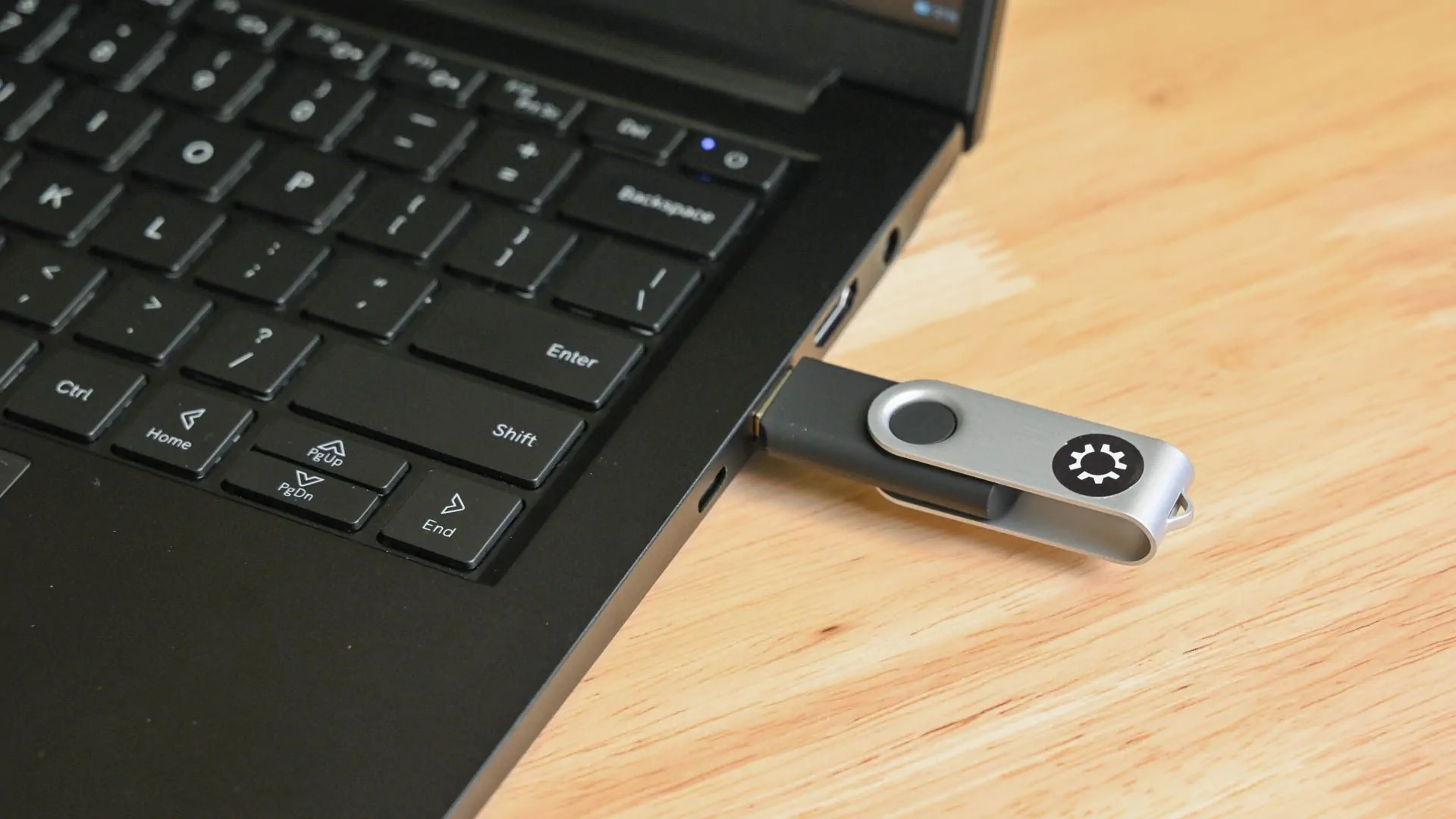
Whichever you choose, test them first using a live USB. The transition is often smoother than expected, and the improved responsiveness and sense of control are frequently cited as the biggest benefits by former Windows users.
FAQ
What is a Linux distribution (distro)?
A Linux distro is a complete operating system built around the Linux kernel. It includes the core system, a desktop environment (like Cinnamon or GNOME), drivers, software repositories, and tools. Unlike Windows, there are hundreds of distros tailored for different needs — from beginner-friendly to advanced.
Why does Windows 11 consume so much RAM?
Windows 11 idles at 4.5–6.5 GB on a 16 GB system due to background services like Copilot, OneDrive, Recall, telemetry, antivirus, and manufacturer bloatware. These processes run constantly, leaving less memory for your actual applications and making the system feel sluggish.
Why does Chrome consume so much RAM?
Chrome is a resource-heavy browser by design. Each tab runs as a separate process for stability and security, and features like extensions, hardware acceleration, and preloading add up quickly. With 5–10 tabs open, it can easily use 1–3 GB or more, regardless of the operating system.
How many Linux distros are there?
There are over 600 active Linux distributions. Most users only need a handful of popular ones (like those in this article), as they cover the vast majority of everyday needs.
How do I install Linux on my PC?
- Download the ISO file from the official website.
- Create a bootable USB using tools like Rufus (Windows) or Balena Etcher.
- Boot from the USB (change boot order in BIOS/UEFI).
- Try it live first, then run the installer. Always back up your data and consider dual-booting initially.
Which distro is most similar to Windows 11?
Zorin OS (especially its Core or Pro layouts) and Linux Mint (Cinnamon edition) are the closest. Both offer familiar start menus, taskbars, and customizable Windows-like interfaces, making the transition very smooth.
Which distro consumes the least RAM?
Among the practical options in this list, Lubuntu (LXQt) typically has the lowest idle usage (~500-750 MB). For extreme low-resource needs, even lighter options like antiX exist, but Lubuntu offers the best balance of lightness and daily usability.
Which distro should I use on an old PC or laptop?
Linux Mint XFCE, MX Linux, or Linux Lite are excellent choices. They provide good performance, modern features, and stability on older hardware while remaining easy to use.
Which distro can I use on a machine with only 4 GB of RAM?
Linux Mint XFCE, Linux Lite, Lubuntu, or MX Linux are the most recommended for 4 GB systems. They run comfortably for web browsing, office work, and basic tasks. Avoid heavy desktops like default GNOME or KDE.
Is it difficult to switch from Windows 11 to Linux?
Not as hard as most people think. Distros like Zorin OS, Linux Mint, and Linux Lite are designed for easy migration. You can test everything from a live USB without installing, and most everyday software (Chrome, LibreOffice, Zoom, VLC) has excellent Linux support.
Can Linux run modern games?
Yes. Thanks to Steam Proton and tools like Lutris, many Windows games run very well on Linux (especially on distros like Pop!_OS or Manjaro). Performance is often close to Windows, with lower background overhead.