
Discover the 15 best free and freemium tools to clean junk files, optimize performance, remove bloatware, and speed up your Windows PC in 2026. Practical guide with real pros, cons, and download links.
Over time, every Windows PC starts to slow down. Temporary files pile up, the registry gets cluttered, startup programs multiply, and Windows 11 itself ships with more and more pre-installed apps and telemetry that quietly consume resources. The result? Longer boot times, sluggish multitasking, and that familiar feeling that your computer is no longer as snappy as it once was.
The good news is you don’t need expensive hardware upgrades or complicated tweaks. A well-chosen cleanup and optimization tool can reclaim hundreds of megabytes (sometimes gigabytes) of space, speed up boot times, and make everyday tasks feel noticeably faster — all without touching your important files or settings.
In this updated guide we’ve tested and ranked the 15 most effective programs available today. Every single one offers a fully functional free or freemium version you can use indefinitely (no 30-day trials that lock you out). We focused on real-world performance, ease of use, and minimal intrusion so you can pick the right tool for your needs and get results quickly.
What Are PC Cleanup and Optimization Tools and What Are They For?
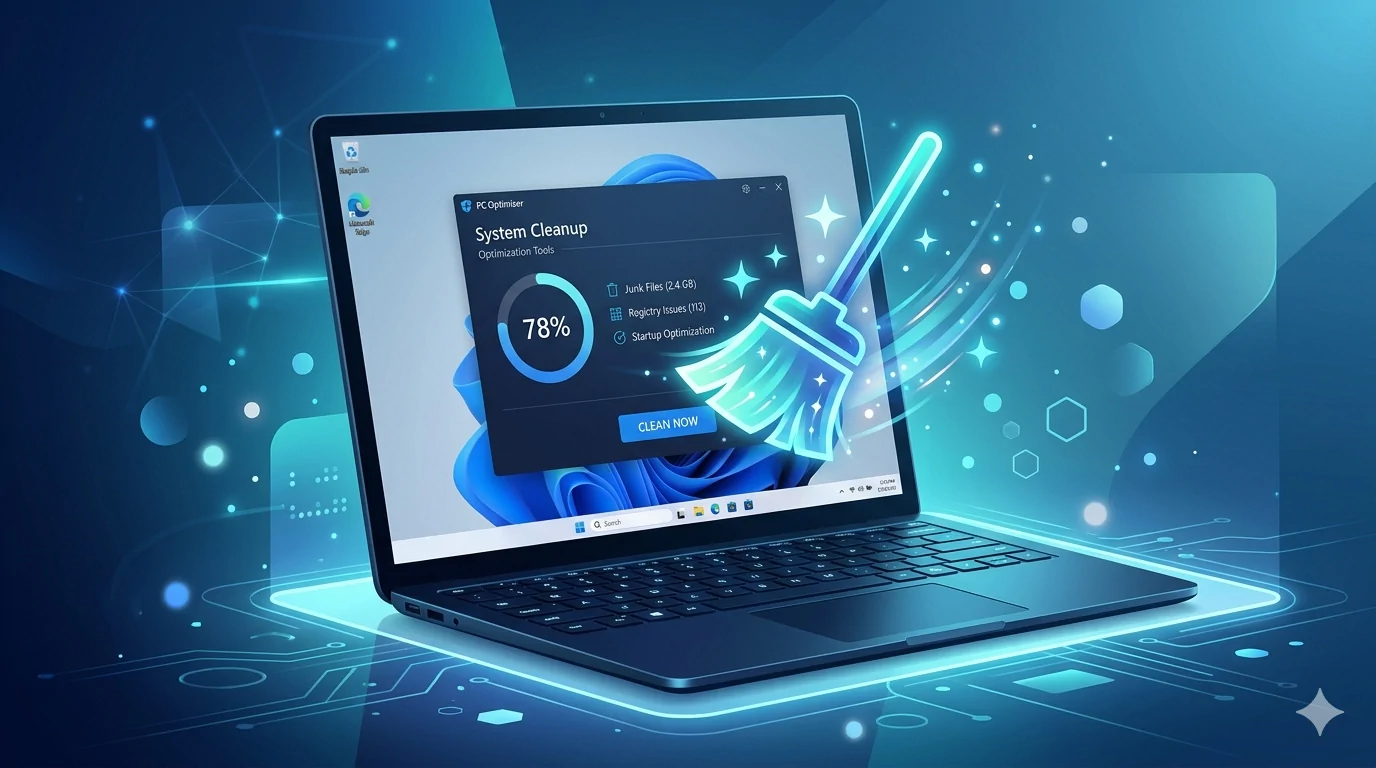
PC cleanup and optimization tools are specialized programs designed to maintain and improve the performance of Windows computers. At their core, they do three main things: remove digital junk (temporary files, cache, old downloads, browser leftovers), optimize system settings (startup programs, registry entries, services), and free up resources so your PC runs smoother and faster.
Modern tools have evolved beyond simple disk cleaners. Many now include powerful debloating features — a relatively new but extremely useful category. Windows 11, in particular, comes loaded with pre-installed apps, telemetry, advertising, and background services that most users never asked for. Debloater tools let you safely remove or disable these extras without breaking Windows, often giving you a noticeable boost in responsiveness and battery life on laptops.
Whether you want a one-click all-in-one suite, a lightweight portable cleaner, a deep privacy-focused scanner, or a specialized debloater with a simple interface, the right tool depends on how much control you want and how technical you feel comfortable getting. The 15 options below cover every level — from absolute beginners to power users who prefer portable scripts and advanced tweaks.
The Best Programs to Clean, Optimize, and Speed Up Your PC
1. Glary Utilities
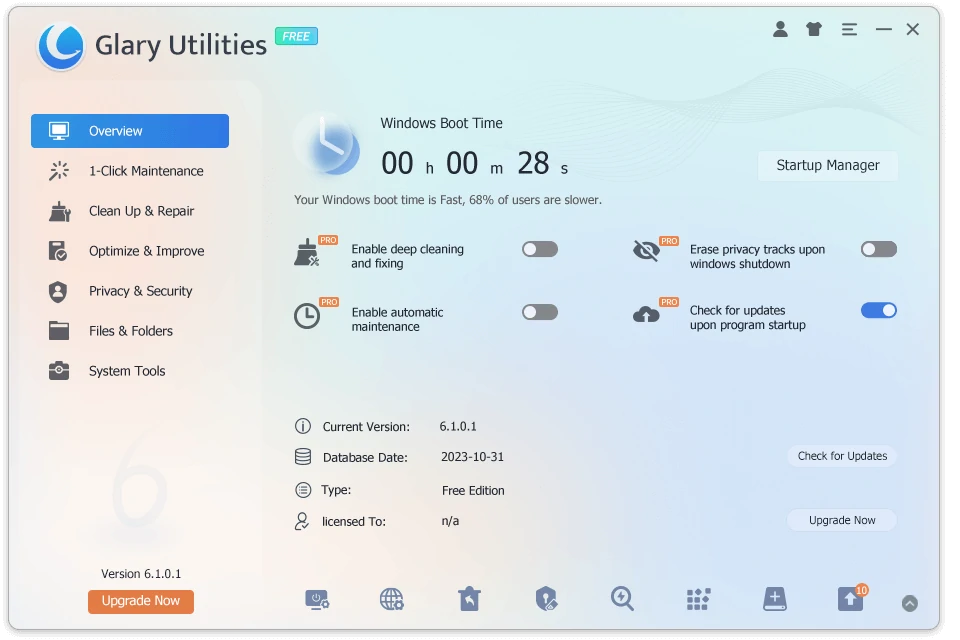
All-in-One Maintenance Suite for Everyday and Advanced Care
Glary Utilities brings together more than twenty practical tools in a single, well-organized interface. You can clean junk files, defragment the hard drive or SSD, manage startup items, repair registry problems, wipe browser traces, and free up RAM without switching between different programs. The main window presents a clear “1-Click Maintenance” button that runs the most common tasks in one go, yet every module is also available separately for users who prefer to pick and choose.
The interface feels clean and modern, with large icons and straightforward labels that make it approachable even if you are not technically inclined. In everyday use it works quickly and stays out of the way after you finish a scan. Because the free version includes nearly all the core cleaning and optimization features without time limits, most users never need to upgrade.
Pros
- Extremely complete set of tools that covers almost every maintenance task
- Lightweight on system resources even when running deep scans
Cons
- Occasional gentle prompts to upgrade appear in the interface
Official site: https://www.glarysoft.com/
2. Microsoft PC Manager
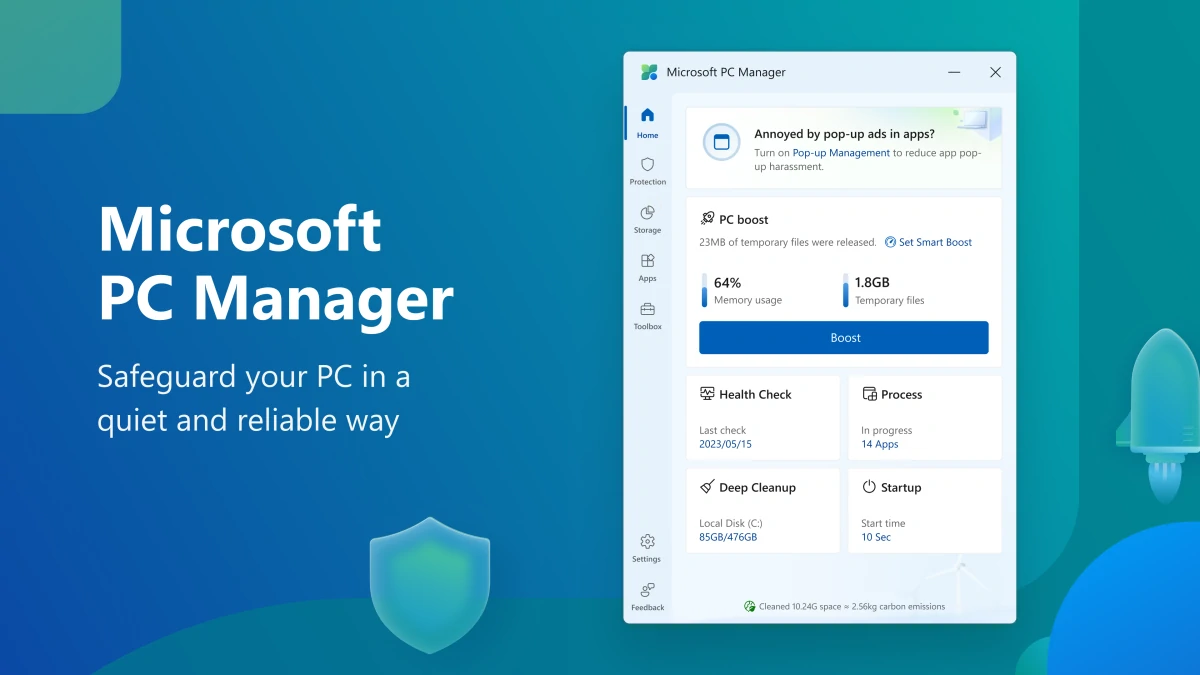
Official Microsoft Tool That Feels Like a Native Windows Feature
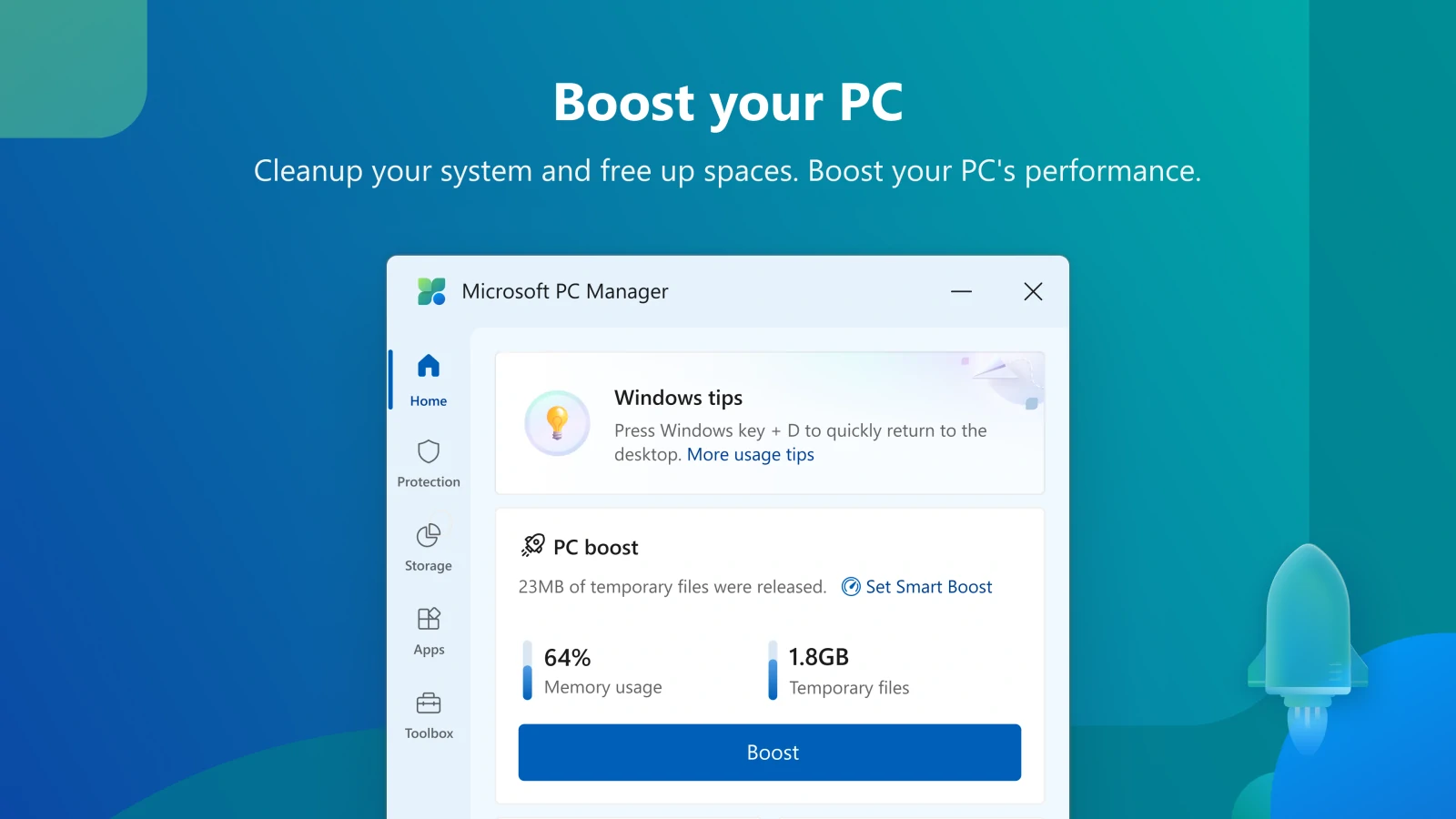
Microsoft PC Manager is the company’s own free utility designed to keep Windows 10 and Windows 11 running smoothly. It focuses on cleaning temporary files, cache, and leftover installer data while also offering a “Smart Boost” feature that closes unnecessary background processes to free up RAM and CPU. Because it is developed by Microsoft itself, it integrates cleanly with Windows settings and rarely triggers false positives or conflicts.
The interface is minimalist and familiar — it looks and behaves like other modern Microsoft apps, with a simple dashboard and one-click actions. You simply open it, choose what you want to clean or boost, and let it run. It requires no installation beyond the Microsoft Store version and works indefinitely in its free form.
Pros
- Perfect integration with Windows and zero compatibility issues
- Completely free with no upsells or advertisements
Cons
- Fewer advanced tweaking options compared with third-party suites
Official site: https://pcmanager.microsoft.com/
3. Chris Titus Tech WinUtil
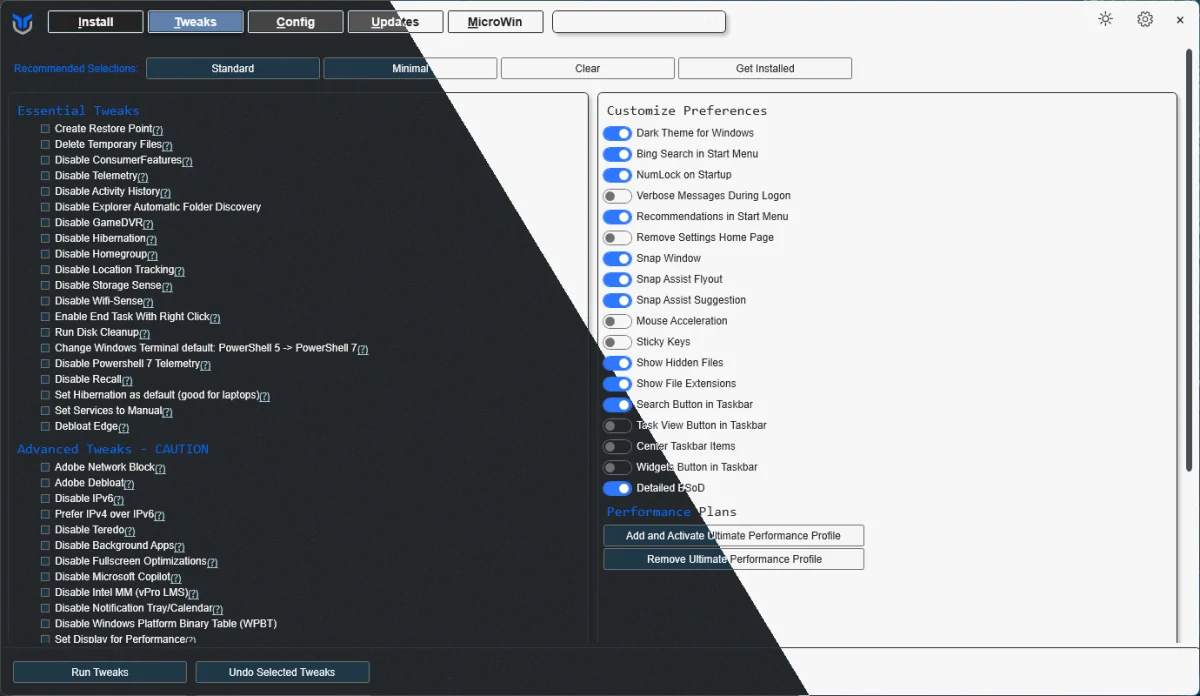
Powerful Debloater and Tweaker with a Straightforward GUI
Chris Titus Tech WinUtil started as a PowerShell script and has evolved into a polished graphical tool that lets you remove Windows 11 bloatware, disable telemetry, turn off advertising, and apply performance-oriented tweaks with a single click. It also includes useful extras such as enabling or disabling specific Windows features, changing privacy settings, and installing only the apps you actually need.
The interface is clean and tabbed, making it easy to browse through the different categories without feeling overwhelmed. Even though it is technically a script running behind the scenes, the GUI hides the complexity and shows clear descriptions of every change before you apply it. You can run it as often as you like — there are no limits or paid versions.
Pros
- Removes the exact bloat and telemetry that slow down modern Windows
- Highly customizable and regularly updated by the community
Cons
- Requires a restart after major changes to take full effect
Official site / Download: https://github.com/ChrisTitusTech/winutil
4. Wise Care 365
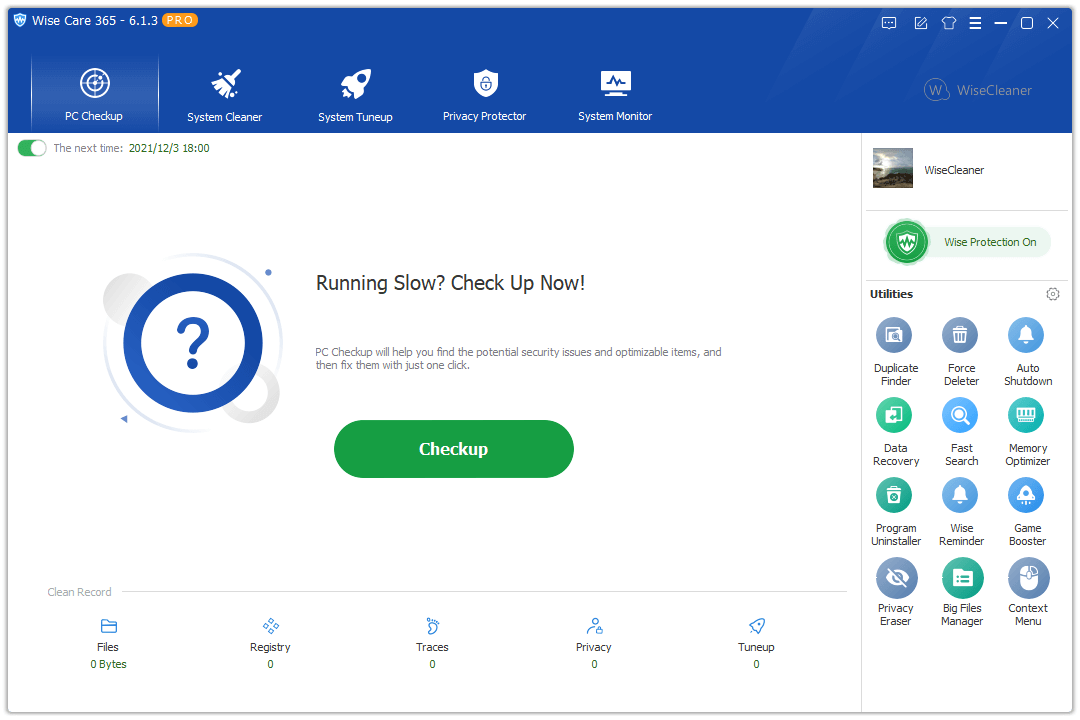
Real-Time Monitoring and One-Click Optimization with a Light Footprint
Wise Care 365 combines disk cleaning, registry repair, startup management, and privacy protection into one program while also offering a live system monitor that shows RAM, CPU, and disk usage in real time. You can schedule automatic cleanups or simply click the big “Clean & Optimize” button whenever you notice the PC slowing down.
The interface is bright and intuitive, divided into clear sections so you never have to hunt for the feature you need. It feels responsive and stays light on resources itself, which is important when you are trying to speed up an already sluggish system. The free edition gives you full access to all cleaning and optimization tools indefinitely.
Pros
- Real-time monitoring helps you understand exactly what is using resources
- Very fast scans and low impact on system performance
Cons
- Some users find the interface a little busy at first glance
Official site: https://www.wisecleaner.com/wise-care-365.html
5. CCleaner

The Long-Standing Classic for Quick and Targeted Cleaning
CCleaner remains one of the most recognized names in PC maintenance because it does one thing very well: remove junk files, browser data, and temporary files quickly and safely. Beyond basic cleaning it also lets you manage startup programs, uninstall apps with leftover file detection, and wipe free space to improve privacy.
Its interface is straightforward and familiar — a left-hand menu leads you to the different sections, and the main cleaning screen shows exactly what will be deleted before you confirm. The free version handles all the essential cleaning tasks without any time restrictions, making it a reliable daily driver for many users.
Pros
- Extremely fast and easy to use for routine maintenance
- Excellent at finding and removing browser and app leftovers
Cons
- Registry cleaning module is best left disabled unless you know what you are doing
Official site: https://www.ccleaner.com/
6. Winhance
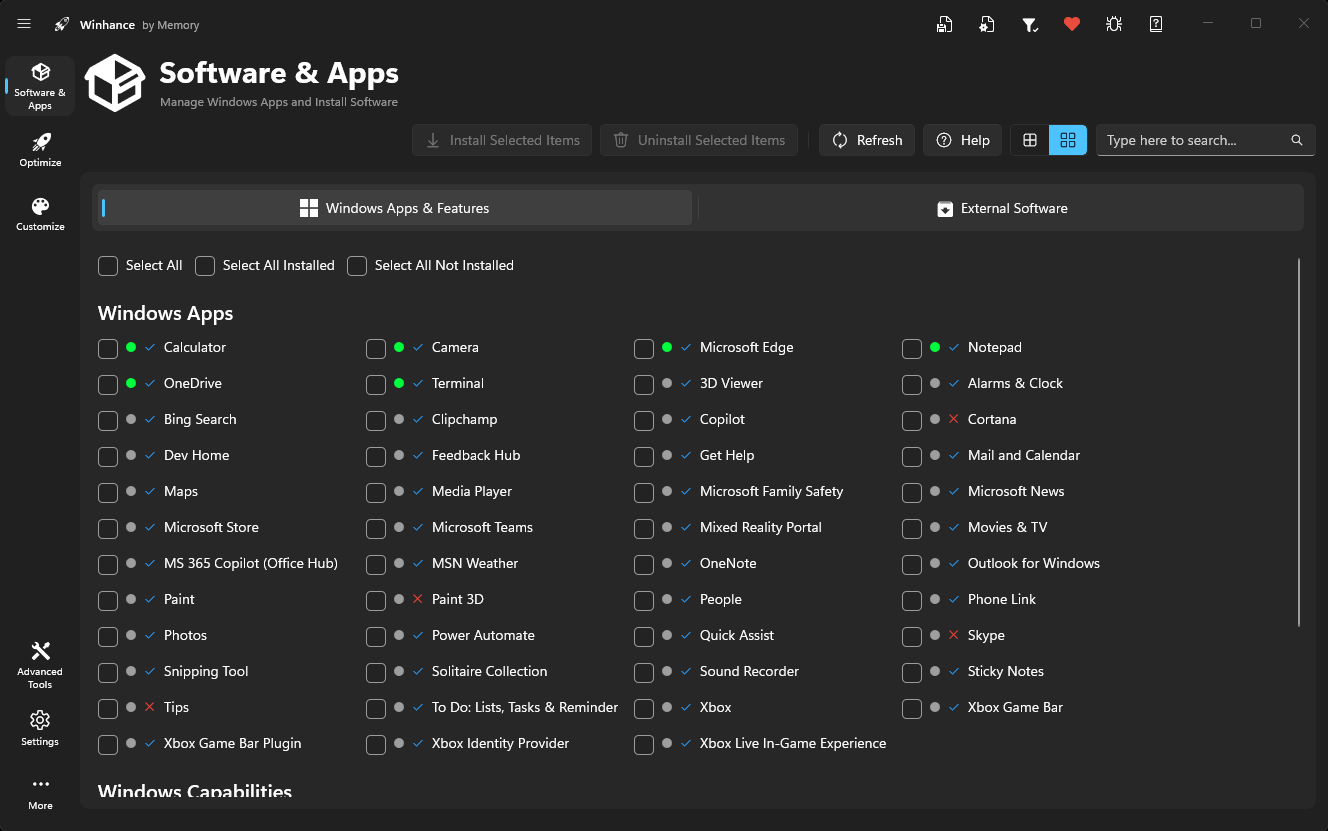
Simple Yet Powerful Windows Debloater with a Clean GUI
Winhance was built specifically to strip away the unnecessary clutter that ships with Windows 11 while keeping the operating system stable and fast. It removes pre-installed apps, disables telemetry, turns off advertising features, and applies performance tweaks such as disabling background services you rarely use. The tool is especially useful for users who want noticeable speed gains without diving into PowerShell commands themselves.
Once you launch the program, you are greeted by a straightforward dashboard that groups tweaks into clear categories like Privacy, Performance, and Bloatware Removal. The experience feels refreshingly minimal—no crowded menus or overwhelming options—just checkboxes and one-click apply buttons that show exactly what will change before you confirm. Because it runs as a single executable, there is nothing to install and no leftover files when you are done.
Pros
- Extremely easy for beginners yet flexible enough for advanced users
- Zero impact on system resources since it is portable and lightweight
Cons
- Some tweaks require a system restart to take full effect
Official site / Download: https://winhance.net/
7. BleachBit
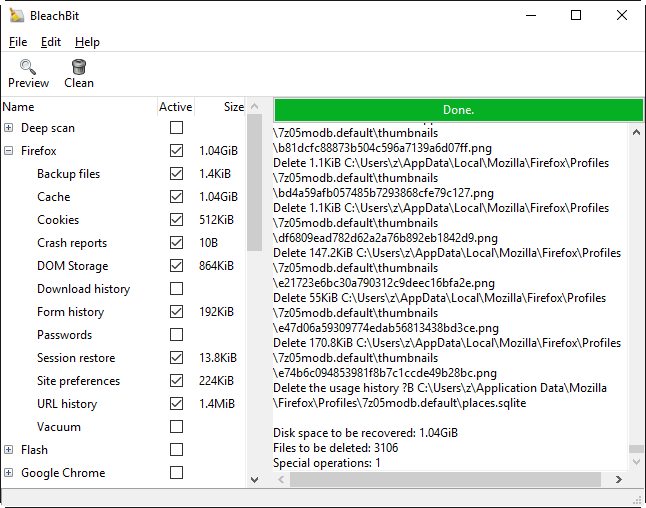
Open-Source Privacy Protector That Cleans Deep and Leaves Nothing Behind
BleachBit excels at erasing digital traces that other cleaners often miss: flash cookies, application logs, thumbnails, and temporary files scattered across your entire system. It also includes a built-in shredder that securely wipes free space so deleted data cannot be recovered. The program is completely free and open-source, making it a favorite for users who value privacy and control.
As for the design, BleachBit keeps things deliberately simple with a two-pane window that lists every category on the left and shows a preview of what will be cleaned on the right. You select what you want, run the scan, and watch the progress in real time. The whole process feels transparent and trustworthy, with no hidden upsells or unnecessary extras getting in the way.
Pros
- Thorough cleaning that goes far beyond standard junk-file removal
- Fully portable version available—no installation required
Cons
- The sheer number of cleaning options can feel intimidating at first
Official site: https://www.bleachbit.org/
8. Win11Debloat
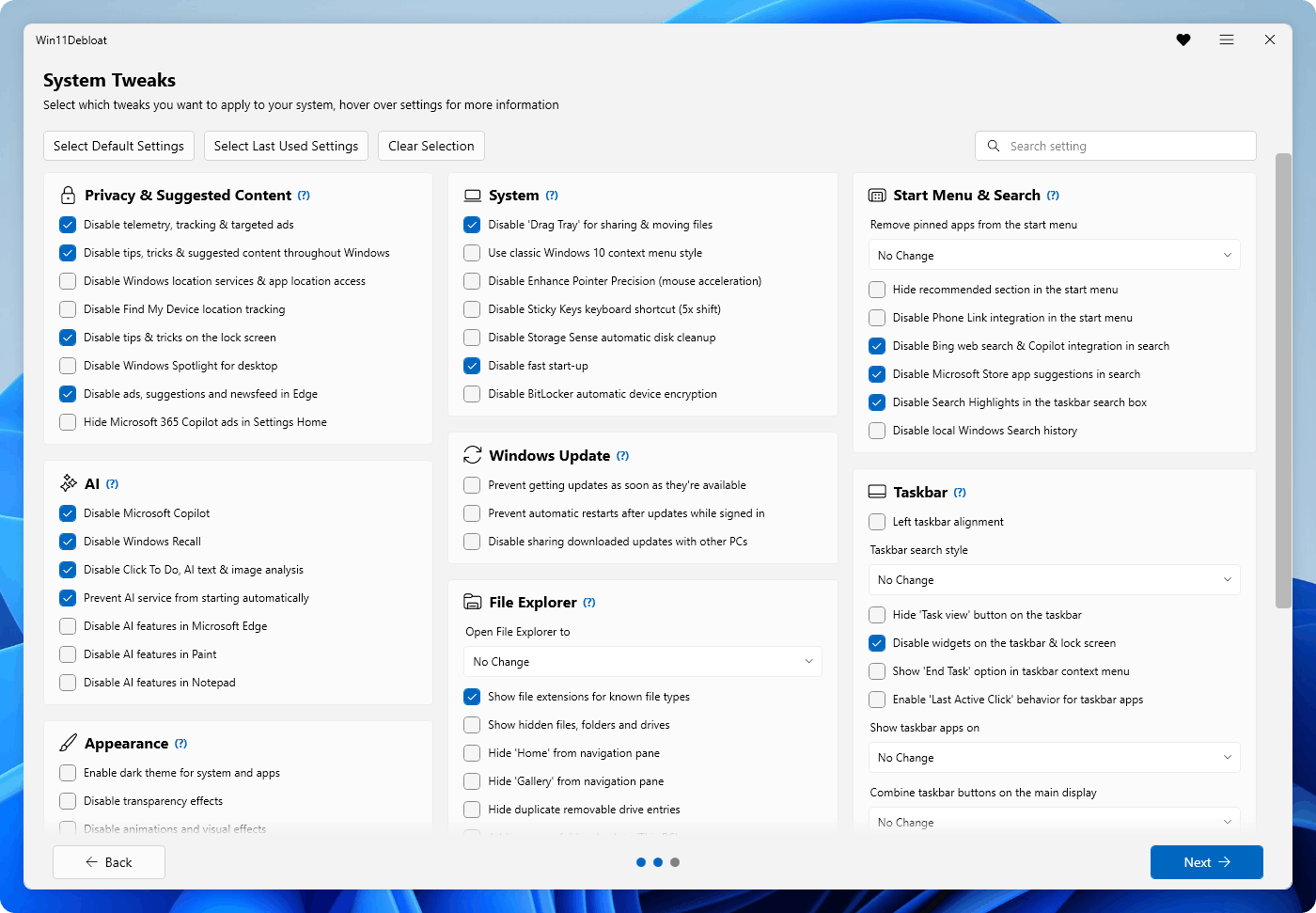
Lightweight Script with GUI for Safe Windows 11 Cleanup
Win11Debloat takes the popular debloating approach and wraps it in a basic but very functional graphical interface, letting you remove bloatware, disable telemetry, and tweak privacy settings without writing a single line of code. It focuses on the exact items that slow down Windows 11—Cortana remnants, OneDrive sync, advertising IDs, and unnecessary background tasks—while preserving core system stability.
Getting it running is simple: open PowerShell or Terminal as administrator, copy and paste the command & ([scriptblock]::Create((irm "https://debloat.raphi.re/"))) and press Enter. The script will handle the rest and present its clean GUI.
In terms of user experience, the tool opens to a clean list of recommended actions with short explanations next to each one. You simply check the boxes that match your needs and hit “Apply”; everything runs automatically in the background. Because it is based on an actively maintained GitHub script, it stays up to date with the latest Windows 11 changes and remains completely free with no paid tiers.

Pros
- Targeted at Windows 11-specific bloat for measurable speed improvements
- Regular updates keep it compatible with new feature releases
Cons
- Being script-based, it requires administrator privileges on first run
Official site / Download: https://github.com/raphire/win11debloat
9. Bulk Crap Uninstaller (BCUninstaller)
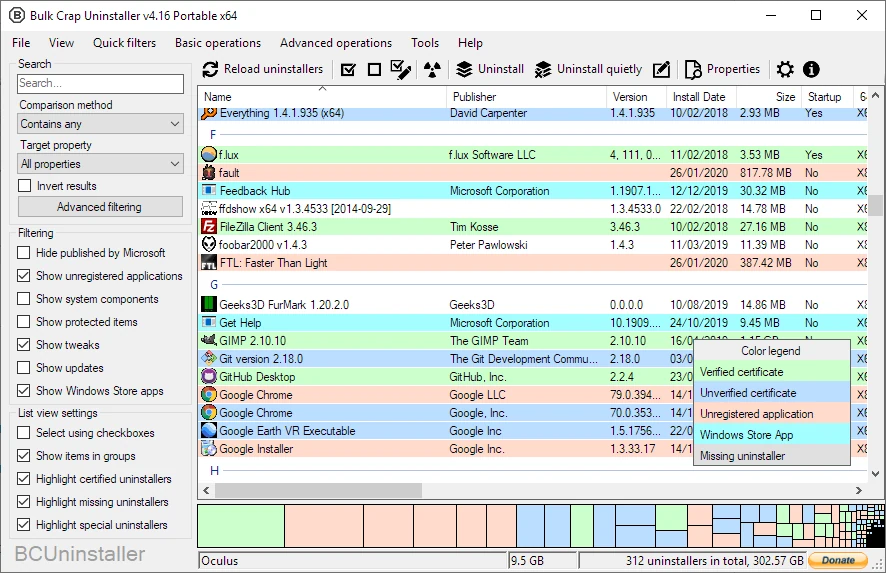
Advanced Bulk Remover That Hunts Down Every Trace of Uninstalled Programs
Bulk Crap Uninstaller goes far beyond the standard Windows “Add or Remove Programs” tool by letting you select and uninstall dozens of applications at once while automatically detecting and removing leftover files, registry entries, and configuration data. It is particularly handy after a fresh Windows install or when cleaning up a PC loaded with trial software and old games.
You will notice right away how thoughtfully organized the main window is: a clear list of installed programs with confidence ratings that show how safely each can be removed. The experience is fast and precise—after the uninstallation it offers a second pass to clean up anything left behind. The free version includes every major feature and works indefinitely without restrictions.
Pros
- Finds and removes hidden leftovers that other uninstallers miss
- Supports portable and Steam apps with equal accuracy
Cons
- The detailed scanning process can take a few extra minutes on very cluttered systems
Official site: https://www.bcuninstaller.com/
10. PrivaZer
Deep Privacy-Focused Cleaner That Scans Every Corner of Your Drive
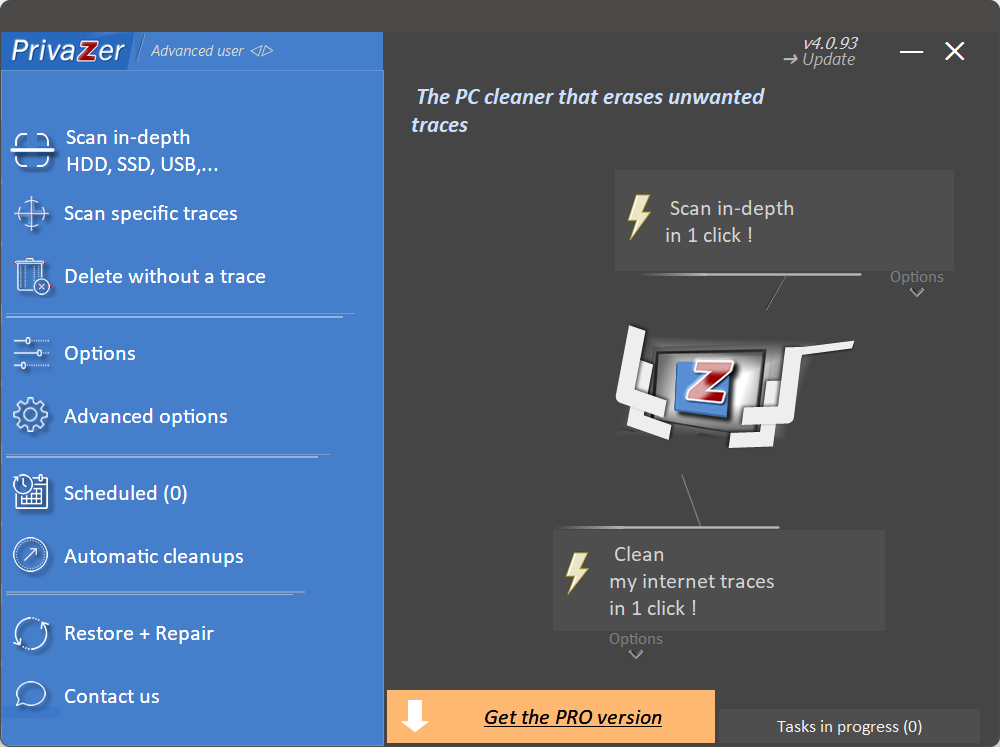
PrivaZer specializes in uncovering and safely deleting sensitive traces such as old thumbnails, application history, DNS cache, and even traces left by cloud storage apps. It goes deeper than most general cleaners, making it ideal when you want both performance gains and strong privacy protection in a single pass.
Once the program starts, it presents a wizard-style interface that guides you through a quick system analysis and then shows exactly what it plans to remove. The cleaning process is fast and efficient, with clear progress indicators and the option to create a restore point beforehand. Everything remains free and fully functional without any time limits or forced upgrades.
Pros
- Extremely thorough privacy cleaning without risking important files
- Portable edition available for use on any PC without installing
Cons
- Some of the more advanced options require a quick read of the built-in help
Official site: https://privazer.com/
11. Wise Disk Cleaner

Focused and Ultra-Lightweight Disk Cleanup Tool
Wise Disk Cleaner zeroes in on freeing up space by removing temporary files, old Windows updates, browser caches, and leftover installer packages. It is deliberately simple and fast, making it perfect when you just need a quick cleanup without extra features getting in the way.
You will find a clean, no-nonsense interface with three big buttons for different types of cleaning. The experience is straightforward: select what to scan, review the results, and click Clean. Because it is so lightweight, it barely touches your system resources while delivering fast results.
Pros
- Extremely fast scans and minimal impact on performance
- Completely free with no ads or upsells
Cons
- Lacks the broader optimization tools found in all-in-one suites
Official site: https://www.wisecleaner.com/wise-disk-cleaner.html
12. Ashampoo WinOptimizer
SSD-Friendly Optimizer with Practical Maintenance Tools
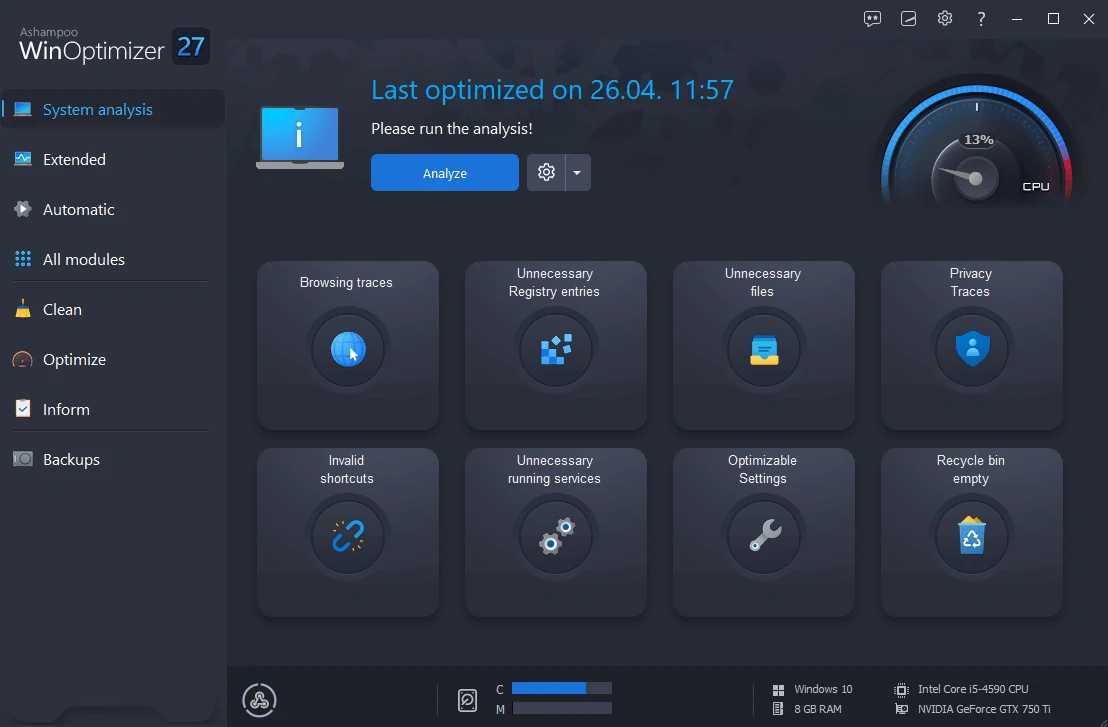
Ashampoo WinOptimizer stands out for its strong focus on SSD health and real-world performance tweaks. It cleans junk files, optimizes the registry, manages startup items, and includes modules for freeing RAM and improving privacy without relying on flashy effects or exaggerated claims.
The dashboard feels modern and well laid out, with clear categories that guide you to the tools you need. Users often note how responsive the program stays even during deep scans. The free edition offers full access to the core optimization features indefinitely.
Pros
- Excellent SSD maintenance and privacy tools in one place
- Less intrusive than many competing all-in-one suites
Cons
- Some advanced modules are limited to the paid version
Official site: https://www.ashampoo.com/en-us/winoptimizer
13. HDCleaner
Comprehensive Cleaner with Strong Registry and Privacy Focus
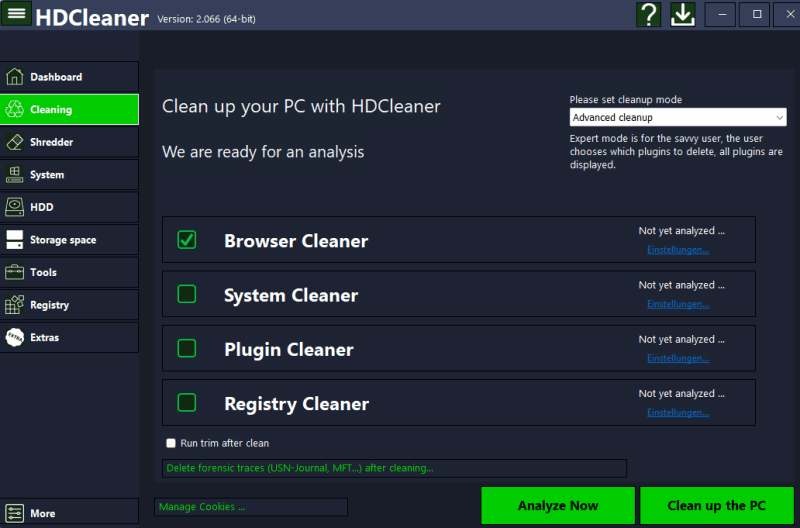
HDCleaner delivers a full set of maintenance features including disk cleanup, registry repair, duplicate file finder, and secure file shredding. It is especially effective at removing deep-seated temporary data and protecting privacy by wiping browser history and application traces.
Its interface is functional and classic, presenting everything in well-labeled tabs so you can jump straight to the task at hand. The cleaning process is quick and transparent, with detailed previews before any files are deleted.
Pros
- Thorough cleaning across many different areas
- Fully free and portable option available
Cons
- The design feels a bit dated compared with newer tools
Official site: https://kurtzimmermann.com/index_en.html
14. CrapFixer
Portable All-in-One Debloater and Quick-Fix Tool
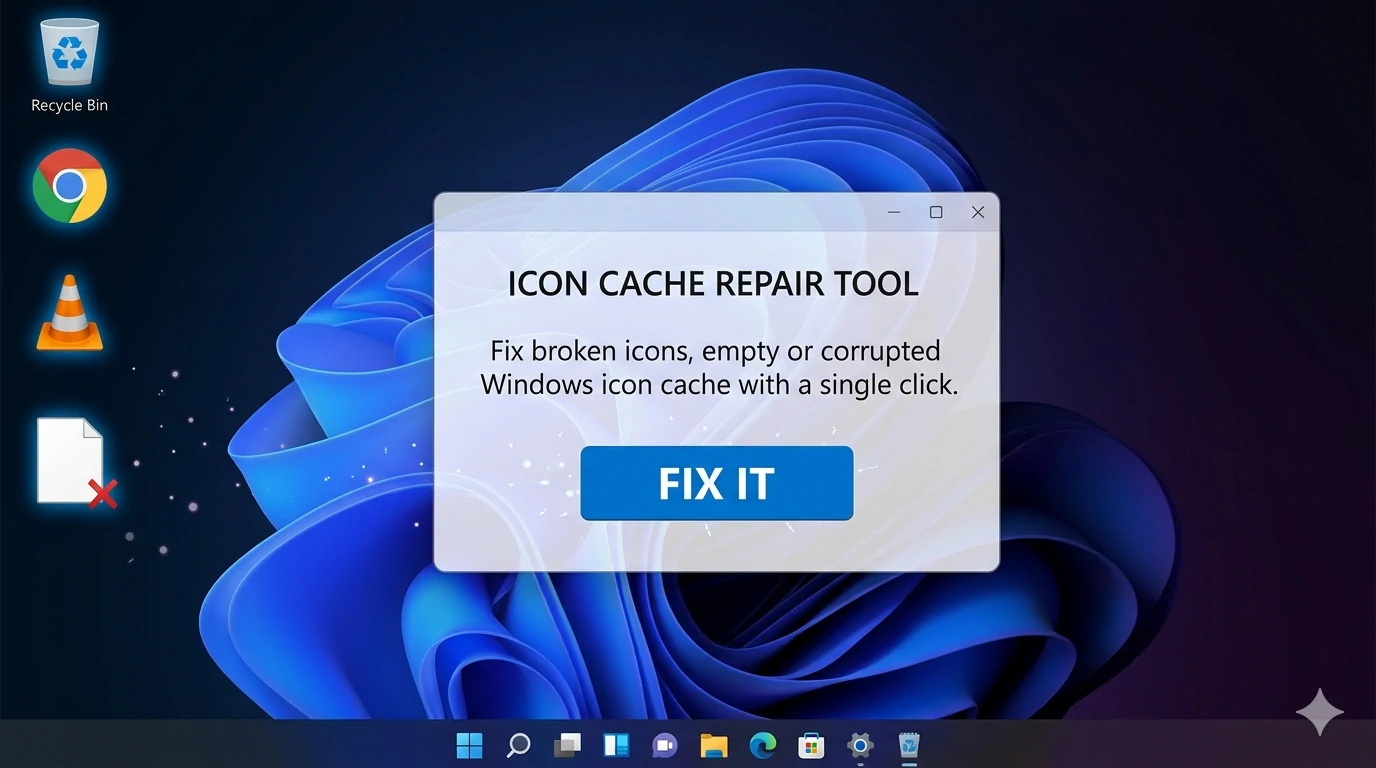
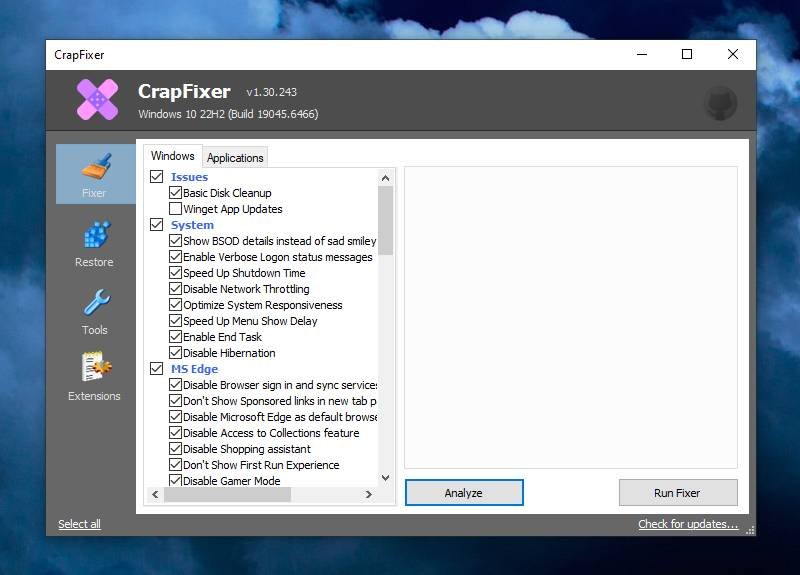
CrapFixer is a lightweight, portable program that combines debloating, telemetry removal, icon cache repair, and quick system tweaks in a single executable. It also lets you load and run popular community scripts with one click, making it convenient for users who like to experiment with different optimizations.
You open the app and immediately see a clean, CCleaner-style layout with clearly labeled modules. Everything runs locally with no installation required, and the process stays fast even on lower-end PCs.
Pros
- Portable and integrates popular debloat scripts effortlessly
- Very light on resources
Cons
- Some modules are still evolving and may feel experimental
Official site / Download: https://github.com/builtbybel/CrapFixer
15. Wise Registry Cleaner

Specialized Registry Tool for Targeted Cleanup
Wise Registry Cleaner focuses exclusively on scanning and safely repairing registry issues that can accumulate over time and contribute to slower performance. It identifies invalid entries, missing file references, and obsolete startup items, then lets you fix them with a single click or review each one individually.
The interface is simple and purpose-built: a single scan button leads to clear results grouped by severity. It is a good companion tool when you already use other cleaners and want to tackle registry clutter separately.
Pros
- Fast and safe registry scanning with detailed results
- Completely free and lightweight
Cons
- Registry cleaning is best used sparingly and only when needed
Official site: https://www.wisecleaner.com/wise-registry-cleaner.html
Clean, Debloat & Accelerate Your PC
These 15 programs give you a complete toolkit for keeping any Windows PC running at its best—whether you prefer a simple one-click cleaner, a powerful debloater, or a specialized privacy tool. Start with one or two that match your needs (Glary Utilities or Microsoft PC Manager are excellent all-rounders for most people), and add others as you go. Regular maintenance with any of these free options can easily add months or even years of smooth performance before you ever need to consider new hardware.