
Looking to download music from YouTube for free in 2026? We break down the best YouTube to MP3 converters, desktop apps, and Android tools—plus key legal considerations.
Searches for how to download music from YouTube for free remain consistently high in the US. Whether it’s building an offline playlist, saving podcast audio, or cutting down on mobile data usage, plenty of users still want MP3 copies of their favorite tracks.
There are official options, including YouTube’s own premium tier. But many people turn to third-party tools that function as a YouTube to MP3 converter, extracting audio directly from videos.
The catch: this space changes fast. Websites get blocked, domains disappear, and popular services shut down with little warning.
A recent example is Y2Mate, which went offline after coordinated legal pressure from the IFPI in 2025. For years, it was one of the most widely used free YouTube to MP3 converters. Its shutdown underscores a broader reality: browser-based tools can be fragile. That’s pushed many users toward more stable desktop software and open-source alternatives.
In this guide, we cover the most reliable ways to download music from YouTube for free in 2026, along with the pros, trade-offs, and risks you should understand before using them.
How to Convert YouTube to MP3 Safely (Free Tools & Best Methods)
Important Legal Notice
Before diving in, it’s important to be clear about the legal landscape.
Using third-party tools to extract audio from YouTube typically violates the platform’s terms of service. You’re not allowed to download videos or audio unless YouTube provides an official download button or the creator explicitly permits it.
There’s also copyright law to consider. Most music on YouTube is protected. Downloading it without permission may infringe copyright in the US and many other countries.
That said, there are legitimate scenarios where downloading audio can be acceptable:
- You’re downloading your own content.
- The video is licensed under Creative Commons and allows reuse.
- The work is in the public domain.
- The audio comes from YouTube’s official Audio Library.
- The creator explicitly grants download permission.
If your goal is fully compliant offline listening, the safest path is using YouTube’s official subscription service or licensed streaming platforms that compensate artists.
This article is for informational purposes. Ultimately, how you use these tools is your responsibility.
Quick Comparison Table
Below is a snapshot of the best free YouTube to MP3 converters and download tools still working in 2026.
| Tool | Platform | Best For | Key Strength | Main Limitation |
|---|---|---|---|---|
| CnvMP3.com | Web (browser) | Quick, no-install conversions | Clean interface with no aggressive ads | Depends on server uptime |
| MediaHuman YouTube to MP3 Converter | Windows / Mac / Linux | Frequent high-quality downloads | Auto-tagging + playlist support | Dated interface design |
| 4K Video Downloader Plus | Windows / Mac / Linux | Casual users who want simplicity | Polished UI, easy workflow | Free version limits daily downloads (~30/day) |
| Open Video Downloader | Windows / Mac / Linux | Power users | yt-dlp backend with no artificial limits | Slightly steeper learning curve |
| Any Video Converter Free | Windows / Mac | Multi-format conversion workflows | Broad format support | Requires separate conversion step |
| Parabolic | Linux (Flatpak) | Linux users | Modern GUI built on yt-dlp | Linux-only |
| NewPipe | Android | Ad-free YouTube + downloads | Privacy-focused, lightweight | No native MP3 output |
| Seal | Android | Advanced Android downloading | Full yt-dlp feature set incl. MP3 | Not on Google Play |
The Best Free Tools to Download Music From YouTube in 2026
After testing dozens of options and digging through recent user feedback across forums and Reddit threads in early 2026, we narrowed this list to tools that still work reliably. We prioritized services that haven’t been blocked, deliver solid audio quality, and don’t raise obvious malware red flags.
Online converters are convenient, especially if you just need to download music from YouTube for free once in a while. But they’re also the most fragile. Desktop apps tend to last longer and offer better quality control. If you want maximum flexibility and no artificial caps, open-source options are usually the safest bet.
Every tool below either lets you download MP3 files for free or offers a genuinely usable free tier. As mentioned earlier, make sure you’re only downloading content you’re legally allowed to save.
CnvMP3.com
Best Browser-Based YouTube to MP3 Converter (No Install Required)
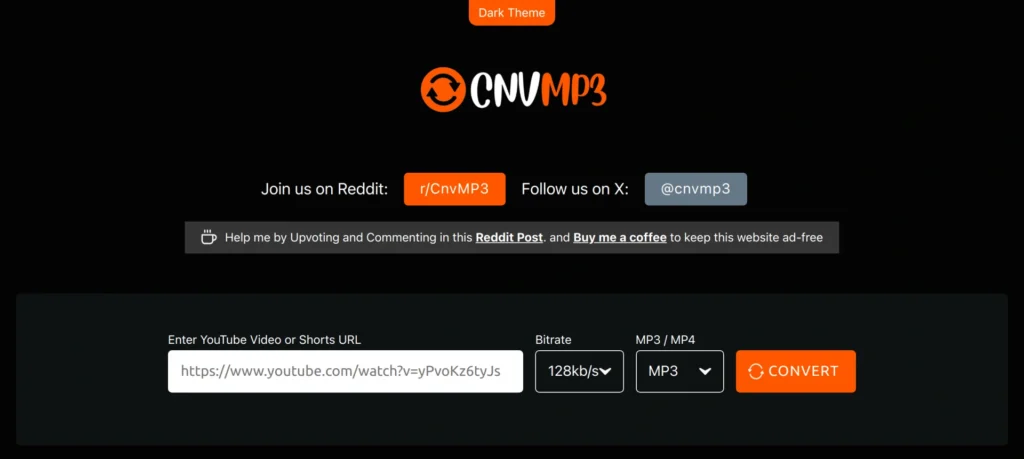
If you only need to download music from YouTube for free occasionally and don’t want to install software, CnvMP3.com is one of the few web-based tools in 2026 that still feels usable.
The process is straightforward: copy the YouTube URL, paste it into the homepage field, hit convert, and the site generates an MP3 file at up to 320 kbps. Once the conversion finishes, the download starts immediately. It also supports YouTube Shorts, which some older converters struggle with.
What sets it apart from many free YouTube to MP3 converter sites is the lack of aggressive ads and pop-ups. The project is funded through voluntary donations, which helps keep the interface clean. There is a 180-minute video limit, but that’s more than enough for standard music tracks or podcasts.
Performance depends on server load and your internet connection, as with any cloud-based YouTube to MP3 converter.
Best for quick, one-off downloads on any device with a browser.
Pros
- Clean interface with no intrusive ads
- MP3 output up to 320 kbps
Cons
- Dependent on server uptime
- Three-hour per-video limit
Link https://cnvmp3.com
MediaHuman YouTube to MP3 Converter
Best Dedicated Desktop YouTube to MP3 Converter
MediaHuman’s long-running desktop app remains one of the most consistent ways to convert YouTube videos to MP3 on Windows, macOS, and Linux.
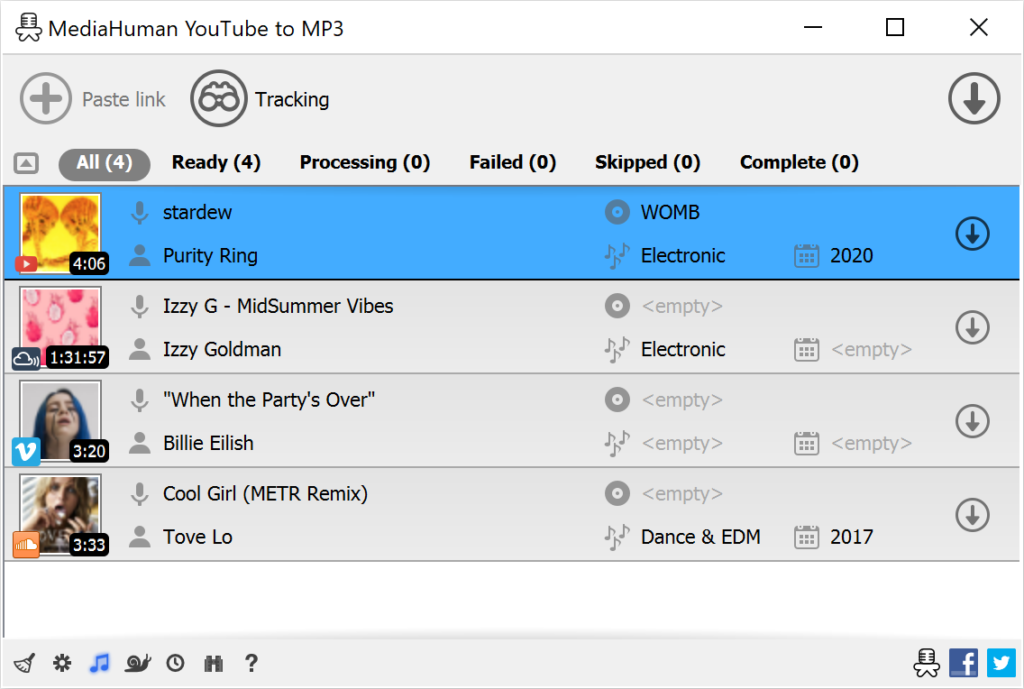
After installation, it can automatically monitor your clipboard. Copy a YouTube link, and the track is added to the download queue. The app pulls the highest available quality (up to 320 kbps) and can preserve the original format, such as M4A, if you prefer.
Where it really stands out is playlist and channel support. Paste a playlist URL, and it downloads every track, complete with automatic artist and title tags pulled from video metadata. If you’re building a large offline music library, that automation saves serious time.
The interface looks a bit dated compared to newer apps, but it’s clean, stable, and free without artificial download caps. It also supports pulling audio from platforms beyond YouTube, including Vimeo and SoundCloud.
Best for building offline music libraries from full playlists or channels.
Pros
- Excellent playlist and channel support with auto-tagging
- High-quality output across Windows, macOS, and Linux
Cons
- Outdated-looking interface
Link https://www.mediahuman.com/youtube-to-mp3/
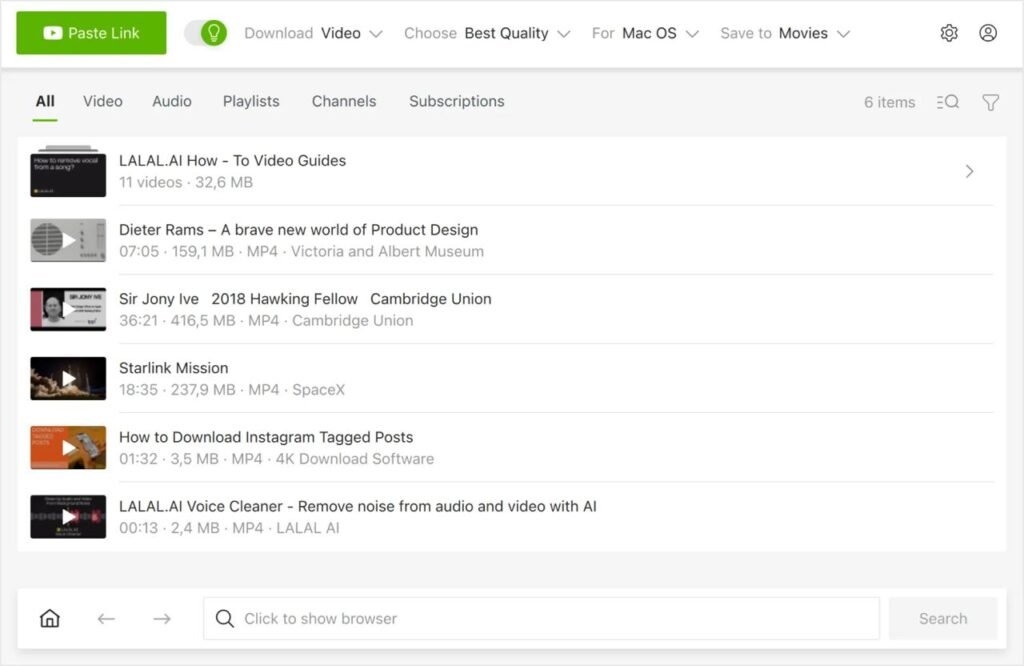
4K Video Downloader Plus
Most User-Friendly Option for Casual Users
If you want something polished and easy, 4K Video Downloader Plus remains one of the most beginner-friendly ways to download music from YouTube for free on desktop.
The workflow is simple: paste the link, choose “Extract Audio,” select MP3 and your preferred quality, and click download. The interface is modern and intuitive, with clear previews and minimal clutter.
It supports playlists and channels, but the free version limits you to roughly 30 downloads per day and restricts how many items you can pull from a single playlist. Audio quality in the free tier typically tops out around standard MP3 bitrates (128–160 kbps), which is fine for casual listening but lower than what unrestricted tools can deliver.
For occasional use, such as grabbing a handful of songs or a short playlist, it’s hard to beat the overall experience.
Best for beginners who value simplicity over bulk downloading.
Pros
- Clean, modern, easy-to-use interface
- Reliable and regularly updated
Cons
- Daily download limits in the free version
- Lower maximum bitrate without upgrading
Link https://www.4kdownload.com/products/videodownloader-42
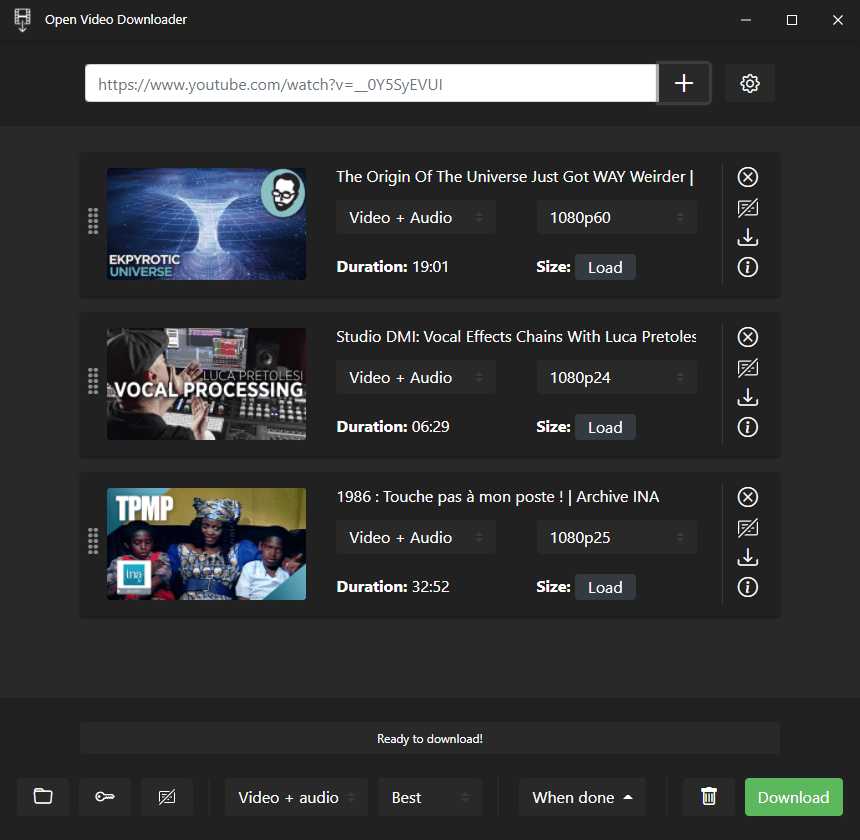
Open Video Downloader
Best Open-Source Option for Power Users
Open Video Downloader is a cross-platform graphical interface built on top of yt-dlp, one of the most actively maintained download engines available.
It lets you extract audio at the highest quality offered, download massive playlists, and pull content from hundreds of sites beyond YouTube. Switch to audio mode, choose your format and bitrate, and manage multiple concurrent downloads with detailed progress tracking.
The interface supports light and dark modes and stays current with frequent updates. Because it’s fully open-source, there are no artificial caps on download quantity or quality.
The trade-off is complexity. If you start exploring advanced settings, the number of options can feel overwhelming. But for basic MP3 extraction, the workflow is still straightforward.
Best for advanced users who want maximum control, no limits, and long-term reliability.

Pros
- No quality or download limits
- Frequent updates and strong community support
Cons
- Steeper learning curve for advanced features
Link https://github.com/StefanLobbenmeier/youtube-dl-gui
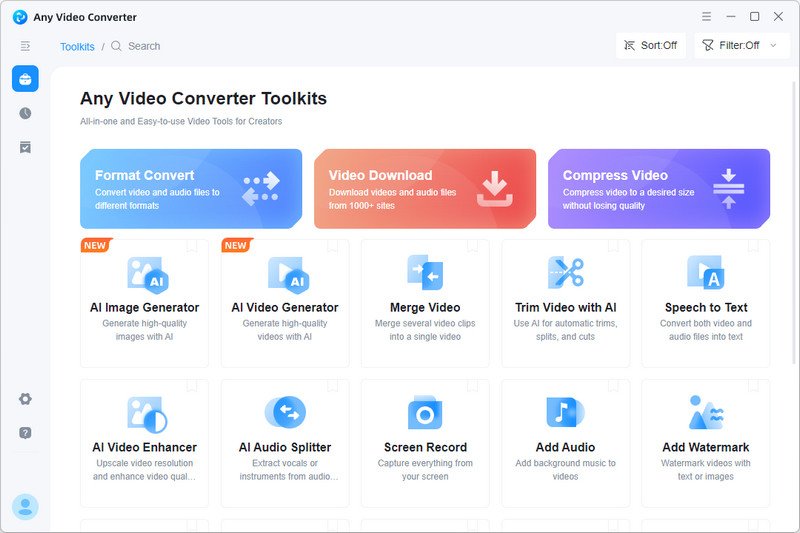
Any Video Converter Free
Best All-in-One Converter
Any Video Converter Free goes well beyond YouTube. It can pull videos from hundreds of sites and convert them into nearly any format, including high-bitrate MP3 files up to 320 kbps.
The workflow is slightly different from a typical one-click YouTube to MP3 converter. First, you paste in one or more YouTube URLs and download the video files. Then you switch to the built-in conversion tab to turn those videos into audio tracks. It’s not the fastest route if your only goal is to download music from YouTube for free, but that extra step gives you deeper control over bitrate, codec, and even light edits like trimming the start or end.
The interface looks busy at first glance, but it’s logically organized into separate download and conversion sections. If you regularly work with different video sources or need batch processing across multiple formats, it’s a flexible option.
The free version includes all essential features. During installation, you may see optional bundled offers, which you can decline.
Best for users who need broad site support and granular control over audio settings.
Pros
- Supports a wide range of sites and output formats
- MP3 conversion up to 320 kbps
Cons
- Requires a separate conversion step after downloading
Link https://www.any-video-converter.com/products/for_video_free/
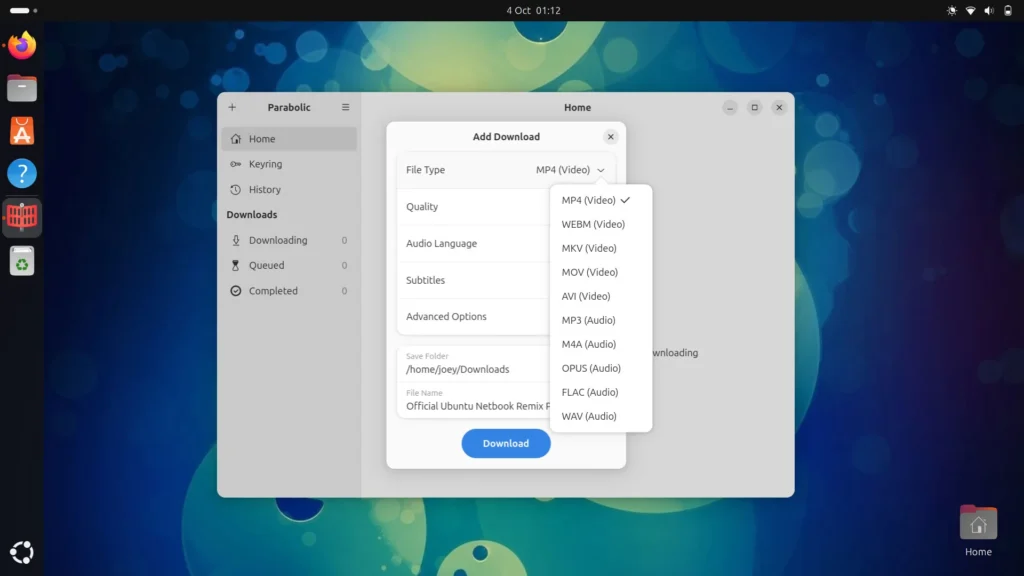
Parabolic
Best Option for Linux Users
Parabolic (formerly known as Tube Converter) is one of the cleanest graphical front ends for yt-dlp on Linux desktops. Distributed as a Flatpak, it installs easily on most major distros.
The workflow is simple: paste a YouTube link, choose your preferred audio format and quality, and let it pull the highest available bitrate. It handles full playlists and channels without much setup, supports concurrent downloads, and even offers options like automatic shutdown when jobs finish.
The design is minimalist, with a clear queue view and straightforward progress indicators. Because it’s built directly on yt-dlp, it benefits from frequent updates and strong long-term reliability, something many browser-based free YouTube to MP3 converters lack.
There’s no built-in media player or extra fluff. It focuses strictly on downloading audio and video, which keeps it lightweight and fast.
Best for Linux users who want a native, no-limits YouTube to MP3 converter.
Pros
- Modern interface tailored for Linux
- No artificial limits on quality or downloads
Cons
- Linux-only (via Flatpak)
Link https://flathub.org/apps/org.nickvision.tubeconverter
NewPipe
Best Ad-Free YouTube Experience on Android
NewPipe isn’t just a downloader. It’s a full alternative YouTube client for Android that strips out ads, tracking, and Google dependencies.
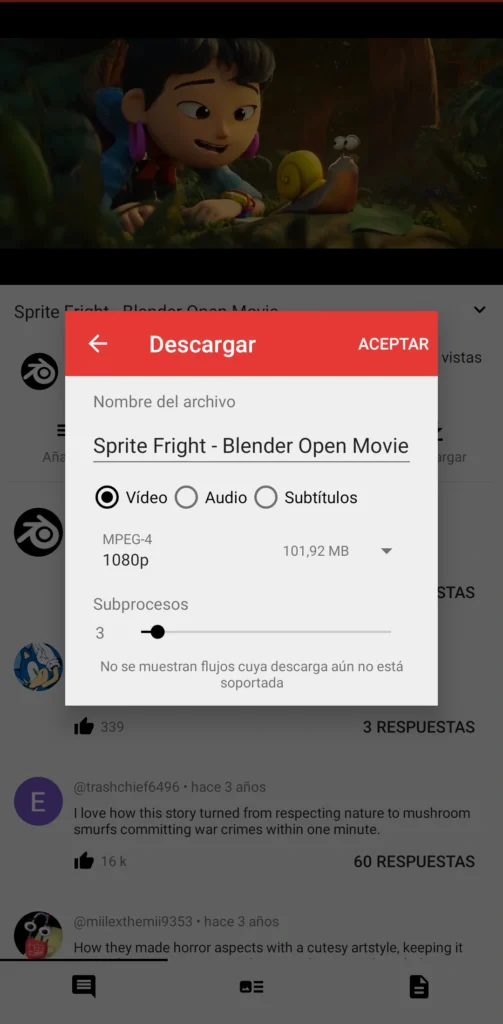
You can browse, search, and watch videos much like the official app, but with background playback, picture-in-picture, and zero interruptions. When you want to download music from YouTube for free, tap the download button and choose from available audio formats such as Opus, M4A, or WebM audio. Audio quality is typically excellent, though it doesn’t offer native MP3 output. If you specifically need MP3, you’ll have to convert the file afterward.
Its lightweight design and privacy-first approach make it feel faster than the official app, especially on midrange devices. You can also manage subscriptions and playlists without signing into a Google account.
For many Android users, NewPipe becomes their default YouTube app, not just a download tool.
Best for Android users who want an ad-free YouTube experience with built-in download support.
Pros
- Completely ad-free and privacy-focused
- Background playback and offline audio downloads
Cons
- No native MP3 output
Link https://newpipe.net or F-Droid
Seal
Most Advanced Android Downloader (yt-dlp Powered)
Seal brings desktop-grade yt-dlp power to Android in a polished, Material You–inspired interface.
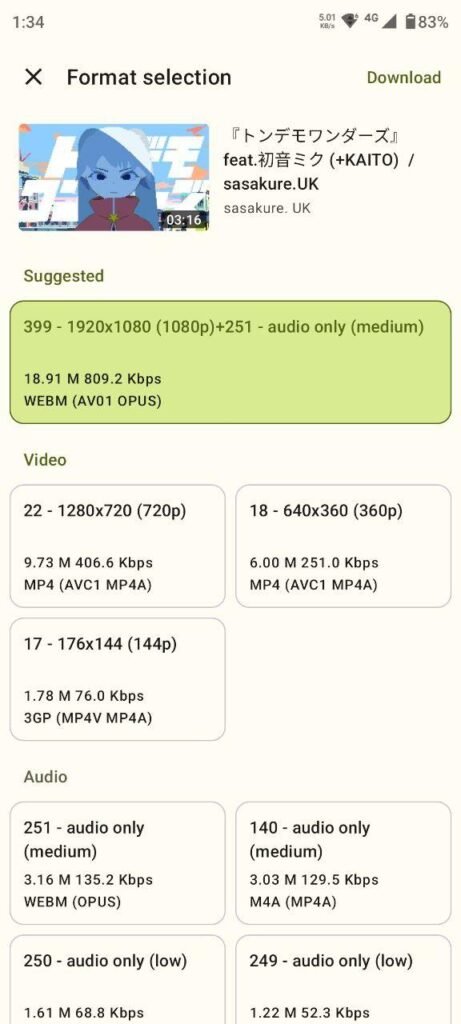
You can paste a link or share directly from the official YouTube app, choose your audio format (including proper MP3), select bitrate, and queue entire playlists or channels. It also supports filename templates, thumbnail embedding, and advanced configuration for users who want granular control.
Download management is solid, with clear notifications and well-handled queues. Because it’s open source and distributed via F-Droid and GitHub, updates tend to arrive quickly when YouTube makes backend changes.
In practical terms, it’s one of the closest things to a full-featured desktop YouTube to MP3 converter on mobile.
Best for Android power users who want maximum format and quality control.
Pros
- Full yt-dlp feature set, including native MP3
- Modern, customizable interface
Cons
- Not available on Google Play; requires sideloading or F-Droid
Link https://github.com/JunkFood02/Seal or F-Droid
Is It Legal to Download Music From YouTube for Free?
In most situations, no.
YouTube’s terms clearly prohibit downloading audio or video unless there’s an official option provided. A third-party YouTube to MP3 converter works by bypassing those restrictions, which puts it in a legally gray area at best.
From a copyright standpoint, nearly all commercially released music is protected. Downloading it without authorization can qualify as infringement.
However, it’s not entirely black and white. There are exceptions:
- Public domain works
- Creative Commons content that permits reuse
- Your own uploaded videos
- Royalty-free material
- Limited cases of fair use, depending on context and jurisdiction
In practice, enforcement actions tend to target websites and developers rather than individual users. Still, that doesn’t eliminate risk.
If avoiding any legal exposure is a priority, stick with official offline download features or licensed streaming apps.
Final Thoughts: What’s the Best Way to Download Music From YouTube for Free?
There’s no single “best” free YouTube to MP3 converter for everyone. The right choice depends on how often you download and which devices you use.
- If you just need a quick browser-based solution, a web converter like CnvMP3 can get the job done.
- If you regularly download full playlists, a desktop app such as MediaHuman YouTube to MP3 Converter or Open Video Downloader will offer more stability and higher quality.
- On Linux, Parabolic is one of the most reliable options.
- On Android, NewPipe works well if you want an ad-free experience, while Seal is better for advanced download control.
- If you also need to convert files from multiple sources, Any Video Converter Free offers the most flexibility.
No matter which tool you choose, use it responsibly and stick to content you’re legally allowed to download. The ecosystem around YouTube downloaders shifts constantly, and tools that work today may not be around tomorrow. Keeping your apps up to date is key if you want a stable way to download music from YouTube for free.