
Discover the best mini PCs for running OpenClaw and local AI models in 2026. Compare Apple Mac Mini, AMD Ryzen AI options, and Intel alternatives for fast, private inference with Ollama—specs, performance, and prices included.
The Best Mini PCs for Running Local AI in 2026
Running large language models locally has moved from niche experimentation to mainstream interest, driven by growing concerns over privacy, recurring subscription costs, and the desire for always-available AI without internet dependency. Tools like OpenClaw have accelerated this shift by turning static chatbots into autonomous agents that can control your computer, handle real-world tasks, and operate 24/7 on dedicated hardware.
Mini PCs have become the sweet spot for this use case: compact enough to run quietly on a desk or shelf, power-efficient for continuous operation, and increasingly equipped with high-RAM configurations and dedicated AI accelerators. Whether you’re pairing OpenClaw with local models via Ollama for complete privacy or using cloud APIs for maximum capability, the right mini PC determines how large a model you can run comfortably and how fast inference feels in daily use.
This guide focuses on current options that balance performance, RAM capacity (the single biggest factor for local LLM size), and value, with real-world context for OpenClaw workloads.
What Is OpenClaw and Why Mini PCs Are Exploding for It
OpenClaw (previously known as Clawdbot and Moltbot) is an open-source, self-hosted AI agent framework that runs on your own hardware and bridges messaging apps (WhatsApp, Telegram, Discord, Slack, iMessage, and others) to powerful language models. It goes beyond simple chat by giving the AI permission to actively control your computer—opening browsers, managing files, sending emails, scheduling events, scraping data, or chaining multiple steps into complex automations.
Launched in late 2025 and rebranded to OpenClaw in early 2026, it quickly went viral after gaining hundreds of thousands of GitHub stars and massive social media traction. Users were drawn to the promise of a truly autonomous personal assistant that works exactly like a human sitting at your keyboard, but available 24/7. Unlike cloud-only agents, OpenClaw can connect to local LLMs through Ollama, eliminating API costs and keeping everything private.
The framework itself is lightweight, but performance depends entirely on the underlying model. Running smaller quantized models (7B–14B parameters) is possible on modest hardware, while larger 32B–70B+ models demand substantial unified or system RAM to load fully into memory and deliver responsive token generation. This is where mini PCs shine: many recent models offer 32GB, 64GB, or even 128GB configurations in tiny chassis designed for always-on operation.
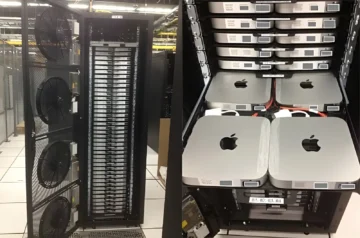
Apple’s Mac Mini line gained particular popularity for OpenClaw early on because its unified memory architecture and MLX framework allow exceptionally fast inference on mid-to-large models with almost no swap. Windows-based AMD Ryzen AI mini PCs soon followed, offering higher RAM ceilings and strong iGPU/NPU performance for Ollama workloads. The result has been a surge in dedicated «AI boxes»—quiet, low-power mini PCs left running permanently as personal OpenClaw servers.
Best Mini PCs for AI: Comparison Table
| Model | Chip | RAM | NPU (TOPS) | GPU | Approx. Price |
|---|---|---|---|---|---|
| GEEKOM A9 Max | AMD Ryzen AI 9 HX 370 | 32GB DDR5 (upgradable) | ~80 | Radeon 890M | $1,099 |
| Beelink SER9 Pro | AMD Ryzen AI 9 HX 370 | 32GB LPDDR5X | ~80 | Radeon 890M | $929 |
| Apple Mac Mini M4 Pro | Apple M4 Pro | 24GB unified | ~38 | 16-core | $1,319 |
| MINISFORUM M1 Pro | Intel Core Ultra 9 285H | 64GB DDR5 | ~99 | Arc 140T | $1,295 |
| MINISFORUM AI X1 Pro | AMD Ryzen AI 9 HX 370 | 64GB DDR5 | ~80 | Radeon 890M | $1,321 |
| Beelink GTR9 Pro | AMD Ryzen AI Max+ 395 | 128GB | ~126 | High-end Radeon iGPU | $2,699 |
| Apple Mac Mini M4 (base) | Apple M4 | 24GB unified | ~38 | 10-core | $904 |
The Best Mini PCs for OpenClaw and Local AI
With the rise of self-hosted agents like OpenClaw, choosing a mini PC comes down to how large you want your local models to be and whether you prioritize silence, expandability, or raw capacity. The options below cover the current spectrum, from budget-friendly starters to extreme high-RAM beasts capable of 70B+ inference without heavy quantization.
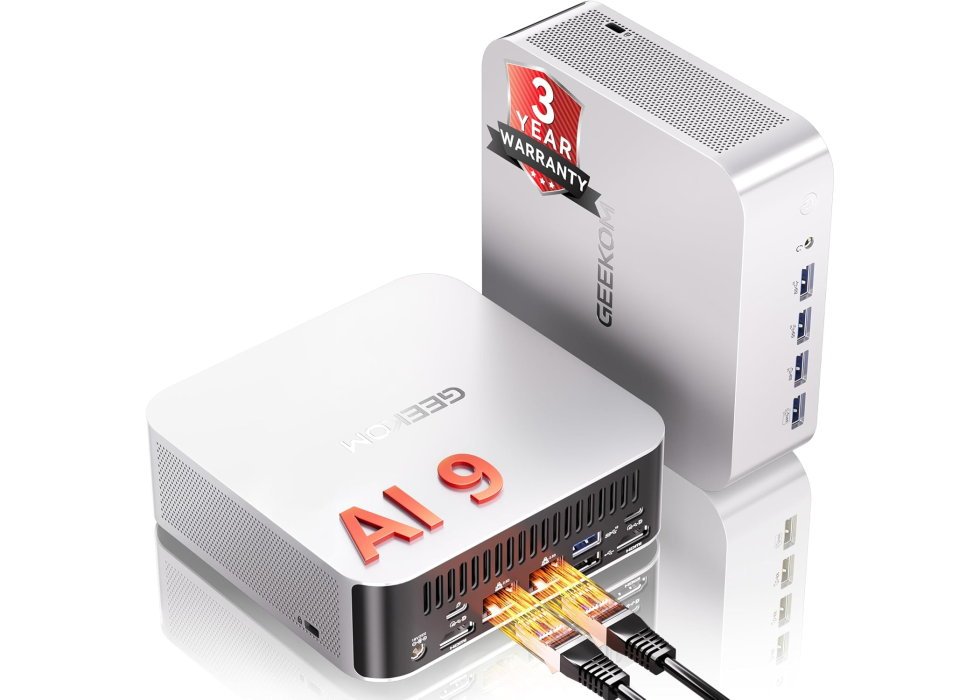
1. GEEKOM A9 Max (Ryzen AI 9 HX 370, 32GB RAM)
Best Value Windows Mini PC for AI
| Specification | Details |
|---|---|
| Chip | AMD Ryzen AI 9 HX 370 |
| CPU | 12 cores / 24 threads (up to 5.1 GHz) |
| NPU | ~80 TOPS |
| GPU | Radeon 890M |
| RAM | 32GB standard DDR5 (upgradable) |
| Storage | 2TB SSD |
| OS | Windows 11 Pro |
| Starting Price | ~$1,099 (often on deal) |
The A9 Max uses standard DDR5 SODIMMs rather than soldered LPDDR5X, which means RAM is user-upgradable down the line—a rarity in mini PCs and a real advantage if you outgrow the initial 32GB. With the same Ryzen AI 9 HX 370 as pricier competitors, it delivers strong performance on 32B-34B models at high quantization and respectable speeds on 70B Q3/Q4, typically 25-40 tokens per second in optimized setups. The generous 2TB SSD provides ample space for multiple large model files.
Build quality is solid, with a three-year warranty adding peace of mind, and connectivity includes dual 2.5GbE, USB4, and WiFi 7. It runs cool and quiet for most AI workloads, with power efficiency better than higher-wattage alternatives. At its frequent discounted price, it offers the best dollar-for-performance ratio among current Windows mini PCs for local AI.
Ideal for: Most users entering local AI who want balanced performance, upgradability, and excellent value without overpaying for excess capacity.
| Pros | Cons |
|---|---|
| Upgradable DDR5 RAM and large 2TB SSD | 32GB may feel limiting for unquantized 70B models |
| Strong price-to-performance ratio and 3-year warranty | Base configuration lacks some premium ports of competitors |
| Quiet and efficient under typical AI loads |
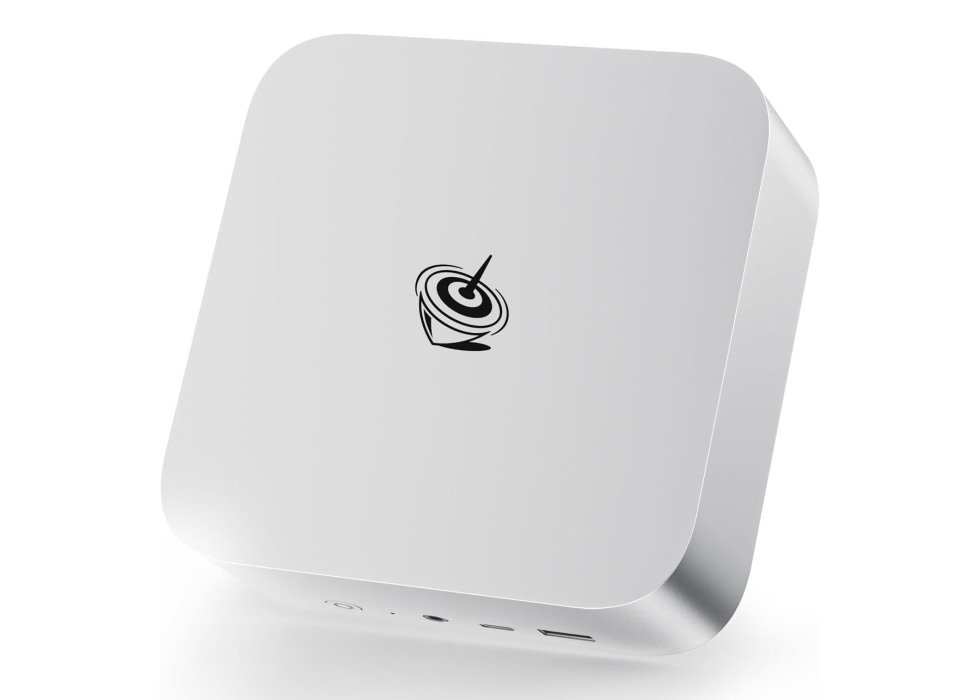
2. Beelink SER9 Pro (Ryzen AI 9 HX 370, 32GB RAM)
Most Affordable High-Performance AMD Option
| Specification | Details |
|---|---|
| Chip | AMD Ryzen AI 9 HX 370 |
| CPU | 12 cores / 24 threads (up to 5.1 GHz) |
| NPU | ~80 TOPS |
| GPU | Radeon 890M |
| RAM | 32GB LPDDR5X (8000 MHz) |
| Storage | 1TB PCIe 4.0 SSD |
| OS | Windows 11 Pro |
| Starting Price | ~$929 |
At this price point, the SER9 Pro packs the same Ryzen AI 9 HX 370 as more expensive competitors, using fast LPDDR5X memory to deliver quick inference on 32B-34B models—typically 40-60 tokens per second in Ollama—and solid performance on quantized 70B setups without immediate swapping. The built-in microphone and speakers make it convenient for testing voice interfaces or running local assistants with speech capabilities right out of the box.
The compact chassis runs relatively quiet for most workloads, with efficient power draw and a single USB4 port alongside modern wireless options. While storage is upgradable via an extra M.2 slot, the soldered RAM means planning ahead if you anticipate needing more than 32GB soon.
Ideal for: Budget-conscious enthusiasts wanting strong AMD performance for mid-sized models and voice-enabled AI experiments without breaking $1,000.
| Pros | Cons |
|---|---|
| Excellent price for HX 370 performance and fast LPDDR5X | RAM is soldered and non-upgradable |
| Built-in mic/speakers for voice AI tasks | Only 1TB base storage (though expandable) |
| Quiet operation during typical inference |
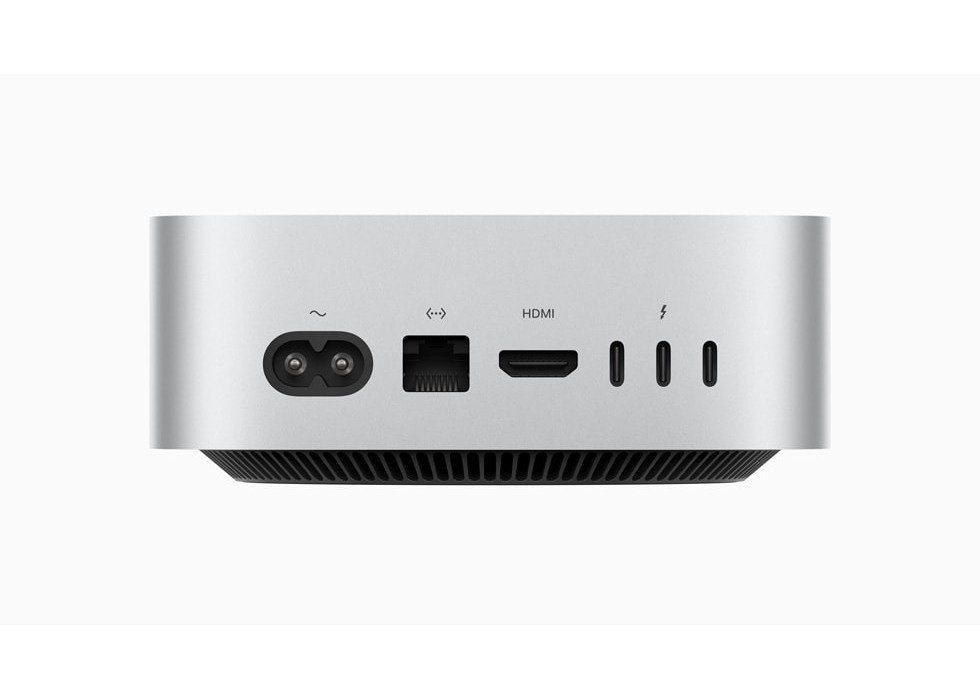
3. Apple Mac Mini M4 Pro (24GB Unified Memory, 2024)
Top Pick for Apple Ecosystem Users
| Specification | Details |
|---|---|
| Chip | Apple M4 Pro |
| CPU | 12-core (8 performance, 4 efficiency) |
| GPU | 16-core |
| Neural Engine | 16-core (up to 38 TOPS) |
| RAM | 24GB unified memory |
| Storage | 512GB SSD |
| OS | macOS Sequoia (or later) |
| Starting Price | ~$1,319 |
The M4 Pro Mac Mini stands out in local AI workloads primarily because of its unified memory architecture, which lets the CPU, GPU, and Neural Engine share the full 24GB pool without the bottlenecks of traditional VRAM limits. This setup allows larger quantized models—like 32B-parameter LLMs—to load entirely into memory, delivering token generation speeds that often hit 50-80 tokens per second on frameworks optimized for Apple silicon, such as MLX. Ollama works well too, though MLX typically edges it out on repeat inferences thanks to better caching and metal acceleration.
Real-world testing shows this configuration handles 14B models with long context windows effortlessly, even while running development tools or browsers in the background. The jump to the Pro chip over the base M4 brings higher memory bandwidth (around 273GB/s) and more GPU cores, which translates to noticeably faster prompt processing and image generation tasks compared to lower-tier M-series chips. Thermals stay under control—the system remains silent under load, with no fan noise creeping in during extended inference sessions.
For users already tied into macOS, the experience feels polished: setup is straightforward, power draw stays low (often under 50W during AI tasks), and integration with Apple Intelligence features adds extra utility for on-device processing. It’s not the cheapest way into local AI, but the combination of efficiency and raw capability makes it a compelling choice if you’re avoiding the quirks of Windows-based alternatives.
Ideal for: Developers and enthusiasts in the Apple ecosystem who want fast, quiet local inference on mid-to-large models without constant swapping or noise.
| Pros | Cons |
|---|---|
| Unified memory enables fast loading of larger models without swap | RAM and storage are non-upgradable |
| Completely silent operation, even under heavy AI loads | Higher price compared to similar-spec Windows mini PCs |
| Excellent optimization with MLX and strong Ollama support |
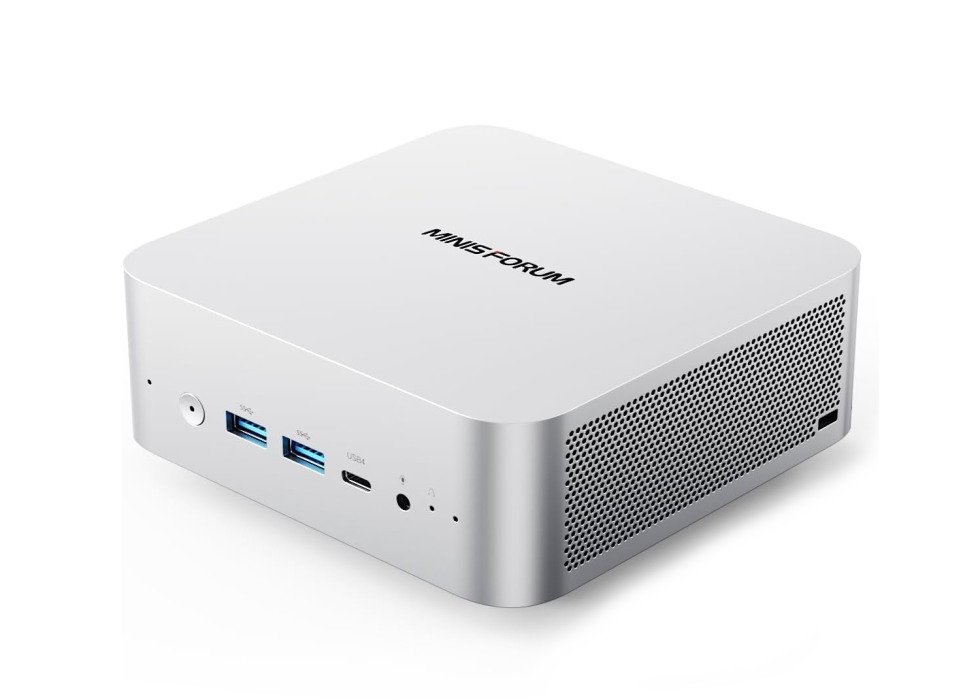
4. MINISFORUM M1 Pro (Intel Core Ultra 9 285H, 64GB RAM)
Top Intel Alternative for Expandability
| Specification | Details |
|---|---|
| Chip | Intel Core Ultra 9 285H |
| CPU | 16 cores / 16 threads (up to 5.4 GHz) |
| NPU | Up to 99 TOPS (combined AI acceleration) |
| GPU | Intel Arc 140T |
| RAM | 64GB DDR5 |
| Storage | 2TB SSD |
| OS | Windows 11 Pro |
| Starting Price | ~$1,295 |
The M1 Pro stands out as one of the few high-RAM Intel-based mini PCs with an OCuLink port for external GPU expansion, giving it a clear upgrade path if inference needs outgrow the integrated Arc 140T graphics. The Core Ultra 9 285H delivers strong performance on 70B models at lower quantization levels through OpenVINO or IPEX-LLM optimizations, often achieving 30-50 tokens per second while the 64GB DDR5 keeps larger contexts loaded without heavy swapping. Built-in dual speakers and microphone add utility for voice-driven AI applications or testing multimodal models locally.
Cooling handles sustained loads well, with dual fans keeping temperatures in check during long sessions, though it can produce noticeable noise at peak. Connectivity is comprehensive—dual USB4, quad-display support, and WiFi 7—making it a versatile desktop replacement beyond AI tasks.
Ideal for: Users who prefer Intel’s ecosystem, need OCuLink expandability, or work with tools optimized for OpenVINO acceleration on large models.
| Pros | Cons |
|---|---|
| 64GB RAM and strong Intel Arc GPU for 70B inference | Intel acceleration trails AMD/Apple in some LLM frameworks |
| OCuLink port for eGPU future-proofing | Fan noise can be prominent under full load |
| Generous storage and modern port selection |
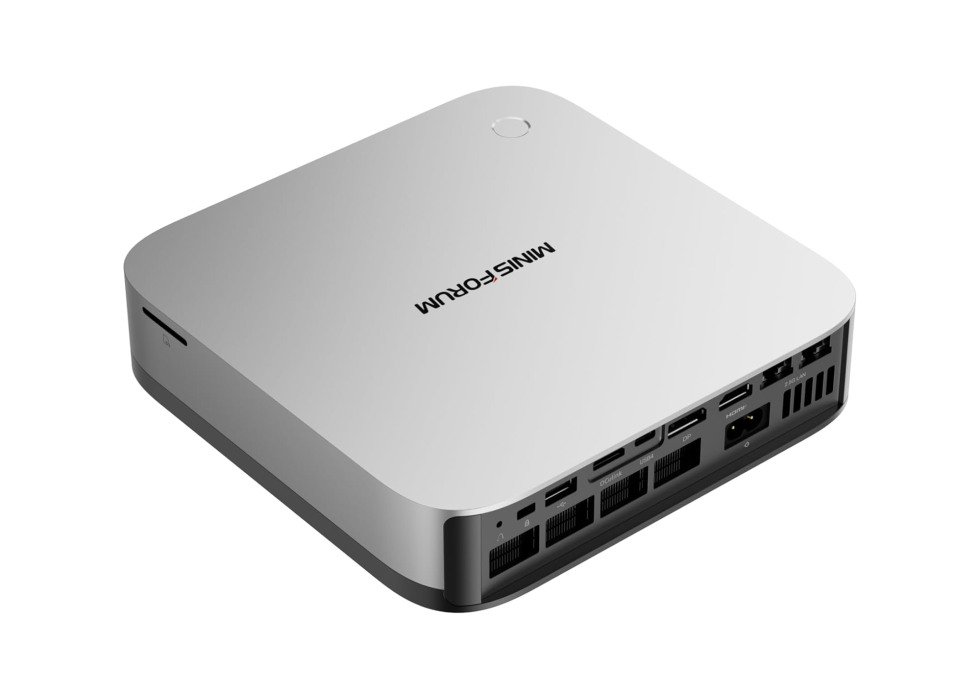
5. MINISFORUM AI X1 Pro (Ryzen AI 9 HX 370, 64GB RAM)
Strong Mid-Range Option for 70B Models
| Specification | Details |
|---|---|
| Chip | AMD Ryzen AI 9 HX 370 |
| CPU | 12 cores / 24 threads (up to 5.1 GHz) |
| NPU | ~80 TOPS |
| GPU | Radeon 890M |
| RAM | 64GB DDR5 |
| Storage | 1TB PCIe 4.0 SSD |
| OS | Windows 11 Pro |
| Starting Price | ~$1,321 |
The inclusion of an OCuLink port is one of the X1 Pro‘s biggest differentiators, giving users a direct PCIe 4.0 x4 external GPU connection for future expansion—useful if you eventually want to add a discrete card for even faster inference or training. With 64GB of DDR5 RAM and the Ryzen AI 9 HX 370’s capable Radeon 890M iGPU, it handles 70B-parameter models comfortably at Q4 or Q5 quantization, delivering 30-45 tokens per second in Ollama or similar tools while leaving headroom for multitasking.
The system supports quad 8K displays, dual 2.5GbE LAN, WiFi 7, and a solid port selection, making it versatile beyond pure AI use. Cooling is effective for its size, staying relatively quiet during typical LLM workloads, though the compact chassis can warm up during extended high-load sessions. Windows-based acceleration via DirectML or emerging ROCm support works well out of the box for most popular local AI apps.
This mini PC strikes a good balance for users who want room to grow into larger models today and the option to scale further tomorrow.
Ideal for: Enthusiasts stepping up to 70B-class models who value expandability via OCuLink and solid all-around performance.

| Pros | Cons |
|---|---|
| 64GB RAM supports comfortable 70B inference | Storage is only 1TB (though upgradable) |
| OCuLink port for future eGPU expansion | Slightly higher price than similar-spec competitors |
| Strong connectivity and multi-display support |
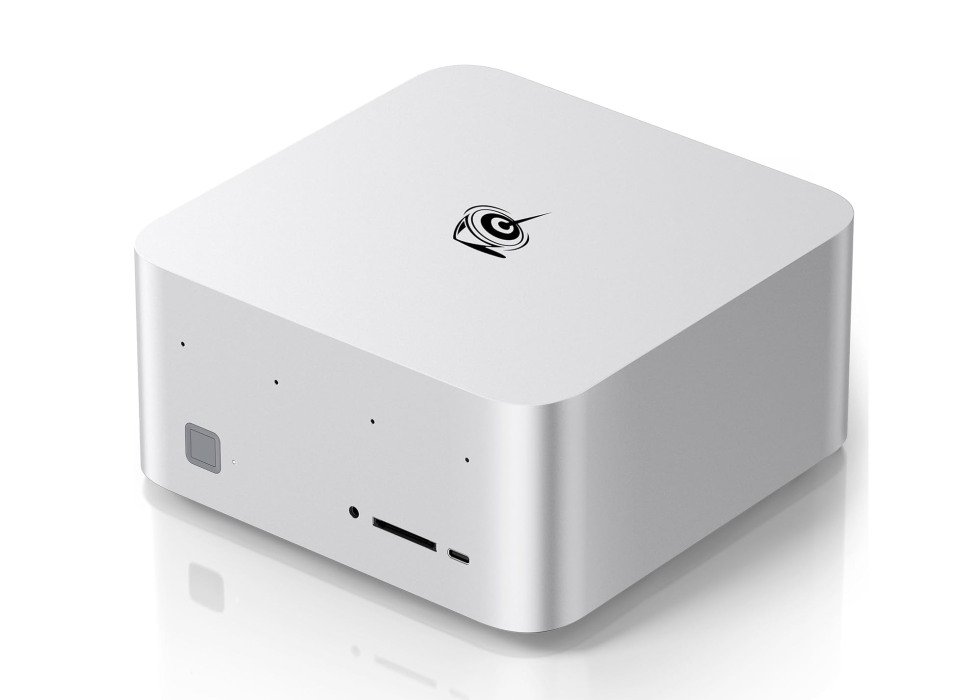
6. Beelink GTR9 Pro (Ryzen AI Max+ 395, 128GB RAM)
High-End Powerhouse for Large-Scale Models
| Specification | Details |
|---|---|
| Chip | AMD Ryzen AI Max+ 395 |
| CPU | High-performance Zen 5 architecture |
| NPU | Up to 126 TOPS |
| GPU | Integrated high-end Radeon (40+ CUs equivalent) |
| RAM | 128GB unified memory |
| Storage | 2TB Crucial SSD |
| OS | Windows 11 Pro |
| Starting Price | ~$2,699 |
The Beelink GTR9 Pro is built around the Strix Halo-based Ryzen AI Max+ 395, which combines a massive integrated GPU with full access to 128GB of system RAM. This unified memory setup allows the iGPU to load enormous models—70B parameter LLMs at Q5 or higher quantization, or even 120B+ with lighter quants—entirely into memory without the VRAM bottlenecks that plague discrete desktop GPUs. Inference speeds on frameworks like Ollama or LM Studio routinely exceed 40-60 tokens per second on 70B models, often outperforming an RTX 4090 in efficiency for pure local inference due to lower overhead and better memory bandwidth utilization.
Connectivity stands out with dual 10GbE LAN ports, dual USB4, WiFi 7, and an SD card slot, making it suitable for users who treat the mini PC as a small AI server or NAS hybrid. Cooling is robust with a large vapor chamber and active fan, though it can get audible under sustained full load during long inference runs or fine-tuning sessions. Power draw peaks higher than lower-tier mini PCs, but the performance justifies it for heavy workloads.
Overall, this machine pushes the boundaries of what’s possible in a compact form factor for local AI, delivering desktop-class capability in model size and speed where most alternatives start to swap or slow down dramatically.
Ideal for: Professionals or advanced users who need to run 70B+ parameter models locally with high quantization and fast inference, without relying on cloud services.
| Pros | Cons |
|---|---|
| Massive 128GB unified memory enables full loading of very large models | Very high price point |
| Exceptional inference speeds on big LLMs due to powerful iGPU and bandwidth | Active cooling can be loud under heavy load |
| Outstanding connectivity with dual 10GbE and modern ports |
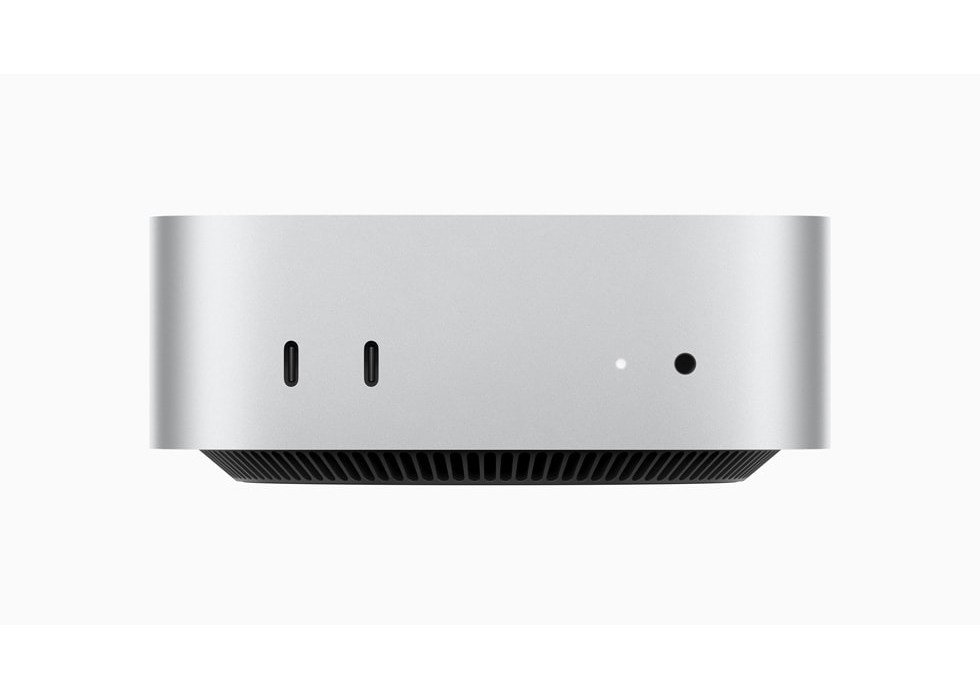
7. Apple 2024 Mac Mini (M4, 24GB Unified Memory)
Budget-Friendly macOS Entry Point
| Specification | Details |
|---|---|
| Chip | Apple M4 |
| CPU | 10-core (4 performance, 6 efficiency) |
| GPU | 10-core |
| Neural Engine | Up to 38 TOPS |
| RAM | 24GB unified memory |
| Storage | 512GB SSD |
| OS | macOS Sequoia (or later) |
| Starting Price | ~$904 |
The base M4 Mac Mini provides an accessible way into Apple silicon for local AI, where the 24GB unified memory allows smooth running of 14B-parameter models and quantized 32B options via MLX or Ollama, often hitting 40-70 tokens per second on optimized setups. The lower core counts and memory bandwidth compared to the M4 Pro mean it handles larger contexts well but starts relying on swap sooner with unquantized heavy models or multiple apps open.
Operation remains completely silent with low power consumption, and tight integration with macOS tools makes setup straightforward for anyone familiar with the ecosystem. It’s a step down in raw capability from the Pro version but still far ahead of many Windows alternatives at similar pricing for day-to-day inference tasks.
Ideal for: Beginners or Apple users exploring local AI on smaller to mid-sized models who want a quiet, efficient machine without the higher Pro cost.
| Pros | Cons |
|---|---|
| Silent and power-efficient with strong MLX performance | Limited to smaller models before swap impacts speed |
| Affordable entry into unified memory architecture | Non-upgradable RAM/storage |
| Seamless macOS integration for AI tools |
Final Thoughts: Which Mini PC Should You Choose?
Your ideal machine depends on budget and model size goals. For most users getting started with OpenClaw and 14B–34B local models, the GEEKOM A9 Max or Beelink SER9 Pro deliver the best value and day-to-day speed. If you’re already in the Apple ecosystem or prioritize silence and efficiency, the M4 Pro Mac Mini remains hard to beat for mid-sized workloads. Step up to 64GB+ configurations when you want comfortable 70B inference, and reserve the extreme options (GTR9 Pro or high-end Mac Mini builds) for users who need the largest possible local models without compromise.
Whichever you pick, the combination of OpenClaw’s agent capabilities and a dedicated mini PC finally makes always-on, private AI feel practical rather than experimental.
Best Mini PCs for AI: FAQ
What is an AI agent?
An AI agent is an autonomous system powered by a large language model that can perceive its environment, reason about tasks, and take actions—such as controlling apps, browsing, or managing files—to achieve user goals without constant prompting.
What can an AI agent like OpenClaw do?
OpenClaw can clear your inbox, schedule meetings, send messages across apps, research topics, automate repetitive workflows, control your browser, manage files, and chain multiple steps into complex jobs—all while running 24/7 in the background.
What is OpenClaw?
OpenClaw is a free, open-source, self-hosted AI agent framework (formerly Clawdbot/Moltbot) that connects messaging apps to LLMs and gives the AI direct computer control for real-world tasks.
Is OpenClaw free?
Yes—the core software is completely free and open-source. You only pay for hardware and, if you choose cloud model APIs, their usage costs. Local models via Ollama are free after the initial download.
What is Ollama?
Ollama is an open-source tool that makes it easy to download and run large language models locally on your machine with a simple command-line interface.
What is an LLM?
A Large Language Model is a deep neural network trained on massive text data to understand and generate human-like language, forming the brain behind modern chatbots and agents.
What advantages do local LLMs offer over cloud services?
Privacy (no data leaves your machine), no recurring API fees, offline capability, and unlimited usage once the model is loaded. Drawbacks include higher upfront hardware cost and slower speeds on very large models.
Which LLMs are most popular for local running with OpenClaw?
Llama 3.1/3.2 variants, Mistral/Mixtral, Command-R, and Gemma 2 dominate due to strong performance at various sizes and good quantization options.
How much RAM is ideal for an AI mini PC?
Minimum viable: 24GB (good for 14B models). Sweet spot: 32GB (comfortable 32B–34B). Optimal for most serious users: 64GB (smooth 70B). Beyond that (128GB+) is for professionals running the largest models or multiple instances.
What matters most for local LLM inference: CPU, GPU, NPU, or RAM?
RAM is by far the most important—it determines the maximum model size you can load fully into memory. After that, strong GPU/NPU acceleration matters for token generation speed; CPU is least critical for pure inference.
What is an NPU?
A Neural Processing Unit is specialized silicon designed to accelerate AI workloads (matrix multiplications, etc.) more efficiently than general-purpose CPUs or GPUs.
Can I run OpenClaw without powerful hardware?
Yes—the OpenClaw framework itself is lightweight and runs on almost anything. For full capability you can connect to cloud APIs (Claude, Gemini, GPT) instead of local models, or run small quantized models (3B–7B) on modest hardware via Ollama. Heavy local inference of large models is what requires the stronger mini PCs listed above.
What are TOPS in AI hardware?
TOPS (Tera Operations Per Second) measures the theoretical peak performance of a chip’s AI accelerators—primarily the NPU, but sometimes including GPU contributions. Higher TOPS generally means faster matrix multiplications critical for LLM inference, though real-world token speeds also depend on memory bandwidth, optimization, and framework. It’s a useful spec for comparison but not the only factor—RAM capacity often matters more for loading large models.
What do «parameters» mean in an LLM (e.g., 7B, 70B)?
Parameters refer to the billions of trainable weights inside a large language model that determine its capacity and capability. A 7B model has roughly 7 billion parameters, while a 70B has 70 billion. More parameters typically yield better reasoning, coherence, and knowledge, but they also require significantly more RAM/VRAM to load and run, especially at higher precision. Quantization (reducing precision from FP16 to Q4/Q5) dramatically lowers memory needs while retaining most performance.
What LLM size (parameter count) works best on a 24GB mini PC?
24GB unified or system RAM is ideal for 13B–14B models at full or near-full precision (very fast, responsive inference) and quantized 30B–34B models (Q4/Q5, still snappy at 40–70 tokens/second on optimized setups like MLX or Ollama). Popular choices: Llama 3.1 8B/13B, Mistral 22B, or Q5-quantized Command-R 35B. Larger than that starts forcing heavier quantization or swap, which slows things down noticeably.
What LLM size (parameter count) works best on a 32GB mini PC?
32GB is the sweet spot for most serious local AI users. It comfortably runs 30B–34B models at higher quantization (Q5/Q6) with long contexts and 70B models at Q3/Q4 without excessive swapping, delivering 25–50 tokens/second depending on hardware acceleration. Top recommendations: Q5 Llama 3.1 70B, Mixtral 8x22B (46B equivalent), or Command-R Plus—great balance of intelligence and speed for daily OpenClaw/agent use.
What LLM size (parameter count) works best on a 64GB mini PC?
With 64GB, you enter true high-end local territory: full-precision or lightly quantized 70B models (Llama 3.1 70B at Q6/Q8), comfortable Q5/Q6 120B-class models, or multiple smaller models simultaneously. Token speeds stay high (30–60 t/s on 70B) even with long contexts and background apps. This is optimal for users who want GPT-4-level reasoning locally without heavy compromises on quantization or speed.