
Learn the safest and most reliable ways to convert YouTube videos to MP3 using free desktop software, graphical tools, and online converters. We cover legal considerations, audio quality, and the best options tested for stability and ease of use.
Converting YouTube videos to MP3 is still one of the most popular ways to build an offline audio library. From podcasts and lectures to music videos and long-form interviews, extracting the audio lets you listen on any device without an internet connection or the overhead of a full video file. While YouTube Premium allows offline playback within its app, many users prefer third-party tools for greater flexibility, higher bitrate control, or permanent local files they can manage themselves.
The real challenge today isn’t how to do it, but how to do it safely and reliably. YouTube regularly updates its backend to block unauthorized downloads, which means many older tools no longer work—or worse, are kept alive through aggressive ads, fake download buttons, and malware. That’s why this guide focuses only on actively maintained tools that have a solid reputation, minimal risk, and consistent results.
Below, we break down the best methods available right now, from desktop software and user-friendly graphical tools to browser-based converters, explaining when each option makes sense and what trade-offs to expect.
Is Converting YouTube to MP3 Legal?
Before getting into tools, it’s important to address the legal side. Whether converting YouTube videos to MP3 is legal depends on the content itself and how you use it.
You are generally allowed to download:
- Videos you uploaded yourself
- Public domain content
- Videos explicitly marked as non-copyrighted
- Content released under Creative Commons licenses (depending on the license terms)
You can find this type of material by searching YouTube for public domain or Creative Commons content and checking the video description or license information.
Downloading copyrighted videos without permission, however, violates YouTube’s Terms of Service and may also infringe copyright law in many countries. This guide is intended for educational purposes and lawful use cases only. When in doubt, respect the creator’s rights and consider official options or direct support through authorized platforms.
How to Convert YouTube to MP3: The Best Tools
With so many YouTube-to-MP3 options online, choosing the right one matters. A large portion of web-based converters are unreliable, overloaded with ads, or outright unsafe—often reappearing under new domains after being shut down. For long-term reliability and better audio quality, desktop software and well-maintained open-source tools remain the safest choice.
The tools below are actively maintained, widely used, and tested for consistent performance. Each one serves a slightly different type of user, from power users who want full control to beginners who just want a clean, click-and-go experience.
yt-dlp
The Most Powerful and Flexible Option
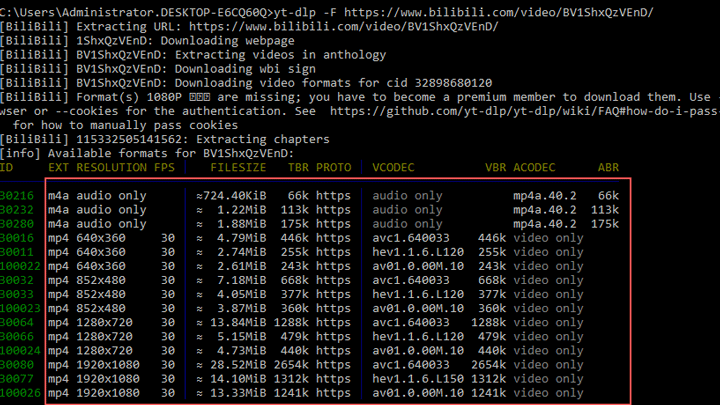
yt-dlp is an open-source command-line tool and the modern continuation of the once-dominant youtube-dl project. It supports audio extraction from YouTube and hundreds of other platforms, delivering MP3 files at the highest quality available from the source. Thanks to frequent updates and a large contributor base, it adapts quickly to YouTube’s ongoing technical changes.
What truly sets yt-dlp apart is its flexibility. It can handle single videos, full playlists, entire channels, age-restricted content, and advanced post-processing. A simple command likeyt-dlp --extract-audio --audio-format mp3 [URL]
covers basic use, while advanced users can embed metadata, thumbnails, and fine-tune bitrates using FFmpeg integration.
That said, the command line isn’t for everyone. Thankfully, yt-dlp powers several excellent graphical interfaces that offer the same reliability with a much gentler learning curve. Popular cross-platform GUIs include yt-dlg, Stacher, Open Video Downloader, and ytdlp-interface on Windows. These wrap yt-dlp’s engine into a familiar point-and-click workflow, making it accessible to non-technical users without sacrificing stability.
Ideal for: Power users, bulk downloads, playlists, automation, or anyone who wants maximum control and long-term reliability.
- Pros:
- Extremely robust; supports thousands of sites; updated frequently to bypass restrictions; completely free and open-source.
- Best-in-class audio quality and excellent playlist/channel handling.
- Cons:
- Command-line interface can be intimidating without a GUI.
MediaHuman YouTube to MP3 Converter
Best Dedicated Audio Downloader
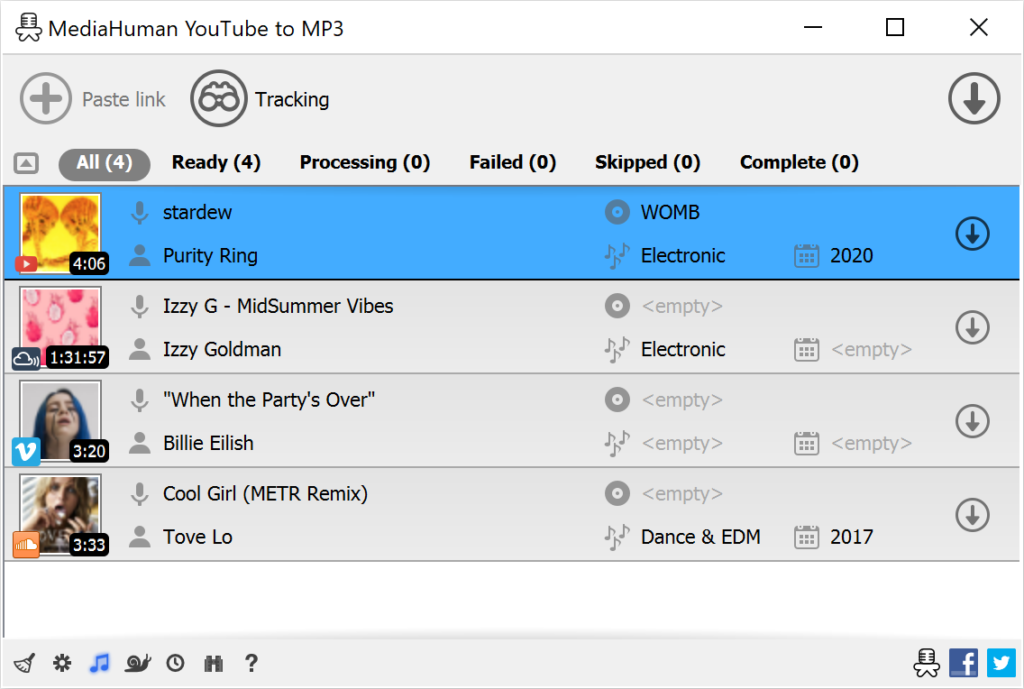
MediaHuman’s YouTube to MP3 Converter focuses entirely on one task: extracting high-quality audio cleanly and efficiently. It supports MP3 output up to 320kbps in the free version, along with formats like M4A, OGG, and WAV. The interface is simple and polished—paste a link (or multiple links), and the app handles downloading, conversion, and tagging automatically.
One of its standout strengths is metadata handling. Track titles, artist names, album art, and even playlists are processed reliably, making it ideal for users building organized music libraries. Clipboard monitoring is also included, prompting downloads automatically when you copy a YouTube URL.
Available on Windows, macOS, and Linux, MediaHuman avoids unnecessary features and bloat. While a paid license unlocks faster speeds and minor extras, the free version is more than sufficient for most users.
Ideal for: Users who want clean, high-quality MP3s from playlists or channels with minimal setup.
- Pros:
- Very easy to use; excellent tagging and album art support; clipboard auto-detection.
- Consistent 320kbps output without strict daily limits.
- Cons:
- Limited to audio-focused workflows; fewer advanced customization options.
Open Video Downloader
Best GUI Powered by yt-dlp
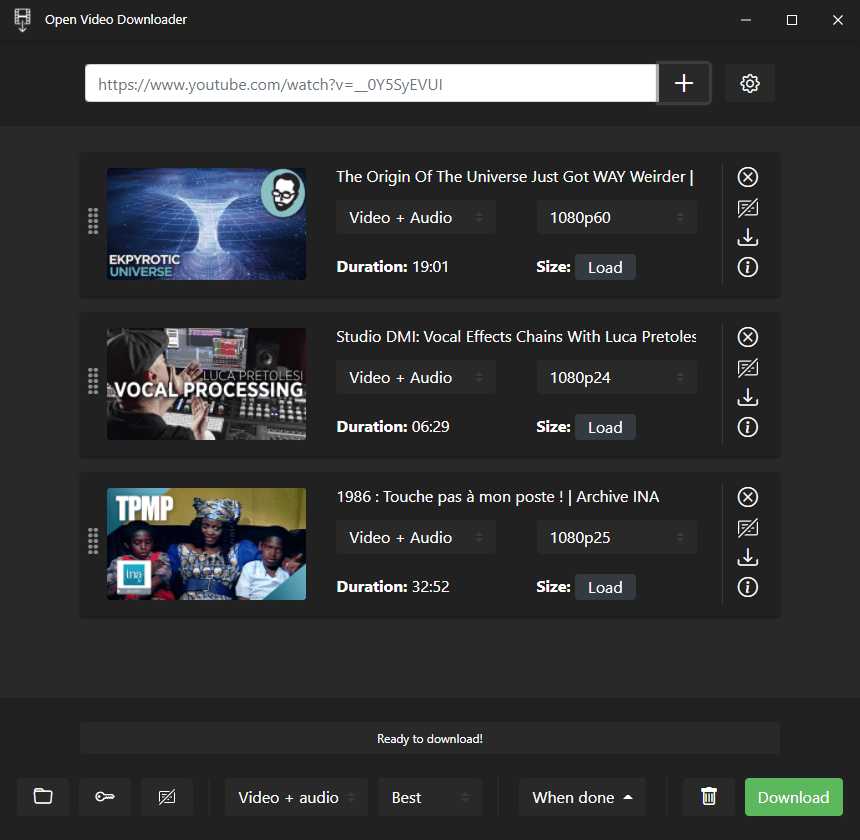
Open Video Downloader (often referred to as youtube-dl-gui) is one of the most polished graphical front-ends for yt-dlp. The actively maintained fork by StefanLobbenmeier is the recommended version, as it receives regular updates to stay compatible with YouTube changes.
Setup is straightforward: download, install, and start downloading. The interface keeps things simple while still offering useful controls—audio-only downloads, format selection (MP3, M4A, Opus, FLAC), and quality presets ranging from “Best” to specific bitrates. Playlists are handled smoothly, and downloads are fast and stable.
For users who want yt-dlp’s reliability without touching the command line, this is one of the best-balanced options available.
Ideal for: Beginners and intermediate users who want a reliable, no-nonsense GUI with strong yt-dlp performance.
- Pros:
- Clean interface; easy setup; flexible format and quality options.
- Actively maintained fork ensures long-term usability.
- Cons:
- Very advanced tweaks still require digging into settings.
👉 Official GitHub Repository (Active Fork)
ByClick Downloader
Simplest Option for Windows Users
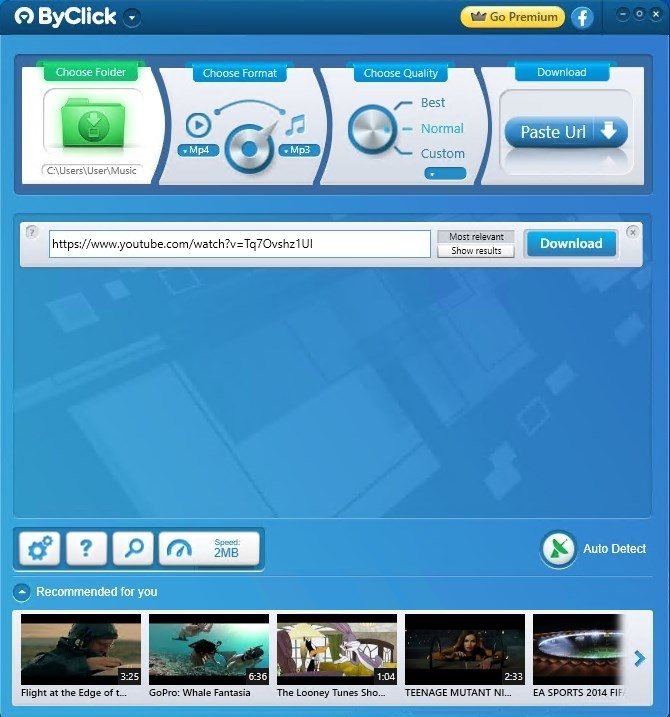
ByClick Downloader is a Windows-only desktop app designed around convenience. Its standout feature is automatic clipboard detection: copy a YouTube link, and the app instantly prompts you to download it. You can also paste links manually, choose audio-only output, and select formats like MP3, WAV, AAC, or M4A.
Quality options are easy to understand, with presets such as “Best” or custom bitrates (including 320kbps). Playlist and batch downloads are supported, making it practical for larger collections. While the interface feels somewhat dated, the workflow is fast and beginner-friendly.

Ideal for: Windows users who want one-click simplicity and reliable MP3 downloads without technical setup.
- Pros:
- Automatic link detection; easy controls; solid audio quality options.
- Efficient batch and playlist downloads.
- Cons:
- Windows-only; interface lacks modern polish.
Stacher
Modern GUI Alternative for yt-dlp
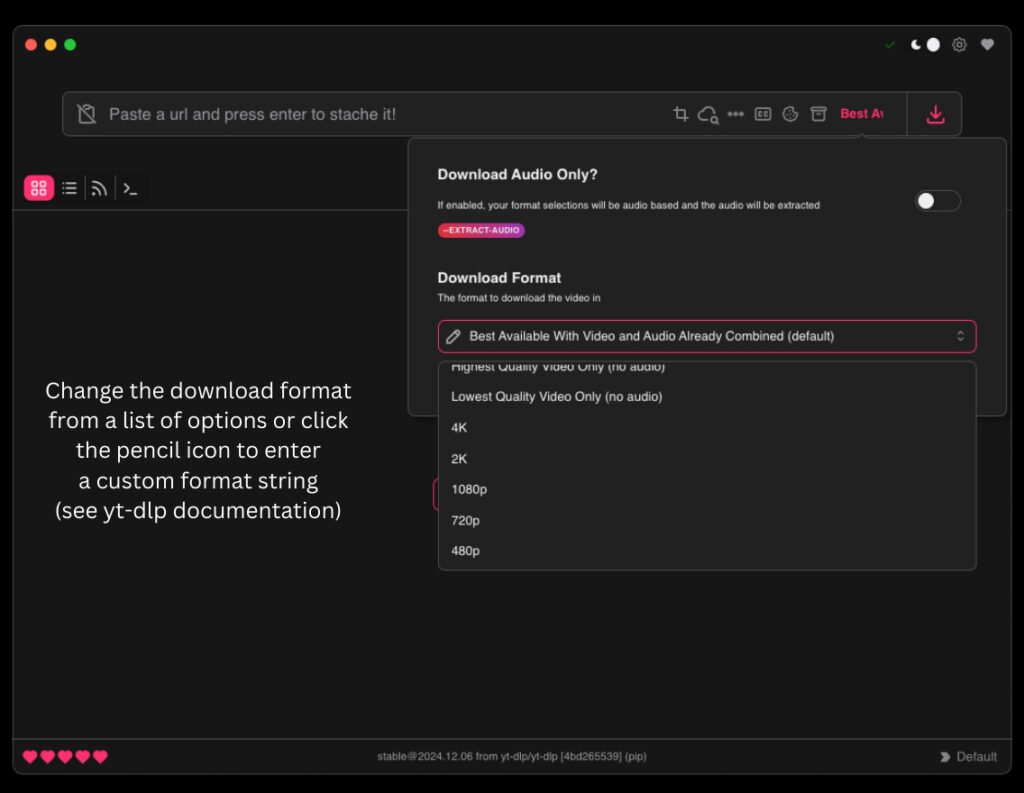
Stacher is a cross-platform graphical interface built on top of yt-dlp, designed for users who want power wrapped in a modern, visually polished experience. It adds quality-of-life features like themes, a built-in download library, basic media organization, and optional integration with external players.
Advanced yt-dlp options are exposed through simple toggles and sliders rather than command flags. You can choose audio formats such as MP3, M4A, or Opus, and control quality using yt-dlp’s familiar scale (0 for best quality, 10 for lowest). Metadata handling and filtering tools make it easier to manage larger collections once downloads pile up.
That said, Stacher’s feature richness can feel a bit overwhelming compared to minimalist GUIs. It’s best suited for users who enjoy customization and don’t mind spending a few minutes exploring the interface.
Ideal for: Users who want a modern, feature-rich yt-dlp GUI with built-in organization tools.
- Pros:
- Polished, customizable interface; simplifies advanced yt-dlp options; strong library management features.
- Cross-platform support with updates tied directly to yt-dlp improvements.
- Cons:
- Busier interface than simpler GUIs, with a slightly steeper learning curve.
CnvMP3.com
Clean, Ad-Free Online Converter
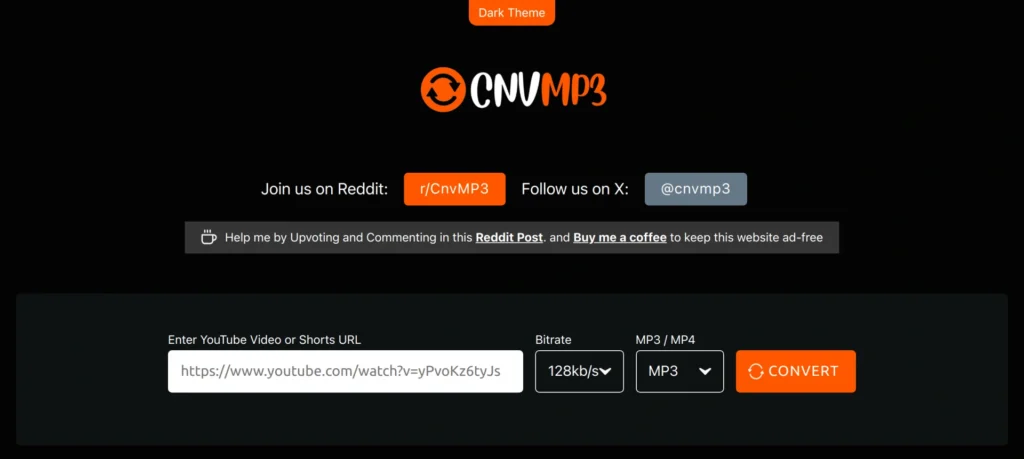
CnvMP3 is one of the few web-based YouTube-to-MP3 converters that consistently stands out for the right reasons. It’s donation-supported, completely ad-free, and free of pop-ups or deceptive download buttons—a rarity in this category.
The workflow is simple: paste a YouTube link, select MP3 (or a video format if needed), choose your preferred quality, and convert. It supports MP3 files up to 320kbps and doesn’t require account creation or software installation, making it ideal for quick, occasional use.
Because it runs entirely in the browser, it’s especially useful on locked-down systems or devices where installing software isn’t an option. As with all online tools, long-term availability can’t be guaranteed, but CnvMP3 has proven more stable and trustworthy than most competitors.
Ideal for: Occasional users who want a fast, no-install solution on any device.
- Pros:
- Completely ad-free; simple and transparent process; good audio quality options.
- Works on any platform with a browser—no setup required.
- Cons:
- Depends on the site staying online; privacy-conscious users may prefer local tools.
ClipGrab
Beginner-Friendly Desktop Option
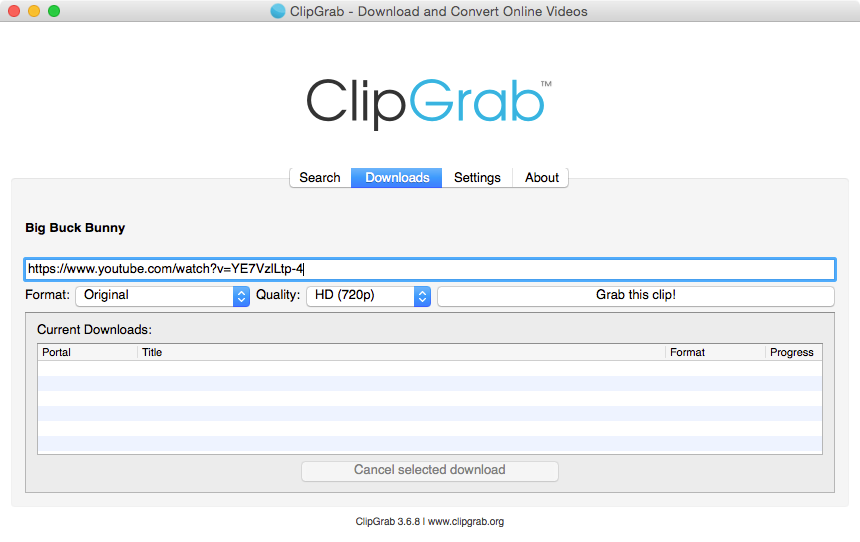
ClipGrab is a free, open-source desktop downloader aimed squarely at beginners. The interface is intentionally minimal: paste a link, select “MP3 (audio only),” choose a quality level, and download. There’s almost no learning curve, which makes it appealing to first-time users.
Audio quality is acceptable for casual listening—selecting higher video resolutions generally results in better audio bitrates (around 256kbps in most cases). Clipboard monitoring helps speed things up, but performance can feel slow on older systems.
One caveat: the installer may offer optional bundled software (such as McAfee WebAdvisor), so paying attention during installation is important.
Ideal for: Absolute beginners who value simplicity over speed or advanced features.
- Pros:
- Extremely easy to use; no daily limits; supports basic clipboard detection.
- Free and open-source.
- Cons:
- Installer may include optional bundled offers; slower than newer tools.
4K Video Downloader+
Versatile Downloader with Free-Tier Limits
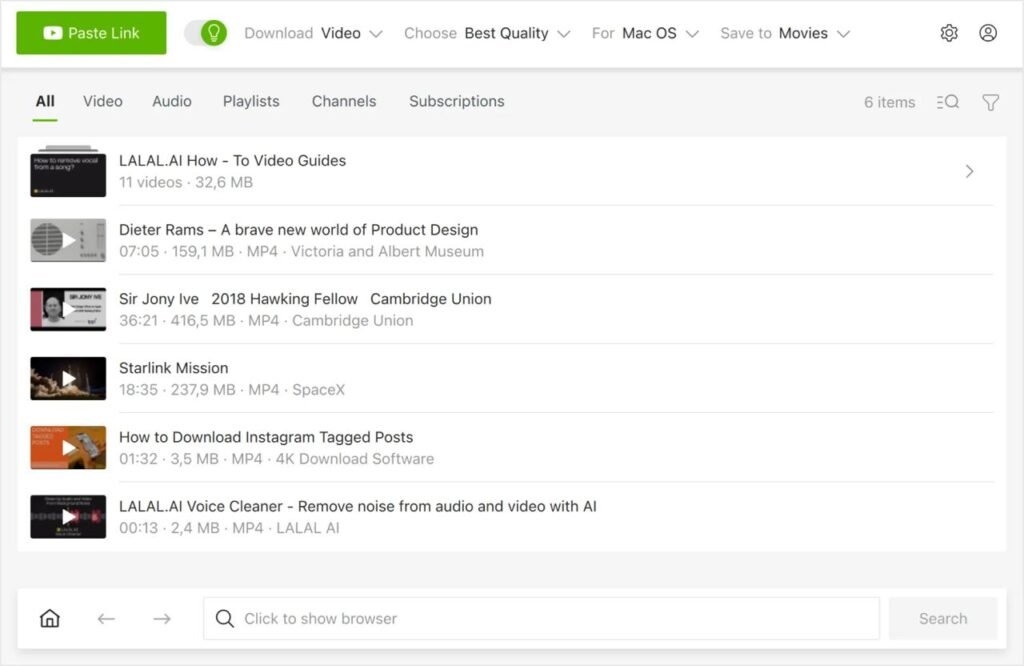
4K Video Downloader+ is a general-purpose desktop downloader that supports both video and audio extraction. It handles MP3, M4A, and OGG formats and works well for users who occasionally want full videos in addition to audio files.
The free version is functional but restricted: downloads are capped at around 10 per day, and MP3 quality is limited to 128kbps. Higher-quality audio (256kbps or 320kbps), unlimited downloads, and advanced features require a paid license.
Compared to the company’s audio-only “4K YouTube to MP3” app, this version is usually the better pick thanks to its flexibility and slightly more generous free limits.
Ideal for: Users who want both video and audio downloads and don’t mind free-tier restrictions.
- Pros:
- Clean interface; good playlist support; handles video and audio equally well.
- More flexible than the dedicated audio-only version.
- Cons:
- Free tier limits audio quality and daily downloads.
Choosing the Right Tool for Your Needs
If you want the best mix of reliability and ease of use, Open Video Downloader and MediaHuman YouTube to MP3 Converter are excellent starting points. They deliver consistent, high-quality results without unnecessary complexity.
Power users who care about automation, playlists, or maximum control should gravitate toward yt-dlp, ideally paired with a GUI like Stacher if the command line isn’t appealing. For quick, no-install conversions, CnvMP3.com remains one of the safest online options.
Overall, desktop tools offer better quality control, fewer security risks, and longer-term reliability than most web-based converters. Try one or two that fit your workflow—most are free—and stick with actively maintained software to avoid the common pitfalls in this space.