
Looking for the best free video players on Google TV, Android TV, or Fire TV? We tested the top options for local files, NAS playback, 4K/HDR, and x265 support. Here are the six that actually deliver in 2026.
The 6 Best Free Video Players for Smart TV (Google TV, Android TV, and Fire TV) in 2026
Smart TVs are great for streaming Netflix or YouTube, but their built-in media players often fall short when you want to play your own video files from a USB drive, NAS, or shared folder. Formats like x265/HEVC, high-bitrate 4K files, or tricky subtitle tracks can cause buffering, audio sync issues, or outright refusal to play. That’s where dedicated free video player apps come in.
These apps turn your Google TV, Android TV, or Fire TV into a proper media hub without subscriptions or complicated setups. In 2026, the best ones handle almost any file you throw at them, support hardware acceleration for smooth 4K and HDR playback, and work reliably with network shares. We focused exclusively on completely free options (some have optional paid upgrades or minimal ads) that are actively maintained and highly rated on Google Play and Amazon Appstore.
This list ranks the players by a combination of real-world popularity (downloads and active users), user ratings, codec support (especially x265 and modern audio passthrough), TV-optimized interfaces, and overall performance on mid-range and high-end devices. Whether you just need something simple that “just works” or a full-featured library manager, there’s an option here that fits.
The Best Free Tools to Clean, Optimize, and Speed Up Your Windows PC
Quick Comparison
All six players are free to download and use for local and network file playback. Here’s how they stack up at a glance:
| Player | Popularity (Downloads/Rating) | Best For | x265/HEVC Support | Ads in Free Version | TV Interface Quality |
|---|---|---|---|---|---|
| VLC | 100M+ / 4.2 | Universal playback | Excellent | None | Good |
| MX Player | 1B+ / 4.3 | Speed & hardware acceleration | Excellent | Yes (skippable) | Very good |
| NOVA Video Player | 1M+ / 4.3 | Android TV library experience | Very good | None | Excellent (leanback) |
| Kodi | Millions (community) | Advanced customization | Excellent | None | Good |
| Just Player | 1M+ / 4.1 | Lightweight & modern codecs | Excellent | None | Good |
| Stremio | Growing fast | Local + add-on streaming | Good | None | Modern & clean |
The 6 Best Free Video Players for Smart TV
1. VLC for Android
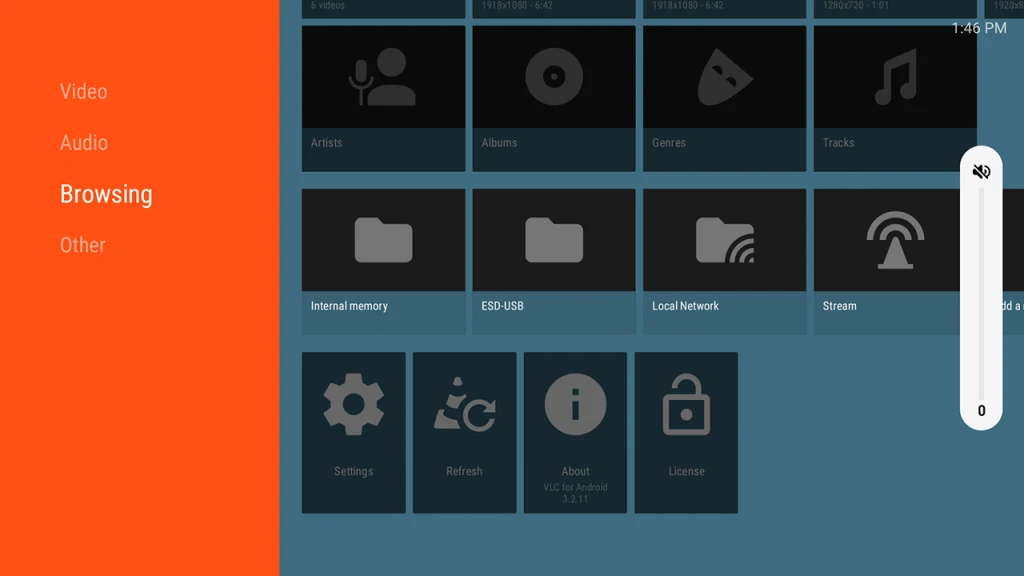
VLC remains the go-to choice for many users because it simply plays whatever you give it. No need to install extra codecs or worry about format compatibility—it handles MKV, MP4, AVI, ISO files, and even DVD rips straight out of the box. In practice, it excels at network streaming from NAS or SMB shares, supports subtitles in multiple languages, and delivers solid audio passthrough for DTS and Dolby formats on compatible TVs.
What makes it particularly reliable on smart TVs is its consistent performance across devices. It doesn’t try to be a media center with fancy libraries; it focuses on fast, no-frills playback. The interface is straightforward with a remote, though it lacks the polished “leanback” design some TV-specific apps offer. Minor quirks like occasional slow seeking on very large files exist, but updates in 2026 have improved stability.
- Pros: Compatible with almost every format; completely ad-free.
- Cons: The UI is functional but lacks a modern «Netflix-style» polish.
Platforms & Download
- Google TV / Android TV: Google Play Store
- Fire TV: Amazon Appstore
2. MX Player
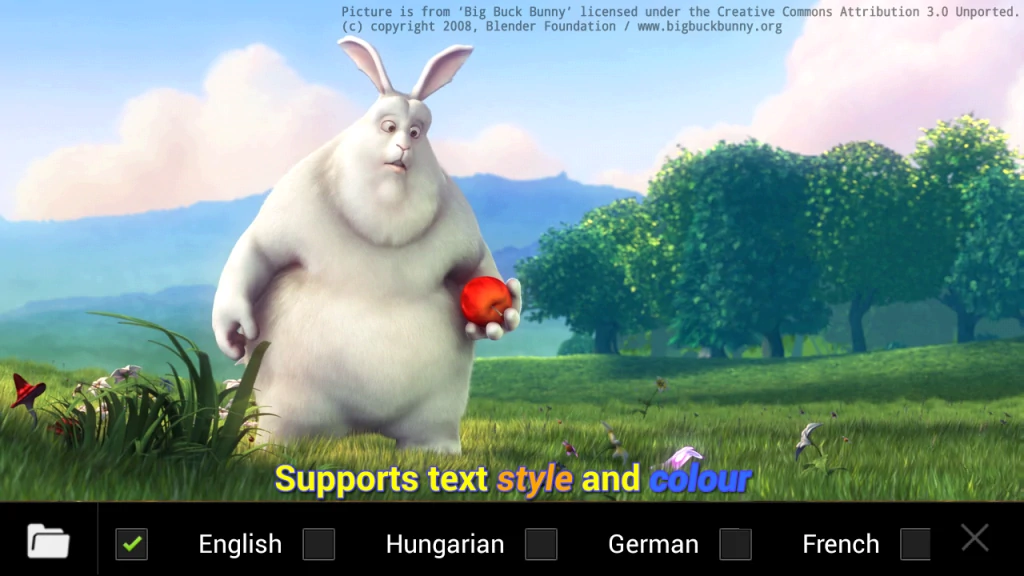
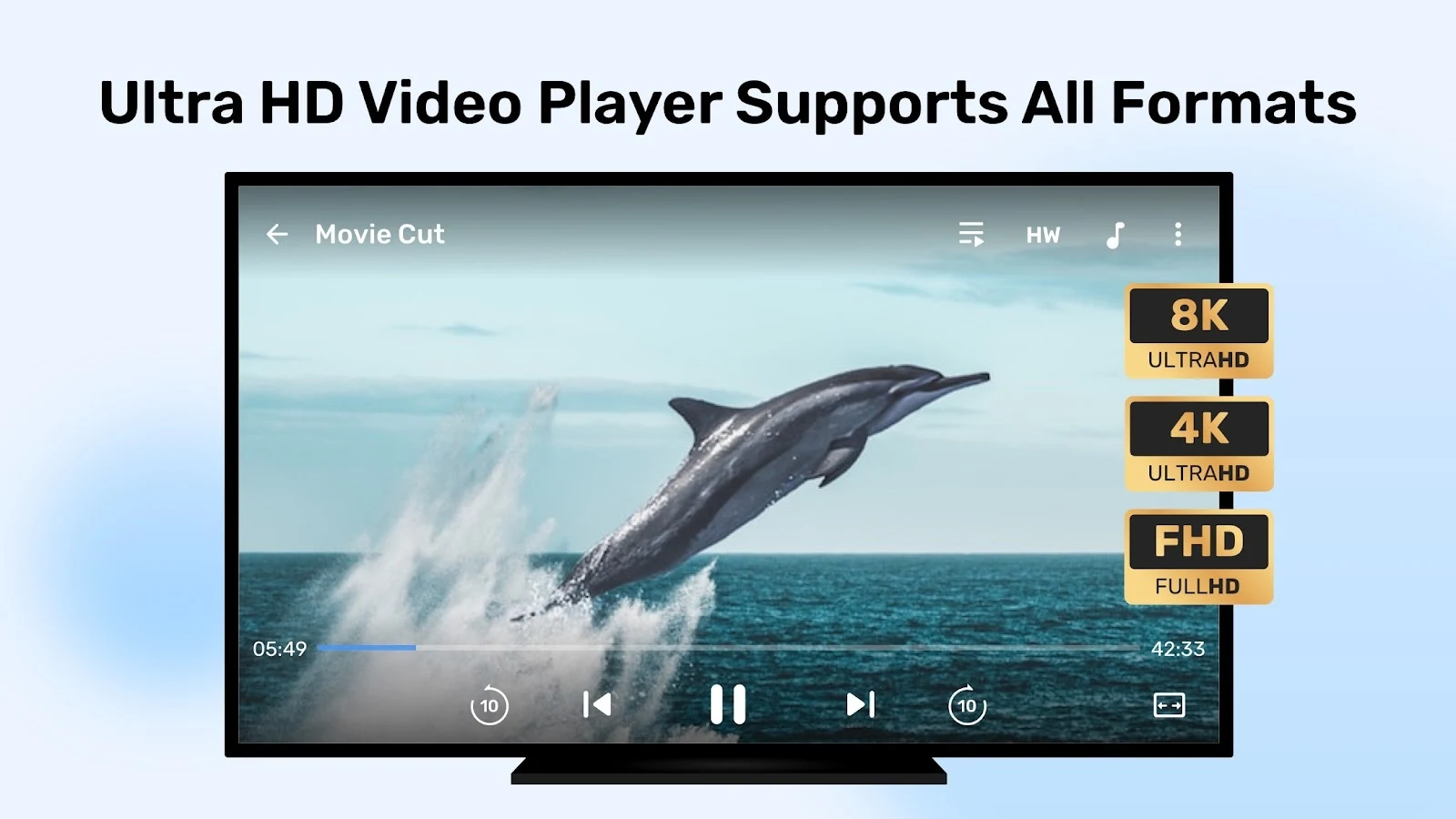
MX Player built its reputation on raw speed and hardware acceleration, and that edge is still evident in 2026. It uses multi-core decoding efficiently, making it one of the smoothest options for high-bitrate 4K videos or files that tax weaker TV hardware. Gestures for seeking and volume work well even when controlled by a remote, and subtitle handling (including online downloads) is among the best in the category.
On Android TV and Fire TV, the dedicated TV version or the standard app sideloaded performs reliably. It’s especially popular among users who watch a lot of downloaded content because it rarely stutters where others might. The free version includes ads, but they’re non-intrusive and can be removed with the optional Pro upgrade if you prefer a cleaner experience. The main trade-off is that it occasionally pushes content recommendations, though you can ignore them for pure local playback.
- Pros: Exceptional hardware acceleration; superior subtitle gestures.
- Cons: The free version includes occasional intrusive ads.
Platforms & Download
- Google TV / Android TV: Google Play Store
- Fire TV: Amazon Appstore
3. NOVA Video Player
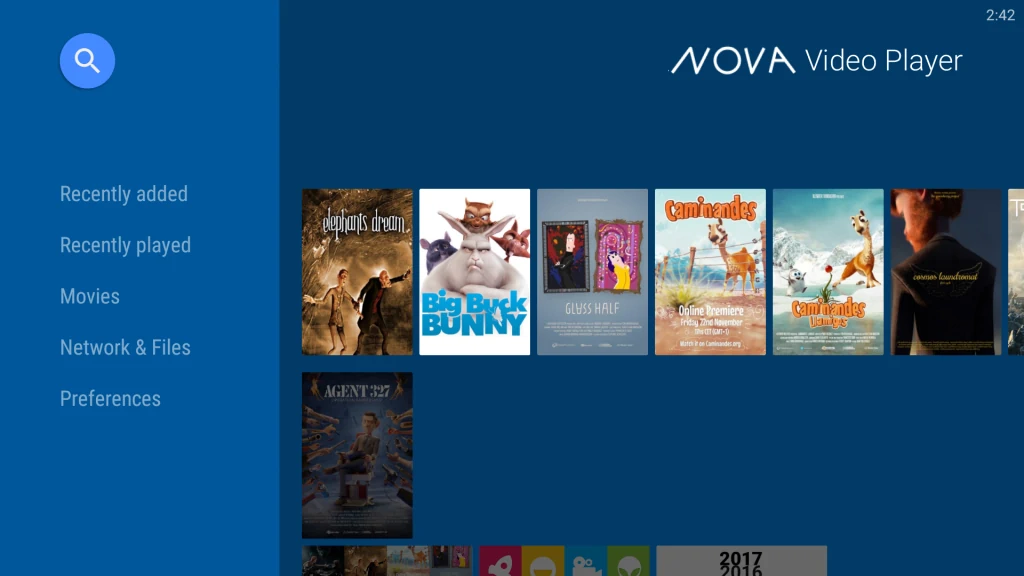
If your main goal is a clean, TV-native experience that feels like a built-in app, NOVA Video Player stands out. Developed specifically with Android TV in mind, it uses Google’s leanback interface, scans your USB drives or network folders quickly, and automatically pulls posters and metadata to create a Netflix-style library view. This makes browsing hundreds of movies or TV episodes far more enjoyable than scrolling through raw file lists.
It supports hardware acceleration, subtitle customization, and audio passthrough without fuss. Open-source and completely ad-free, NOVA stays lightweight while still handling x265 files and 4K content smoothly. The only real limitation is that it’s more focused on local and network files than streaming add-ons, so power users who want heavy customization might eventually look elsewhere. For everyday library playback on Google TV or Fire TV, though, it’s frequently praised as one of the most polished options available.
- Pros: Best TV-native library interface; excellent metadata scraping.
- Cons: Limited to local/network files only (no streaming add-ons).
Platforms & Download
- Google TV / Android TV: Google Play Store
- Fire TV: Amazon Appstore
4. Kodi
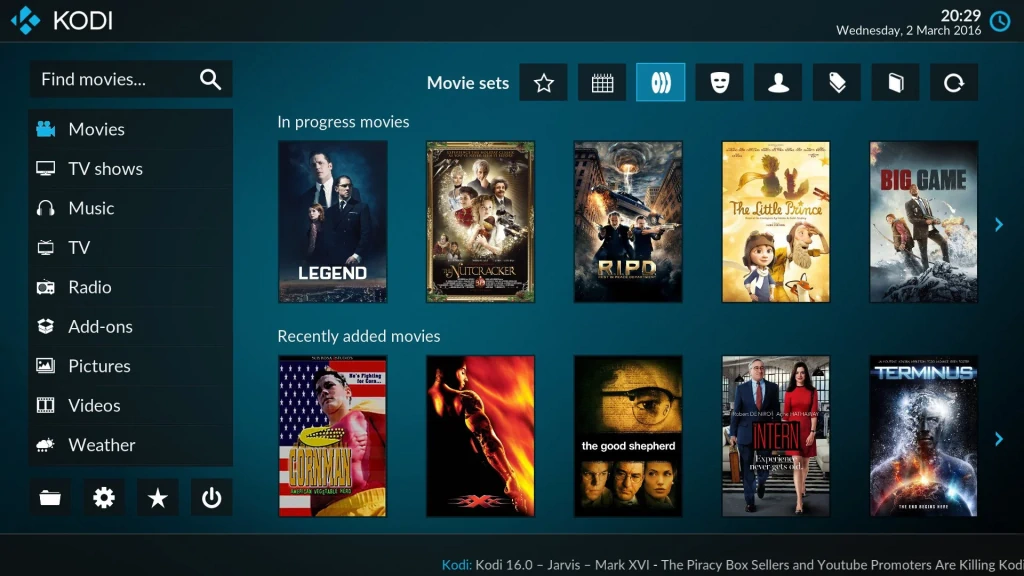
Kodi takes a different approach from the others by functioning as a complete media center rather than a simple file player. It lets you organize your entire video and audio library with custom skins, scrape metadata automatically, and extend functionality through thousands of community add-ons. On smart TVs it shines when you have a large collection stored on a NAS or external drive, because it can pull artwork, plot summaries, and cast information without any extra setup on your part.
Its codec support is rock-solid—including full x265/HEVC handling and advanced audio formats like DTS-HD and Dolby Atmos passthrough on compatible hardware. The interface can feel a little overwhelming at first if you’re only after quick playback, but once configured it becomes extremely powerful. The trade-off is that it requires a bit more initial setup than plug-and-play apps, and on lower-end Fire TV sticks it can run slightly heavier than lighter alternatives. Still, for users who want one app to rule their entire media library, Kodi remains a longtime favorite in the Android TV ecosystem.
- Pros: Unmatched customization; powerful media center features.
- Cons: Can be heavy and slow on low-end Fire TV sticks.
Platforms & Download
- Google TV / Android TV: Google Play Store
- Fire TV: Kodi website
5. Just Player
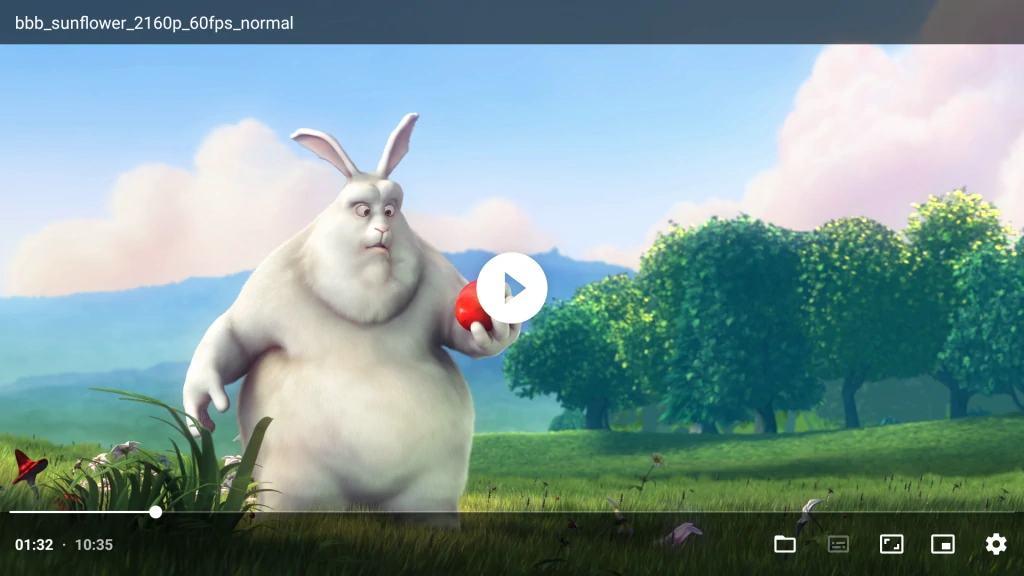
Just Player stands out precisely because it keeps things minimal. Built on modern ExoPlayer foundations with FFmpeg integration, it delivers exceptionally smooth playback of high-bitrate files and newer codecs without draining resources on modest TV hardware. It automatically matches frame rates, handles HDR10+ gracefully, and supports external subtitles and multiple audio tracks with almost no configuration required.

What makes it especially appealing for everyday use on Google TV or Fire TV is its speed: it launches instantly, seeks quickly even in large 4K files, and stays out of your way. There are no libraries, no metadata scraping, and no ads—just clean, reliable video playback. The only real downside is that it lacks the advanced organization features of Kodi or NOVA, so it works best for users who already keep their files neatly sorted or who simply want the lightest possible player that still handles x265 and modern formats flawlessly.
- Pros: Ultra-lightweight performance; perfect for modern x265 files.
- Cons: No library management or folder browsing features.
Platforms & Download
- Google TV / Android TV: Google Play Store
- Fire TV: Amazon Appstore
6. Stremio
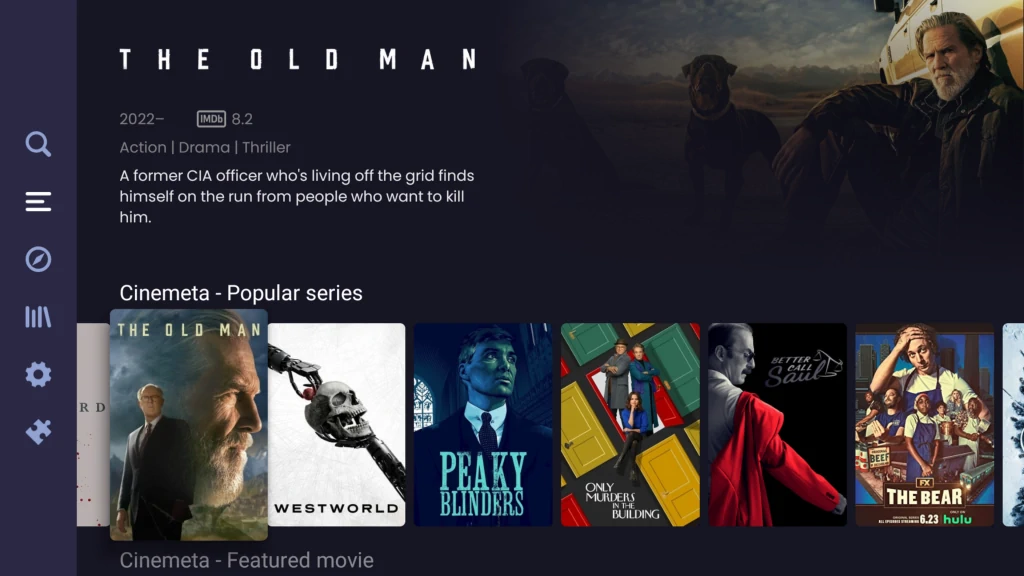
Stremio offers a fresh, modern take that bridges local files and streaming in one clean interface. It organizes your content with a sleek design that feels at home on any smart TV, while also allowing you to add your own local folders or network shares alongside optional add-ons for additional sources. Playback quality is high, with good hardware acceleration and support for most common video and audio formats, making it a solid all-rounder in 2026.
Users appreciate how intuitive the remote-friendly navigation feels compared to older media-center apps. It’s particularly handy if your collection mixes downloaded files with occasional streaming needs. The free version has no subscriptions or intrusive ads, though some add-ons may require separate configuration. Its main limitation is that it’s not quite as deep for pure local-library management as NOVA or Kodi, but for anyone wanting a contemporary-looking player that stays lightweight and up-to-date, Stremio is an increasingly popular choice on both Google TV and Fire TV.
- Pros: Very modern and clean UI; bridges local files and streaming.
- Cons: Local library management is less robust than dedicated players.
Platforms & Download
- Google TV / Android TV: Google Play Store
- Fire TV: Stremio website
How to Install Video Players on Your Smart TV
Installing these apps on Google TV, Android TV, or Fire TV is straightforward and doesn’t require any technical expertise.
On Google TV / Android TV:
- Open the Google Play Store from your home screen.
- Search for the app name (VLC, NOVA Video Player, etc.).
- Select the official listing and click “Install.”
Most apps appear directly in the store. For any that don’t (rare in 2026), you can enable “Unknown sources” in Settings → Apps → Security and sideload the APK using a file manager or the official Downloader app.
On Fire TV:
- From the home screen, go to the search icon and type the app name.
- If it appears in the Amazon Appstore, install it directly.
- For apps not listed (such as the full Kodi or Just Player), install the free “Downloader” app first, enter the official download URL provided on the developer’s website, and follow the on-screen prompts.
Amazon makes the process safe and reversible—simply uninstall if needed.
Tip: Always download from official sources (Google Play, Amazon Appstore, or the developer’s GitHub/website) to avoid security risks. After installation, grant storage and network permissions when prompted so the player can access your USB drives or NAS shares.
Which Video Player Should You Choose?
The right choice depends on exactly what you need. If you want the simplest, most universal experience with zero learning curve, start with VLC—it handles almost anything without fuss. For the fastest performance on high-bitrate 4K files, MX Player is hard to beat. Those who value a beautiful, TV-optimized library interface will likely prefer NOVA Video Player. Kodi suits power users who enjoy customization and add-ons, while Just Player is the best lightweight option when you just want reliable playback of modern codecs like x265 without extras. Stremio fits nicely if you like a contemporary look that can grow with streaming add-ons later.
All six are free, actively updated, and work well on both Google TV/Android TV and Fire TV devices in 2026. Try two or three that match your priorities—most take only a minute to install and test with your own files. Once you find the one that feels right, you’ll wonder how you ever relied on the TV’s built-in player.
FAQ
VLC vs. MX Player: Which is better?
It depends on your needs. VLC is better if you want a 100% free, ad-free experience that «just works.» MX Player is superior if you need to squeeze more performance out of your hardware to play high-bitrate 4K files or if you prefer advanced subtitle controls.
What is x265 (HEVC) and why should I care?
x265 is a modern video compression standard that allows for high-quality video (like 4K) at much smaller file sizes. However, it requires more processing power to decode, which is why choosing a player with good hardware acceleration is essential.
What is the difference between Android TV and Google TV?
Essentially, Google TV is a modern interface (a «skin») that sits on top of Android TV. While they share the same app store and core features, Google TV focuses more on personalized recommendations, whereas older Android TV versions are more app-centric.
Can I play movies directly from my NAS or PC?
Yes. Most players on this list, especially VLC, NOVA, and Kodi, support SMB, FTP, and NFS protocols, allowing you to stream your local library over Wi-Fi without needing a USB drive.
Is it safe to sideload video players on Fire TV?
Yes, as long as you download the APK files from official sources like the developer’s GitHub or website. This is a common practice for apps like Kodi or Just Player that might not always be in the official Amazon Appstore.