Backlight bleeding is a common issue in LCD/LED monitors and TVs where light leaks around edges, creating bright patches on dark screens. Learn causes, how to test, fixes, and if it improves over time.
If you’ve ever noticed uneven bright spots or glowing patches around the edges of your monitor or TV during dark scenes—especially on a black screen—you might be dealing with backlight bleeding. This issue affects many LED-backlit LCD displays, from budget TVs to gaming monitors, and it’s particularly noticeable in dimly lit rooms.
While it’s often more pronounced in affordable edge-lit models, even some full-array LEDs can show minor bleeding. The good news? Mild cases are usually tolerable and barely visible in everyday content like movies, games, or streaming. Severe bleeding, however, can distract during horror films or space-themed games.
In this guide, we’ll break down what causes it, how to check your screen, and practical ways to minimize or fix it—without needing advanced tech skills.
What Is Backlight Bleed?

Backlight bleed occurs when light from the LED backlight leaks through the LCD panel, typically around the edges or corners. It shows up as hazy glows or bright patches on what should be uniform black.
Related terms include:
- Flashlighting — concentrated bright spots in corners, like a flashlight shining through.
- Clouding — broader, irregular hazy areas across the screen.
These stem from the same root: imperfect light control in LED technology. Unlike OLED panels, where pixels self-illuminate for perfect blacks, LED displays rely on a backlight shining through layers—and sometimes that light escapes where it shouldn’t.
This problem hits both monitors (especially curved VA panels) and TVs, but it’s more common in budget models with edge-lit backlighting (LEDs only on the sides) or basic full-array setups without advanced local dimming.
Does My Screen Have Backlight Bleed?
To test:
- Display a completely black image or video in full-screen mode (search for «backlight bleed test» on YouTube or use a solid black wallpaper).
- View in a dark room.
- Set brightness to 20-50% (max brightness can mask or exaggerate it).
Look for lighter patches, especially at edges or corners. Minor unevenness is normal in most LED screens—it’s only an issue if it’s distracting in real use.
What Causes Backlight Bleeding?
The main culprits:
- Manufacturing tolerances — Slight misalignments in panel layers, bezel pressure, or uneven diffuser sheets let light leak.
- Backlight design — Edge-lit TVs/monitors suffer more because light travels farther; full-array is better but not immune in budget models.
- Physical stress — Tight screws, shipping pressure, or even handling during setup can warp the panel slightly.
It’s rarely a «defect» in the warranty sense for mild cases—manufacturers consider some bleeding acceptable in LED tech. But excessive amounts vary by the panel lottery; one unit might be clean, another noticeable.
Can You Fix Backlight Bleed?
The short answer: You can’t completely eliminate backlight bleed on an LED/LCD display (it’s inherent to the technology), but you can often reduce its visibility significantly—or even make it unnoticeable in normal viewing. Here are the most reliable and safe methods, starting with the easiest and most effective.
- Lower the backlight brightness
Most new TVs and monitors ship with the backlight cranked to maximum (100/100) for that eye-catching store demo look. This makes bleed far more obvious while also washing out the image.
Drop the backlight to a more realistic level—typically 60-80 in a dimly lit room for SDR content, or max only in bright HDR modes. This single change often hides mild bleed entirely and improves overall picture quality with deeper blacks and less eye strain. - Enable dynamic backlight control (if available)
Many TVs, even budget models, have a “Dynamic Backlight” or “Energy Saving” feature that automatically dims the backlight during dark scenes. When paired with a moderate manual backlight setting, this dramatically reduces perceived bleed without noticeable pumping in most content. - Use local dimming (on supported models)
If your display has full-array local dimming (even basic versions), set it to Medium or High. It won’t fix edge bleed directly, but it improves contrast and makes minor leaks less distracting. - Gentle massage with a microfiber cloth
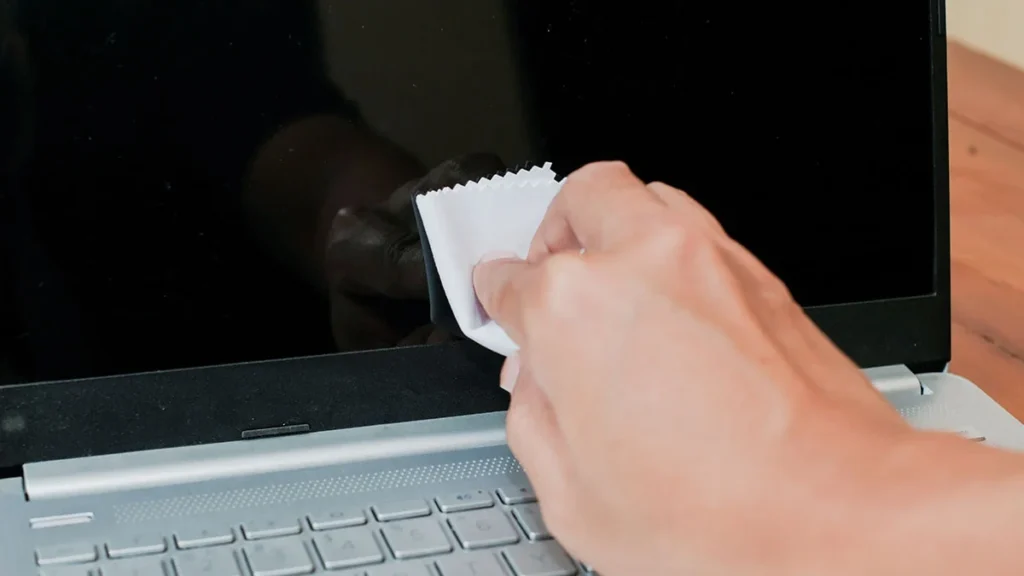
A surprisingly common fix: With the screen showing solid black, lightly press and circular-massage the affected areas using a clean microfiber cloth. Apply very gentle pressure—barely more than the weight of your hand.
Many users (and reviewers at sites like RTINGS) report good results, especially on edge-lit panels where bleed is caused by uneven layer pressure. Be patient and cautious; excessive force can damage the panel. - Check for physical pressure points
Remove any stickers, wall-mount brackets, or objects pressing against the bezel. Some bleed appears after shipping because the frame was slightly warped under stress—letting the display settle upright for a few days can help. - Advanced (risky) methods—proceed with caution
- Loosening or tightening rear screws slightly can relieve frame pressure on some models, but it’s easy to make things worse or void your warranty.
- Applying electrical tape along the panel edges or dismantling the display has worked for enthusiasts, but these require technical skill and carry real risk of permanent damage.
We strongly recommend leaving these to a professional technician or avoiding them altogether.
- Switch to a better technology
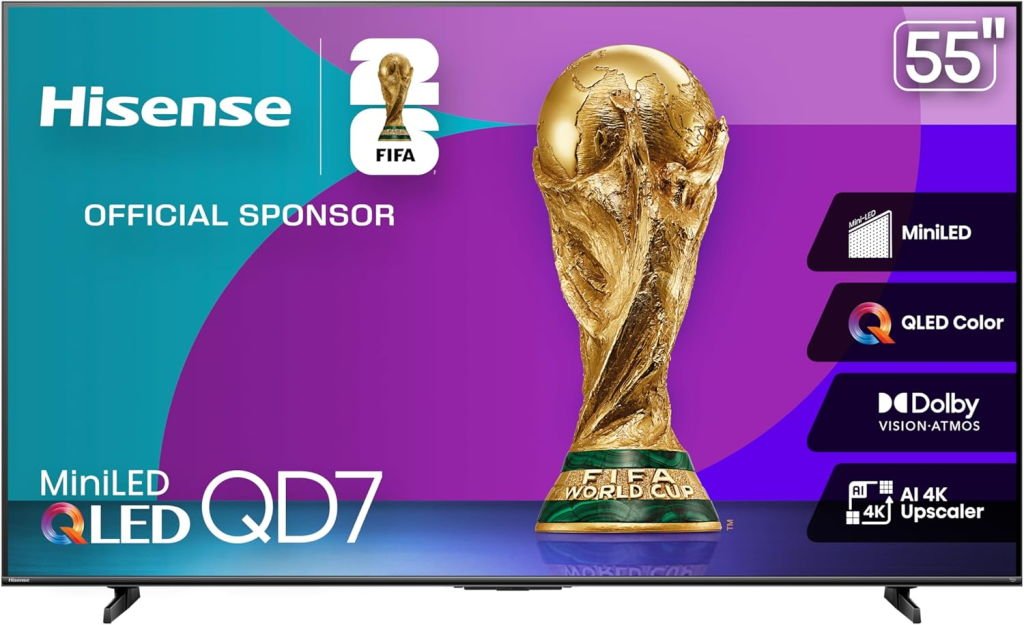
If bleed remains bothersome and you’re in the market for a new display, consider Mini-LED or OLED. Modern budget Mini-LED TVs offer much better uniformity than traditional edge-lit LEDs. For example, the Hisense 55″ Class QD7 Series Mini-LED 4K UHD Smart Fire TV (55QD7QF, 2025 model) delivers strong contrast and minimal bleed at very competitive prices—often around $300–$350 (check current pricing here: https://amzn.to/4pYUTA7).
Can Backlight Bleeding Lessen Over Time?

Yes, in many cases backlight bleeding can decrease or even become nearly imperceptible with regular use—though it’s not guaranteed and depends on the root cause.
If the bleed stems from temporary manufacturing or shipping stress (such as uneven pressure from the bezel, tight frame assembly, or panel layers that haven’t fully settled), heat generated during normal operation and natural material relaxation can gradually relieve those pressure points. Over weeks or months, this often results in noticeably better uniformity.
A widely discussed example comes from a 2019 Reddit thread in r/Monitors where a user documented dramatic improvement on a new monitor. On day 1, a full-black test screen showed obvious bleeding along the edges and corners—bright patches clearly visible. By day 25 of regular use, the same test revealed almost uniform blacks, with the bleed reduced to barely noticeable levels. Community responses supported this: one hypothesis explained it as pressure easing over time due to heat and panel «loosening,» while a monitor manufacturer representative confirmed they had observed similar improvements in testing, noting that not all cases improve and some can stem from user handling (e.g., gripping edges too firmly during setup).
Similar anecdotal reports appear consistently across forums like Reddit, AVS Forum, and RTINGS comments, including on curved gaming monitors and budget TVs. For instance, some owners of ASUS ROG curved panels note severe edge bleed out of the box that gradually fades over months to the point of being negligible.
However, if the bleeding is due to a deeper manufacturing flaw (poor diffuser alignment, defective LEDs, or significant panel warping), it may persist unchanged or, rarely, worsen with age or stress. There’s no universal timeline—improvement, when it happens, typically shows within the first few weeks to a couple of months of daily use.
The takeaway: If your new display has mild to moderate bleed, give it time upright in its normal position with regular viewing hours before deciding it’s unacceptable. Combine this with the earlier fixes (lower backlight, gentle massage) for the best chance of improvement.

Conclusion
Backlight bleeding is a common quirk of LED/LCD technology rather than a outright defect in most cases. Mild to moderate instances rarely interfere with everyday viewing, and simple adjustments—like lowering the backlight brightness, enabling dynamic controls, or giving the panel time to settle—often make it a non-issue. The most effective «fix» is usually prevention: opting for displays with better backlight designs, such as Mini-LED or full-array local dimming models, dramatically reduces the problem without breaking the bank in 2025.
If the bleeding on your new TV or monitor is severe right out of the box and none of the safe tweaks (lower brightness, gentle massage, or a few weeks of use) help, don’t hesitate to use your warranty or return window. Panel uniformity varies even within the same model, and exchanging for another unit can yield a much cleaner screen.
Ultimately, while no LED display is completely immune, modern budget Mini-LED options have narrowed the gap with premium tech. For perfect blacks and zero bleed risk, OLED remains the gold standard—if your budget allows.
FAQ
What is backlight bleeding?
Backlight bleeding is when light from the LED backlight leaks around the edges or corners of an LCD screen, appearing as bright patches or glows on dark or black content.
What causes backlight bleeding?
It’s primarily caused by manufacturing tolerances: uneven pressure from the frame/bezel, misaligned panel layers, or imperfect light diffusion. Edge-lit designs and physical stress during shipping or setup make it more likely.
What is clouding?
Clouding is a related uniformity issue where hazy, irregular bright patches appear across larger areas of the screen (not just edges). It’s also due to poor backlight control but tends to look more splotchy than the sharper “flashlighting” of classic bleed.
What backlight technology is best for avoiding backlight bleeding?
Mini-LED with full-array local dimming offers the best uniformity in current LED TVs. OLED eliminates it entirely since there’s no backlight.
What types of backlighting are there and which is best?
- Edge-lit: LEDs only on the sides – cheapest, thinnest, but most prone to bleed.
- Direct-lit/Full-array (FALD): LEDs across the entire back – better uniformity.
- Mini-LED: Thousands of tiny LEDs with many dimming zones – excellent contrast and minimal bleed at affordable prices.
Best overall for avoiding bleed: Mini-LED > Full-array > Edge-lit.
What is OLED?
Organic Light-Emitting Diode: Each pixel produces its own light and can turn off completely for true black. No backlight = perfect uniformity and infinite contrast.
What is QLED?
Quantum-dot LED: A marketing term (mainly Samsung/Hisense/TCL) for LCD TVs with quantum dots for better color. Still uses a backlight, so it can have bleed like any LED TV.
Which is better, OLED or QLED?
OLED wins for contrast, blacks, and viewing angles. QLED (especially Mini-LED versions) is brighter, more resistant to burn-in, and often cheaper in larger sizes.
What is a VA panel?
Vertical Alignment: Offers higher native contrast and better blacks than IPS, but narrower viewing angles. Common in budget TVs and curved gaming monitors.
What is an IPS panel?
In-Plane Switching: Superior color accuracy and wide viewing angles, but lower contrast and more prone to IPS glow (not the same as backlight bleed).
What is local dimming / Full Array Local Dimming (FALD)?
A feature where the backlight is divided into zones that can dim independently to boost contrast. More zones = better performance and less bleed/haloing.
What is Mini-LED?
A backlight using thousands of tiny LEDs for far more dimming zones than traditional FALD, delivering OLED-like contrast at lower cost and higher brightness.
Can backlight bleeding be repaired?
Not permanently in the traditional sense. Safe tweaks can minimize it, and pressure-related bleed sometimes lessens over time, but severe cases usually require exchanging the unit under warranty.